NewIntroducing Memo AI — Turn voice notes into structured insights→
Choose the Best Planner App for iPhone: 10 Great Options
Looking for the best planner app for iPhone? Explore 10 top options to organize tasks, notes and calendars (plus a smart AI-powered pick to try).
Your iPhone is probably packed with tools to help you stay organized, but somehow, your to-do list still lives on three different apps, half your notes are scattered across folders and your calendar looks like it’s plotting against you.
If staying on track feels more chaotic than it should, a good planner app for your iPhone can make a real difference. It can bring all your tasks, notes and events together and adjust to the way you work and think.
We’ve rounded up 10 of the best planner apps for iPhone, whether you’re juggling deadlines, managing a side hustle or just want your days to run a little smoother.
How to pick a planner app for iPhone?
Here’s what to keep in mind when finding an app that fits your lifestyle:
- The user experience: Some apps feel effortless, others make you work to figure them out. Look for one that fits into your day and syncs smoothly with your calendar, reminders and other Apple devices.
- What you actually need for your iPhone: It’s easy to get lured by long feature lists, but if all you really want is a simple way to create tasks, paying for team collaboration and project management tools might be overkill.
- Features and use cases: Can you organize your day? Block time? Dictate tasks on the go? Look for features that support the way you already think and work.
- What others say about the app: People tend to be pretty honest about what works and what doesn’t, so check what others are saying about bugs, updates and customer support before you commit.
- Budget constraints: Don’t pay for flashy extras you’ll never touch!
The best planner apps for iPhone at a glance
| App name | Key features | Best for | Pricing | Ratings |
|---|---|---|---|---|
NotePlan | Daily and weekly planning Detailed task management Time blocking Voice input and transcription AI planning tools | Users who want a customizable, distraction-free planner that combines notes, tasks, calendar and AI features | 7-day free trial Paid plans start at $8.33/month | Apple App Store: 4.7 |
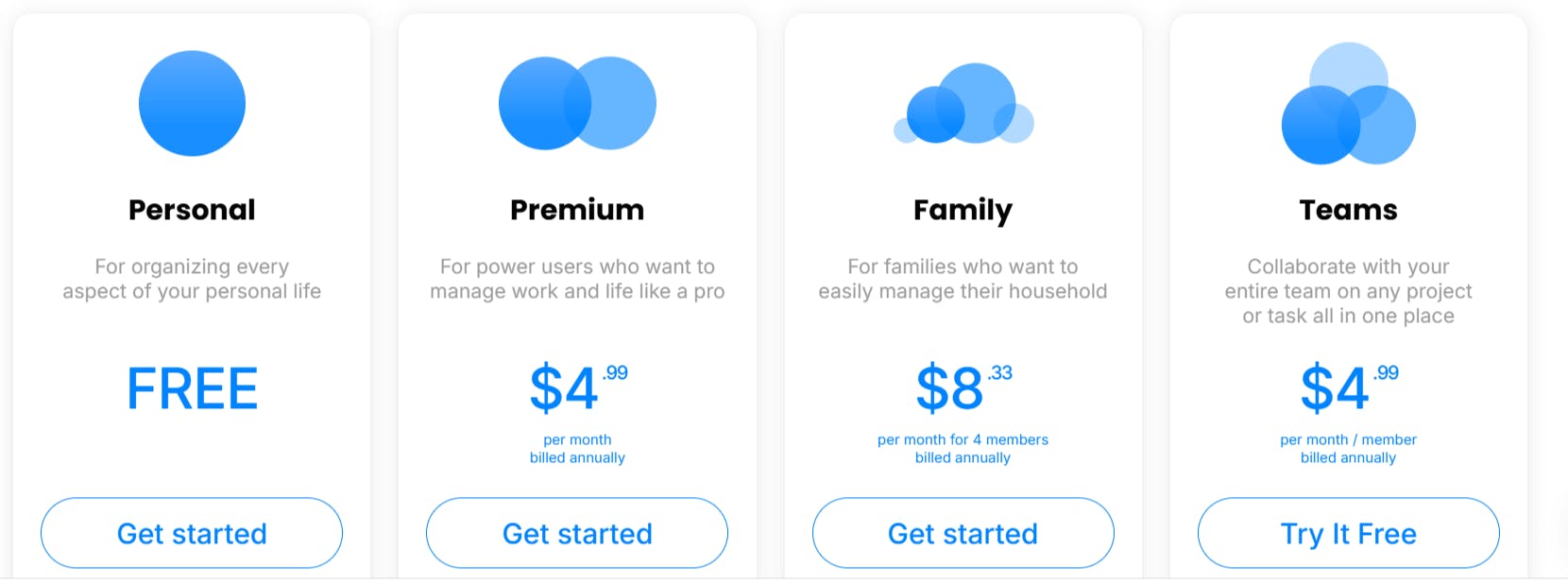
Any.do | Task management Reminders Calendar integration | Individuals and small teams looking for simple task management and calendar planning | Free plan Paid plans start at $4.99/month | Apple App Store: 4.6 |
Todoist | Task management Project organization Productivity tracking | Users who want a minimalist task manager with cross-platform support | Free plan Paid plans start at $4/month | Apple App Store: 4.8 |
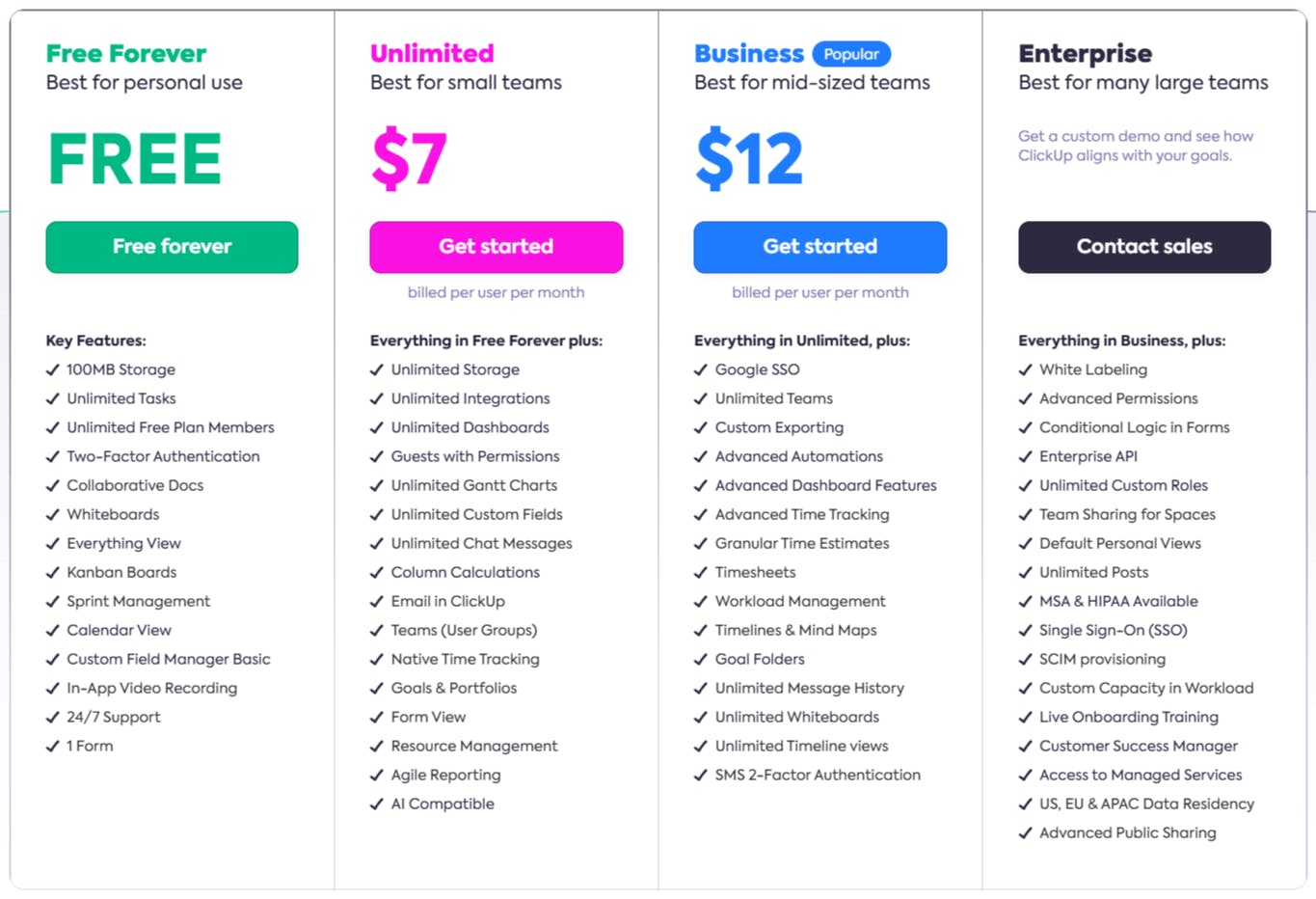
ClickUp | Task management Multiple project views Time tracking features | Professionals and teams needing advanced planning tools and workflow customization | Free plan Paid plans start at $7/month | Apple App Store: 4.6 |
24me | Unified calendar and task management Email to task conversion Smart notifications | iPhone users who want a unified view of daily planning with real-time alerts | Free plan Paid plan $5.99/month or $35.99/year | Apple App Store: 4.7 |
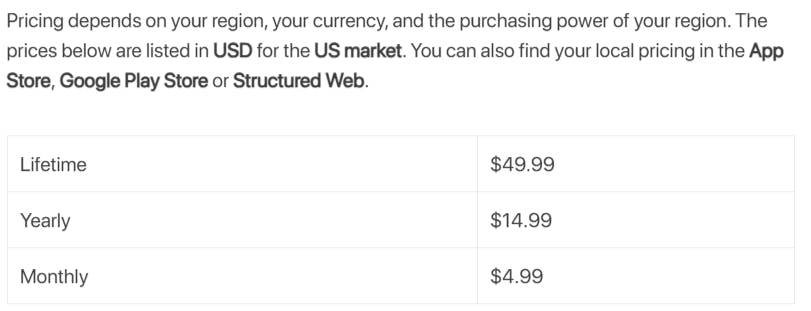
Structured - Daily Planner | Visual timeline Calendar integration Focus tools | Users who prefer visual scheduling with drag-and-drop task planning | Free plan Paid plans depend on your region | Apple App Store: 4.8 |
TickTick | Task management Pomodoro timer Habit tracker | Individuals balancing productivity and habit tracking in one place | Free plan Paid plan $35.99/year | Apple App Store: 4.9 |
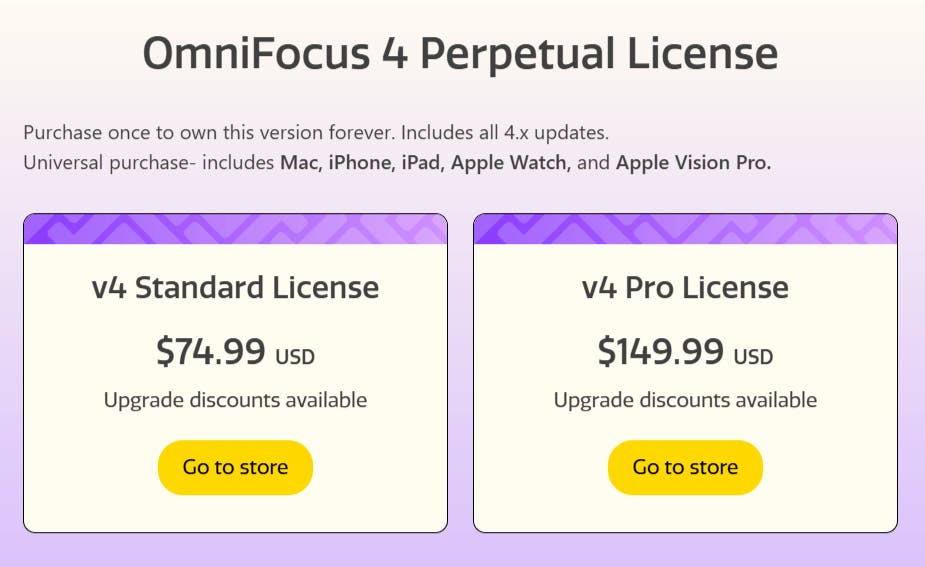
OmniFocus | Task management Tagging and filtering Custom perspectives (Pro version) | Apple users who need deep task organization and GTD-style planning | 14-day free trial Paid plans start at $74.99 one-time | Apple App Store: 4.4 |
Diarly | Calendar and timeline views Daily prompts and data integration Reminders and goal tracking | Users focused on personal growth, habit reflection and journaling | 7-day free trial Paid plans start at $2/month | Apple App Store: 4.8 |
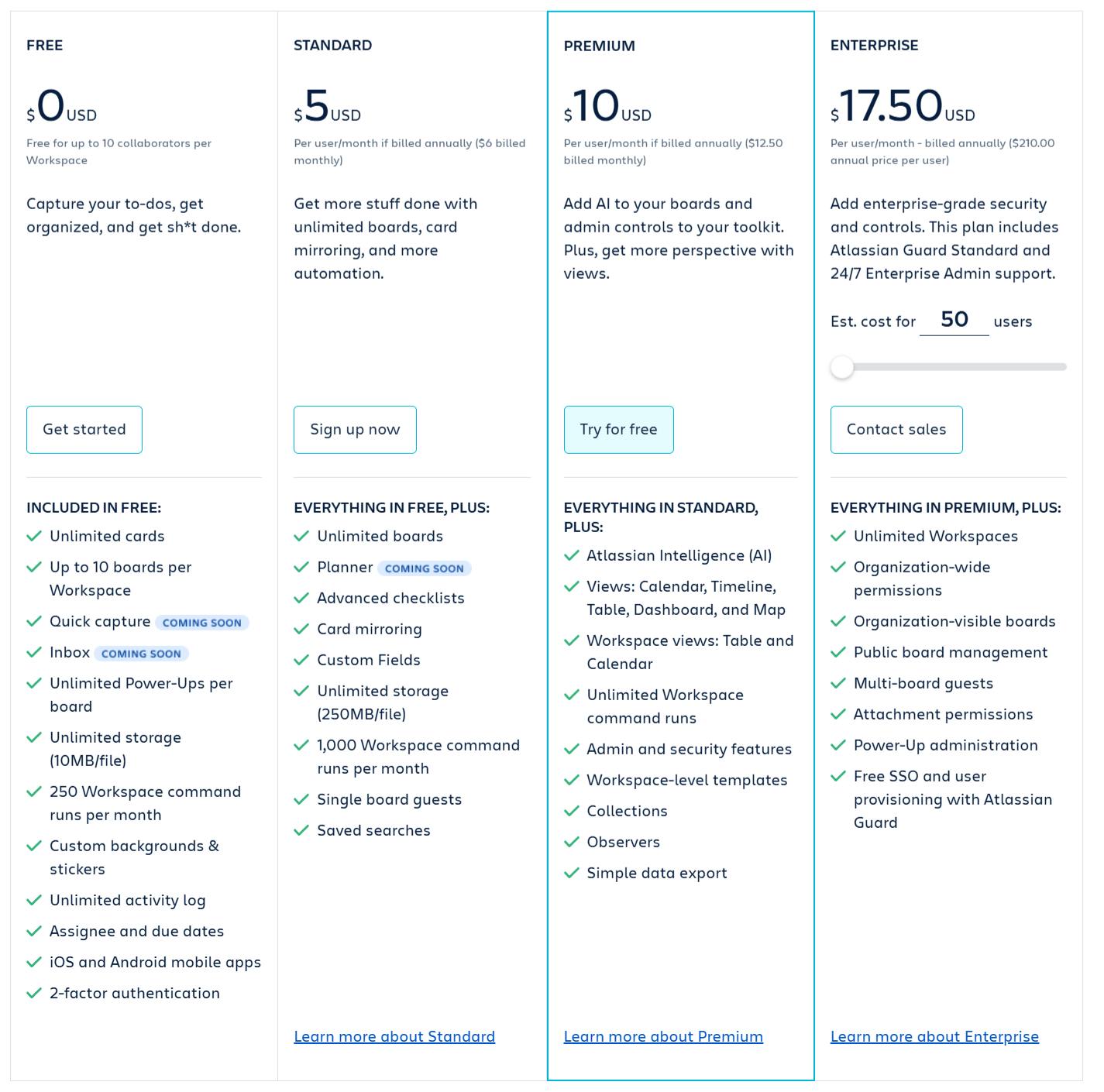
Trello | Boards, lists and cards Customization tools Butler automation | Visual planners and teams looking for flexible task management | Free plan Paid plans start starts at $5/user/month | Apple App Store: 4.4 |
Top 10 iPhone apps for planning: our picks
1. NotePlan
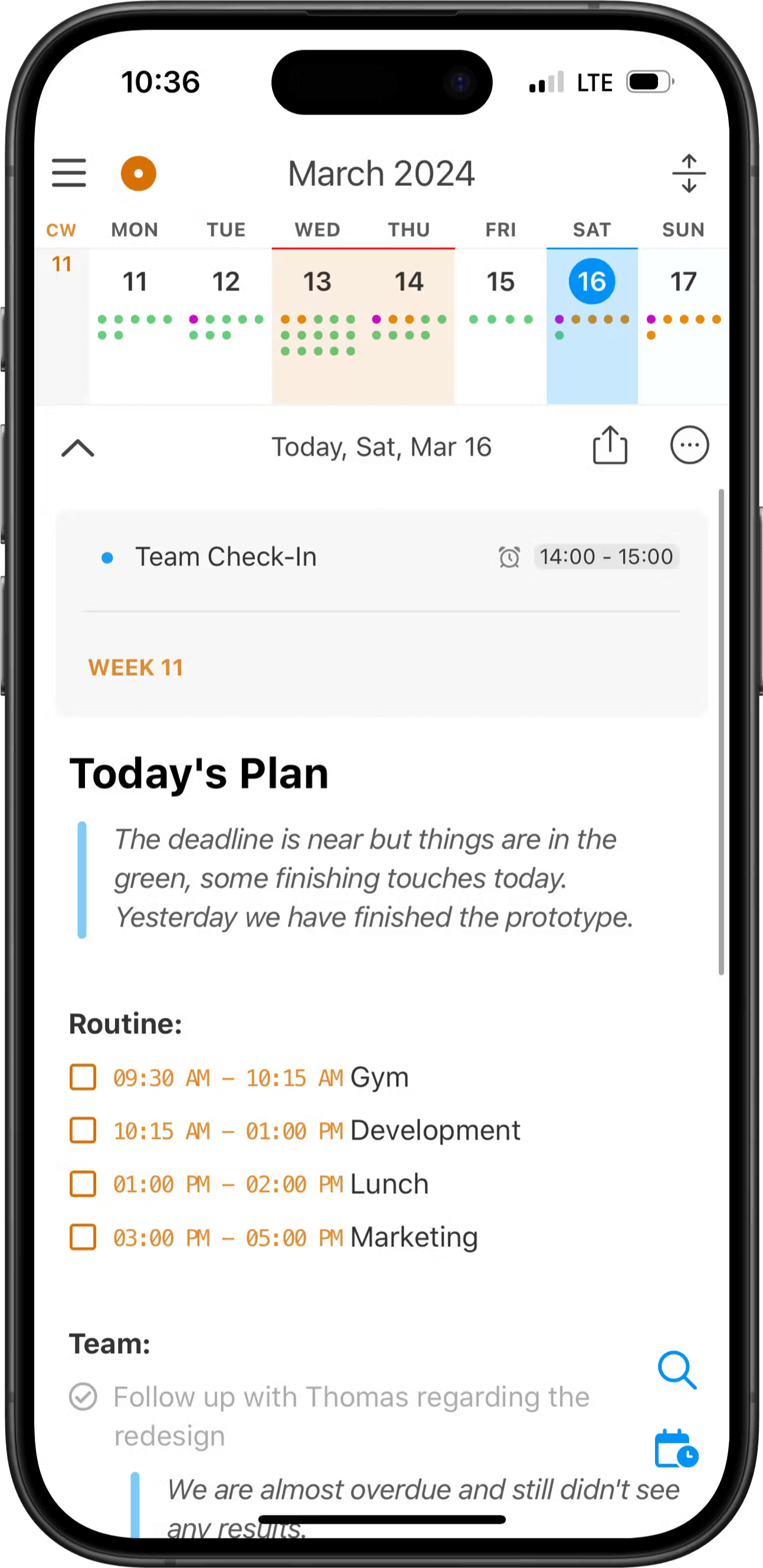
If your day is split between notes, tasks and calendar events, NotePlan brings it all together and syncs across all Apple devices – no more jumping between apps.
It’s structured but flexible, making it a great fit for anyone who wants a planner that adapts to how they work.
And yes, there's AI to help speed things up when your hands (or brain) are full.
Planning tools and features
- Daily and weekly planning: NotePlan creates a fresh note every day, pulling in your tasks and events so everything lives in one place. You can add checklists, jot down notes and link related tasks. You can also speed things up with pre-built daily planner templates to get your day going. Weekly notes help you plan ahead or look back.
- Detailed task management: You can schedule the task manually or add it directly to your daily notes. With Voice Transcription, simply say what you need to accomplish, when it should be done, and how long it will take—AI will then generate a detailed plan for your day.
- Time blocking: Drag tasks into your timeline to see exactly when you’ll tackle them. It’s a simple way to protect focus time, fully synced with your calendar.
- Voice input and transcription: NotePlan turns voice into notes or tasks, making it great for quick thoughts on the go or hands-free planning.
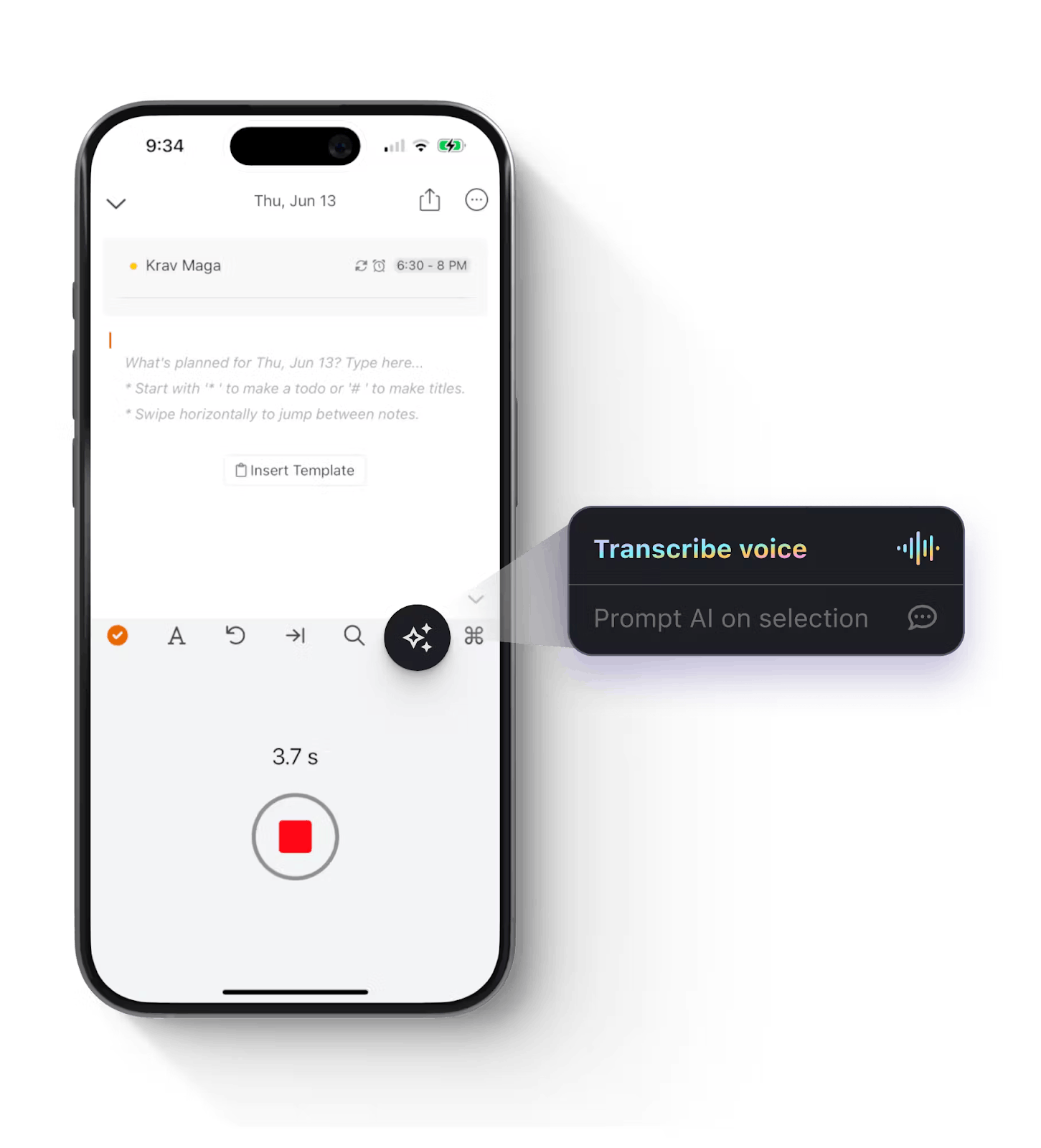
- AI planning tools: Use smart AI to clean up notes, rewrite text or build a schedule from a voice note. With built-in templates, it’s one of the AI note-taking apps that speeds things up.
For more structured planning, try this AI project planning template to track goals and deadlines with help from AI.
NotePlan reviews and ratings
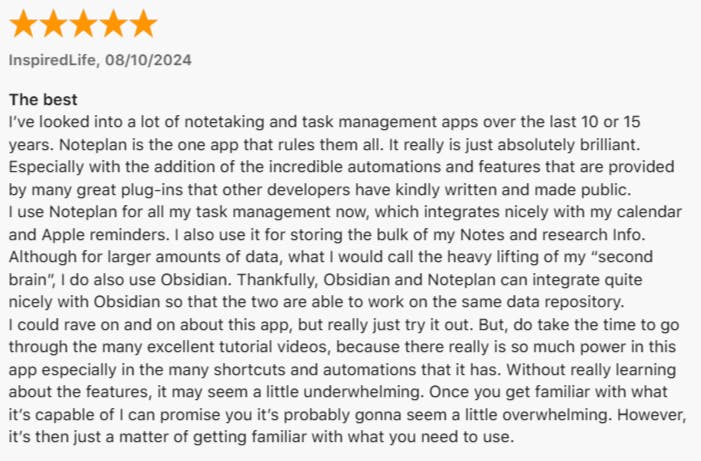
Apple App Store: 4.8
Pricing
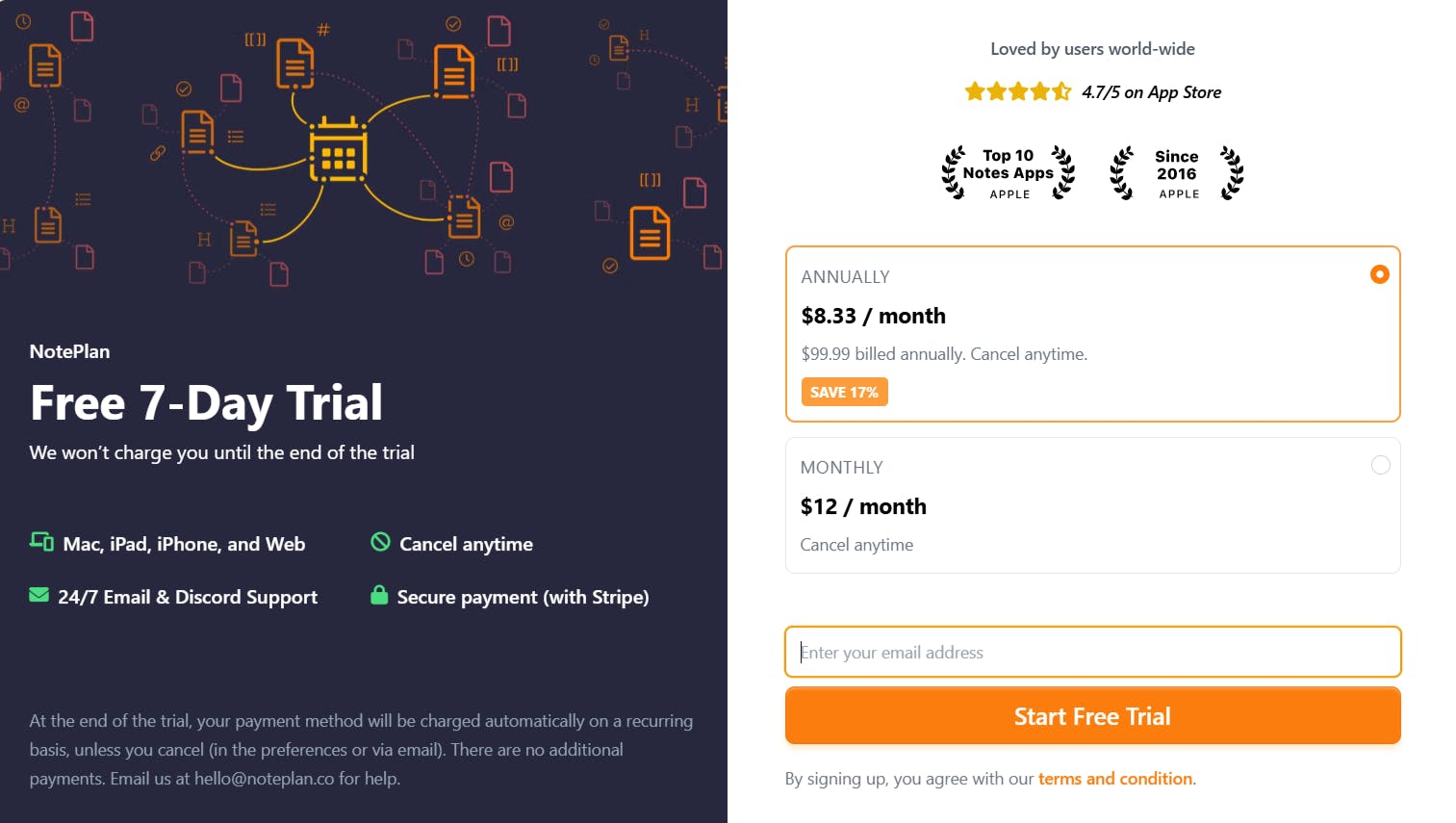
Try it free for 7 days and see how it fits into your flow.
2. Any.do
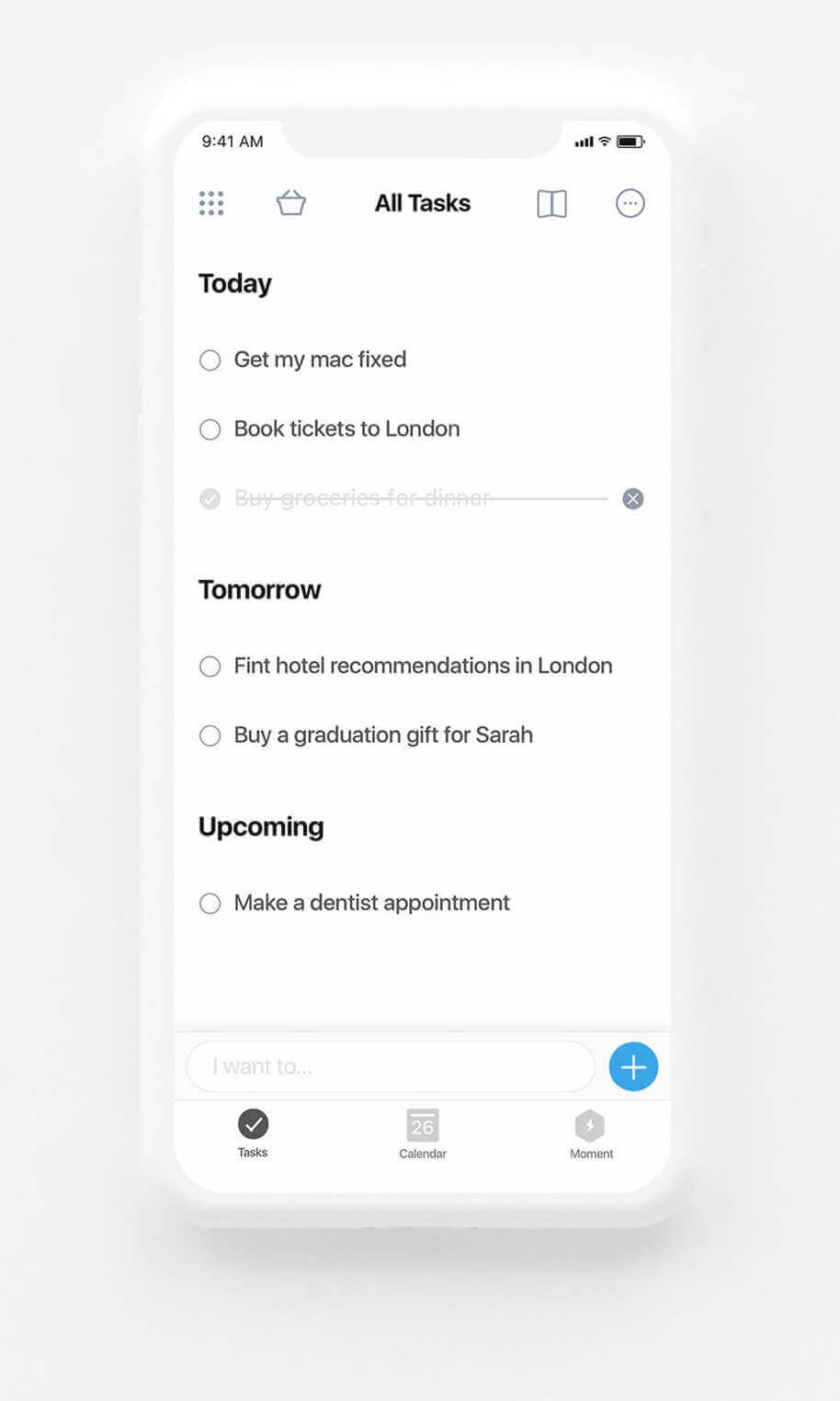
Any.do is a productivity app for iPhone, web, and smart devices. It combines task lists, calendar integration and basic task management tools. The app supports individual use, shared tasks and team collaboration through workspaces and boards.
Planning tools and features
- Task management: Users can create tasks with tags, notes, subtasks and file attachments. Tasks can be grouped by lists or projects, assigned to others and tracked with progress indicators. Each task also includes comment space for better collaboration.
- Reminders: Any.do offers time-based, recurring and location-based reminders. This helps users schedule tasks from one-time events to regular routines.
- Calendar integration: The app connects with Google Calendar, Outlook and others to show tasks and events in one unified view. The daily planner feature suggests tasks to prioritize based on your schedule and widgets allow quick calendar access from the home screen.
If you need something different, check out this Any.do alternative list.
Any.do reviews and ratings
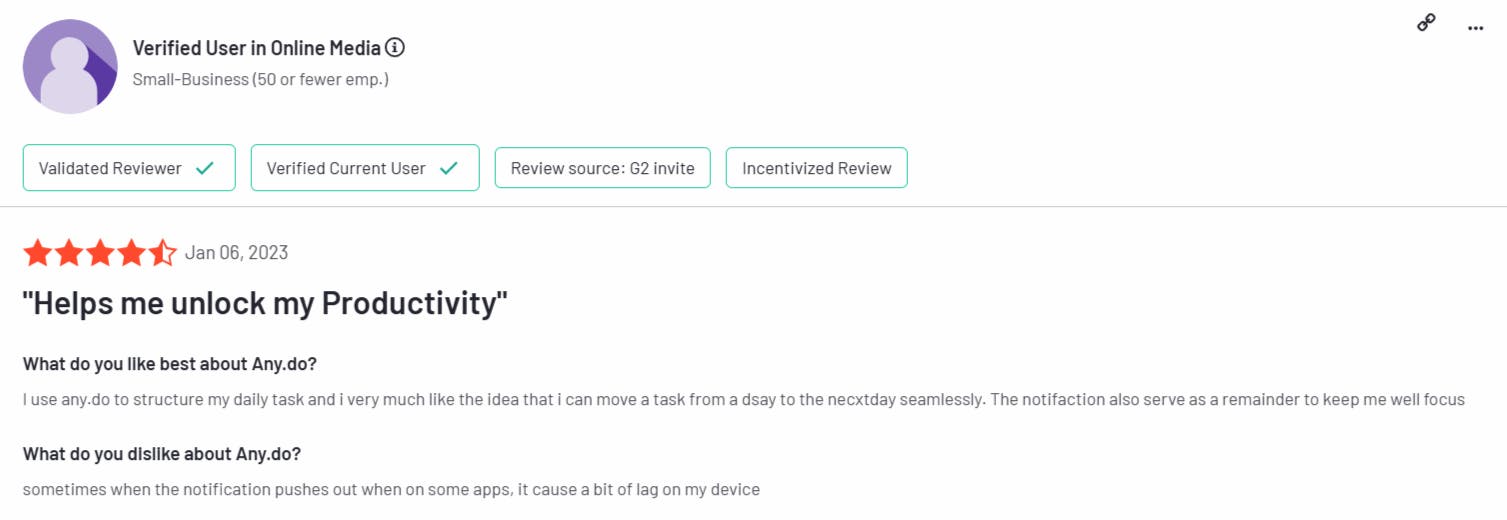
Apple App Store: 4.6
Pricing
3. Todoist
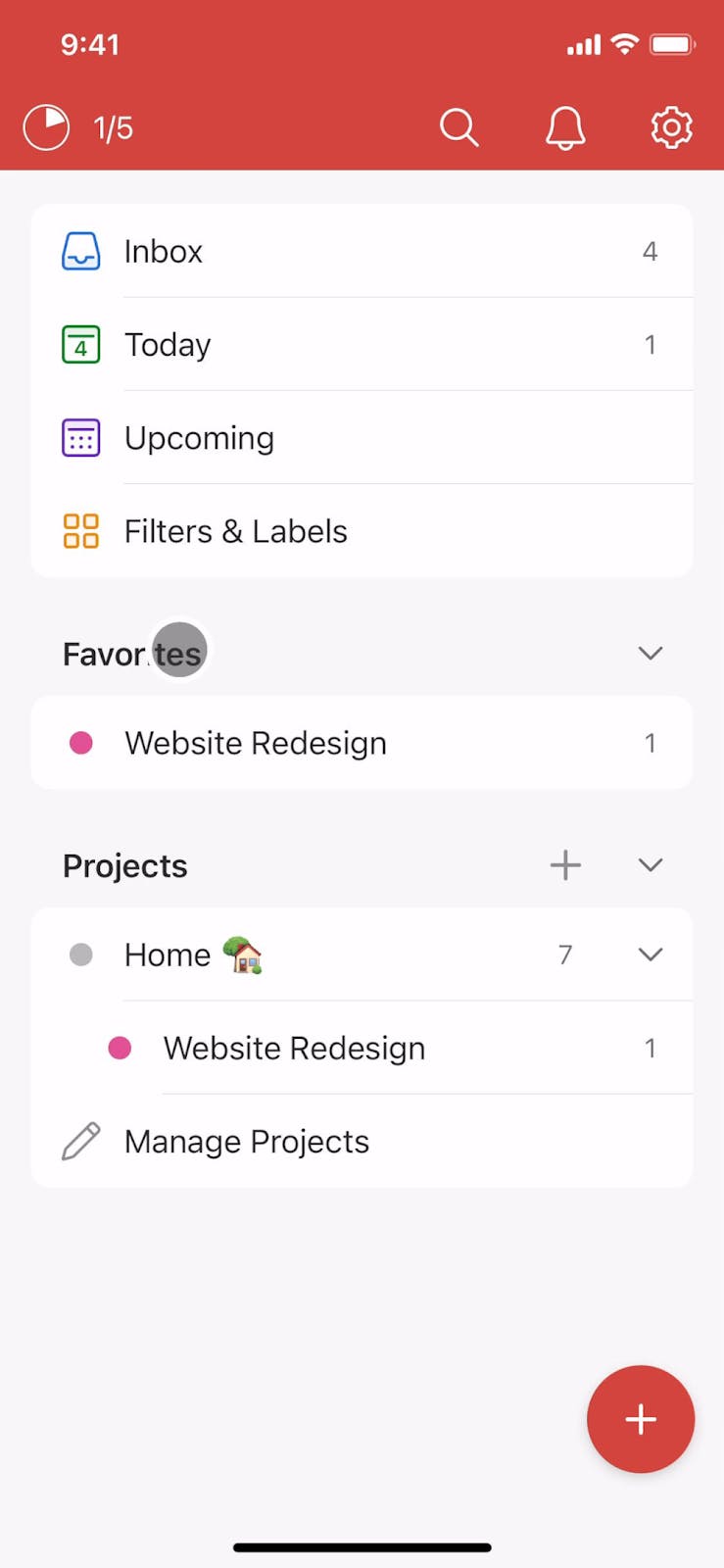
Todoist is a cross-platform task manager that helps users organize personal and professional to-dos. It supports task lists, project organization and basic collaboration features. The app is available on smartphones, desktop and web, with integrations for calendars and popular productivity tools.
Already using Todoist? You can use a plugin to connect Todoist and NotePlan and bring your tasks into a note-focused system.
Planning tools and features
- Task management: Users can add tasks using natural language. Type “Team call tomorrow at 3 PM” and it’s scheduled. Break things down with subtasks, set repeats and add priorities to stay organized.
- Project organization: Tasks are grouped into projects, which can be further divided into sections. Users can switch between a traditional list view or a board layout for a Kanban-style workflow.
- Productivity tracking: Todoist tracks task completion and streaks using a point system called “Karma.” Users can view productivity reports showing completed tasks by day or week to help monitor progress over time.
If Todoist feels a bit limited, this Todoist alternative provides more flexibility without losing structure.
Todoist reviews and ratings
Apple App Store: 4.8

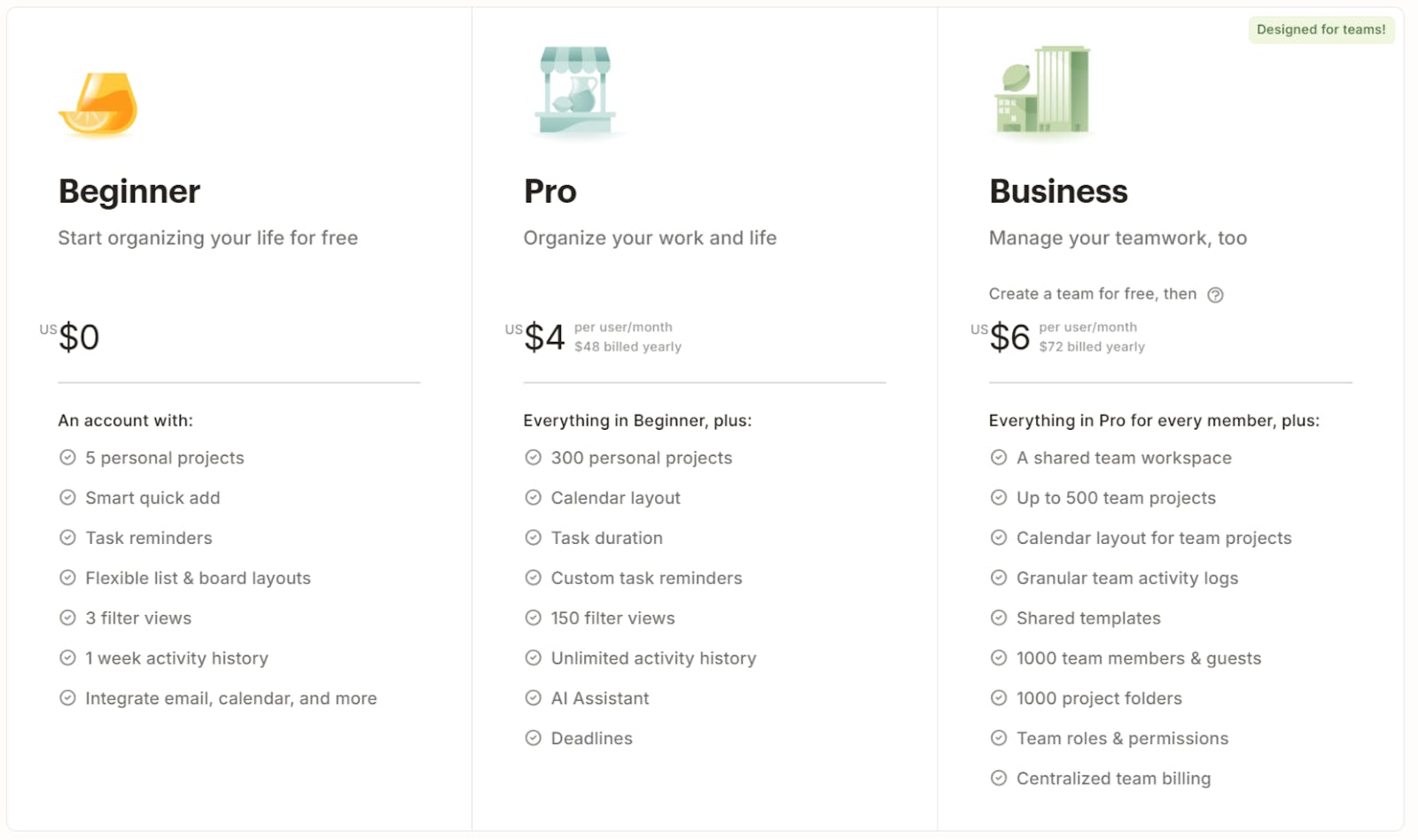
Pricing
4. ClickUp
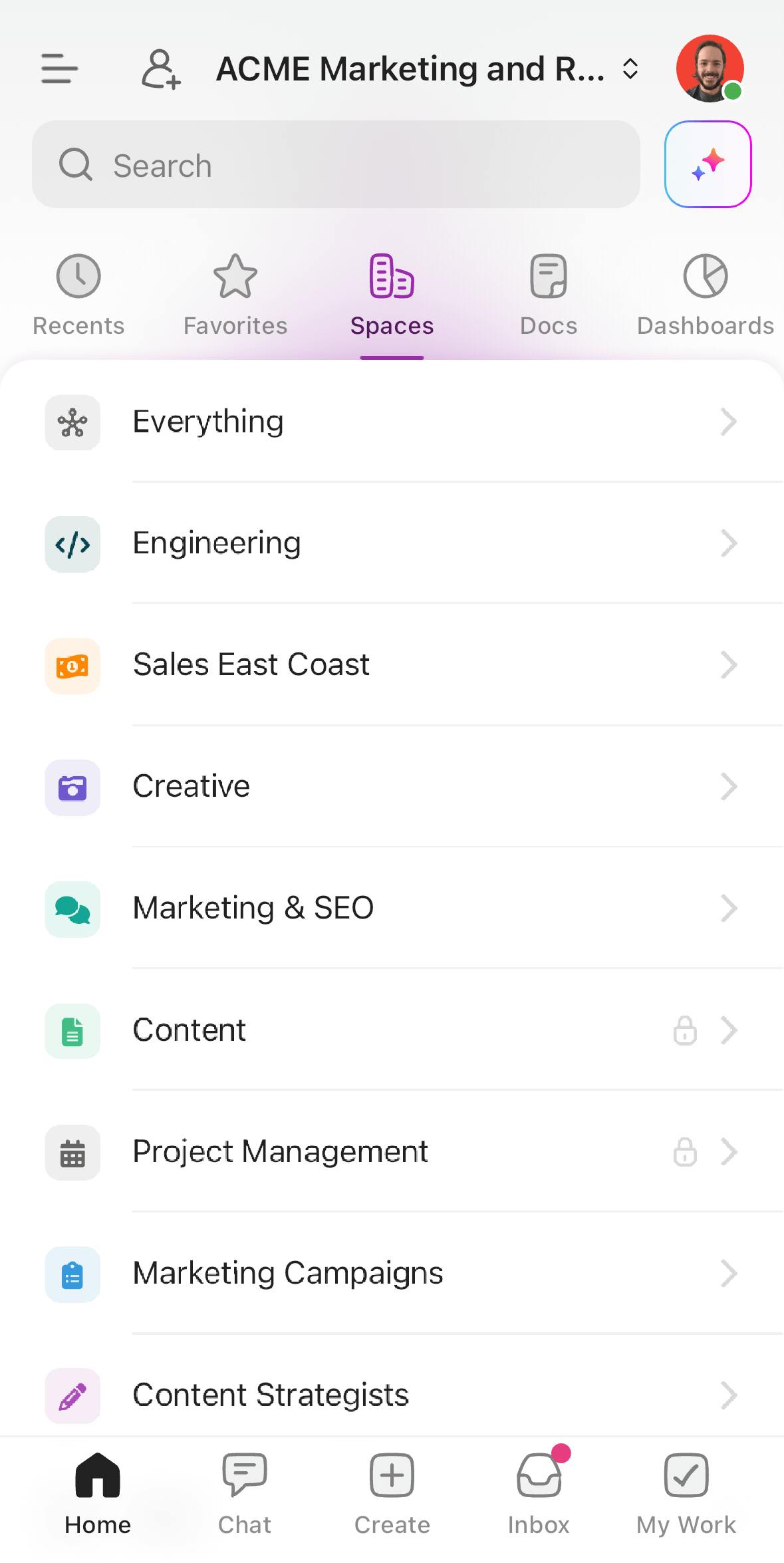
ClickUp is a cloud-based productivity and project management software that lets users plan, track and manage tasks across customizable workspaces. It’s available on iPhone, desktop and web and supports a wide range of project views, time tracking and automation tools for individuals and teams.
Planning tools and features
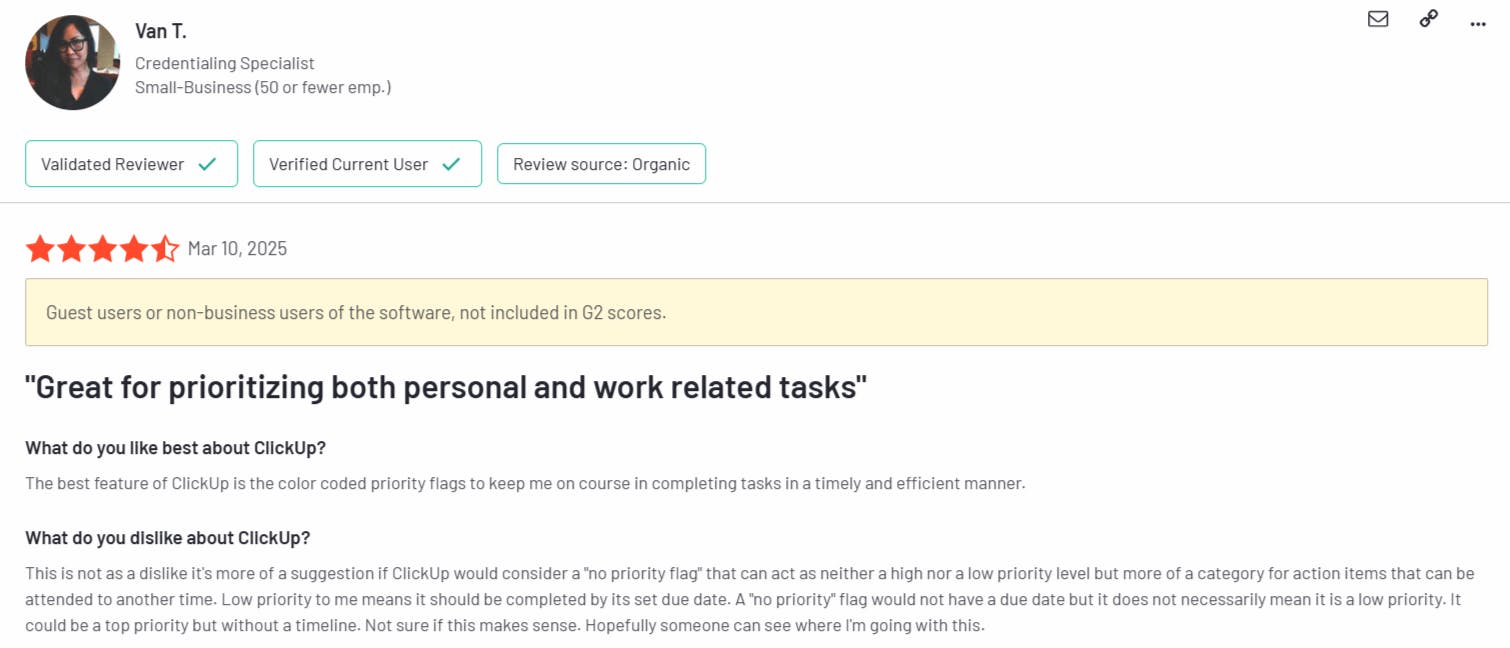
- Task management: Create tasks with subtasks, checklists and custom fields. Tasks can be organized within lists, folders and spaces to fit different planning styles. Recurring tasks and priority levels help manage daily and long-term responsibilities.
- Multiple project views: Users can switch between lists, boards, calendars or timelines. “Me Mode” shows only your tasks, while “Team View” helps track who’s working on what.
- Time tracking features: Built-in time tracking, time estimates and scheduling tools help users manage time effectively. Tasks can be timed as you work, with estimates added in advance to plan workload.
Check out ClickUp alternatives for iOS with a simpler, more personal planning approach.
ClickUp reviews and ratings
Apple App Store: 4.6
Pricing
5. 24me
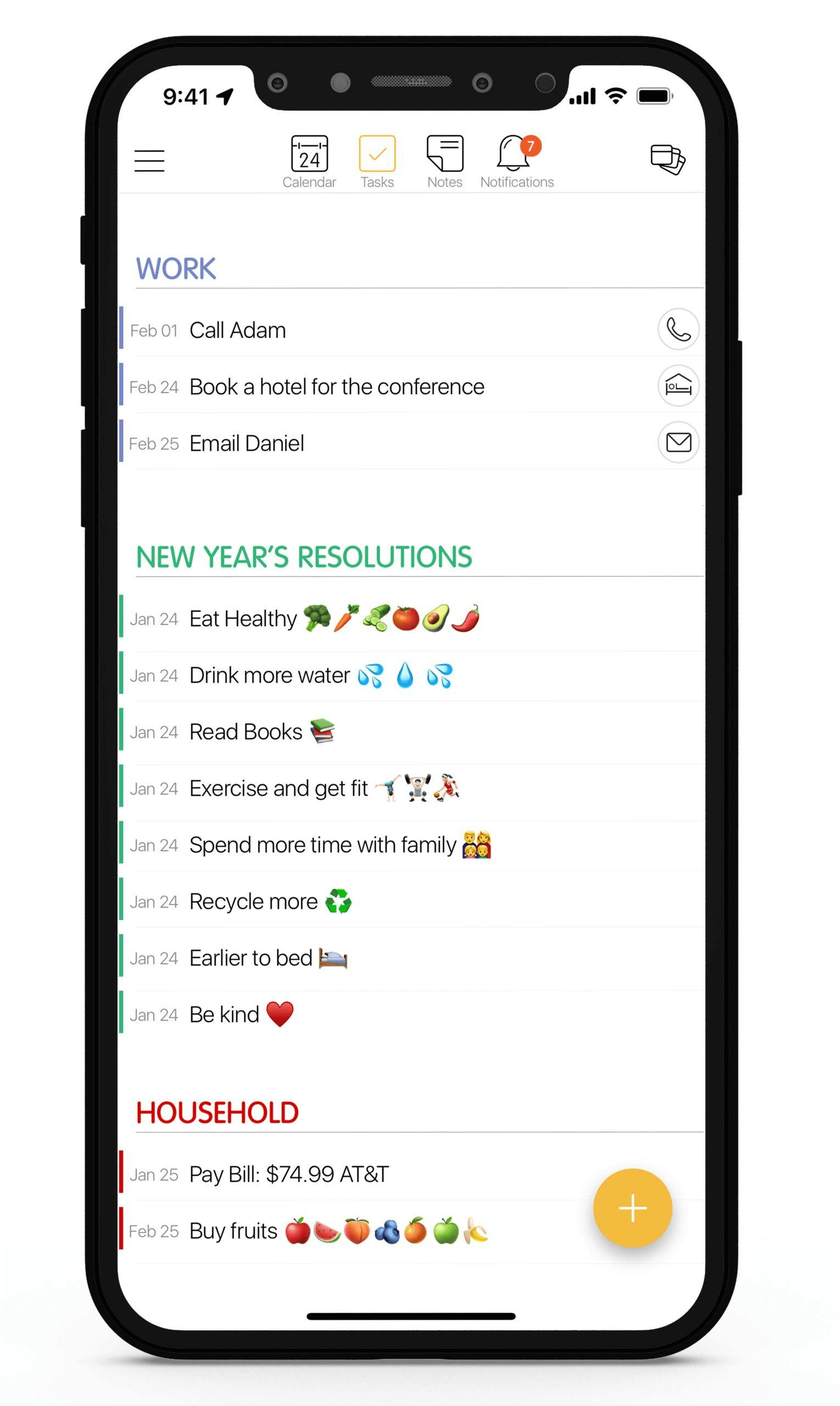
24me is a personal productivity app that combines calendar management, task lists, note taking and reminders. Available on iPhone and other devices, it integrates with multiple calendars and supports voice assistant compatibility for hands-free use.
Planning tools and features
- Unified calendar and task management: 24me combines calendar events, to-do lists and notes in a single view. Users can switch between daily, monthly or list-style views to plan upcoming tasks and appointments.
- Email to task conversion: Users can forward emails into the app to automatically create new tasks. This is useful for turning messages into actionable items without switching between apps, copying and pasting.
- Smart notifications: The app sends alerts for upcoming tasks, weather conditions, birthdays and traffic delays.
If you’re planning on a bigger screen, here are more great planning apps for Mac worth checking out.
24me reviews and ratings
Apple App Store: 4.7
Pricing
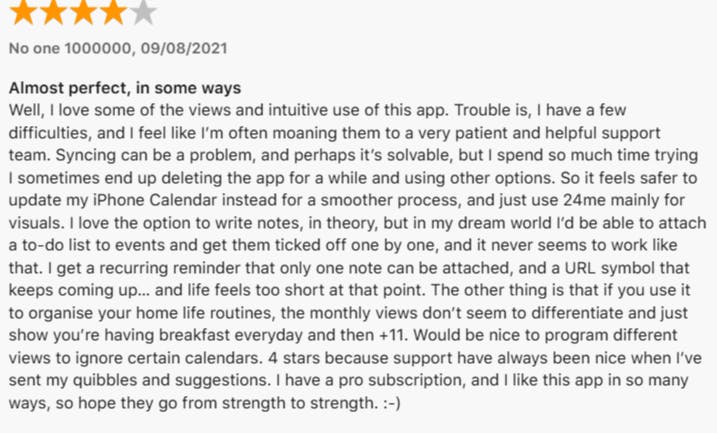
24me is free, with an optional Pro plan that adds custom labels, alerts, fonts and calendar photos for $5.99/month or $35.99/year.
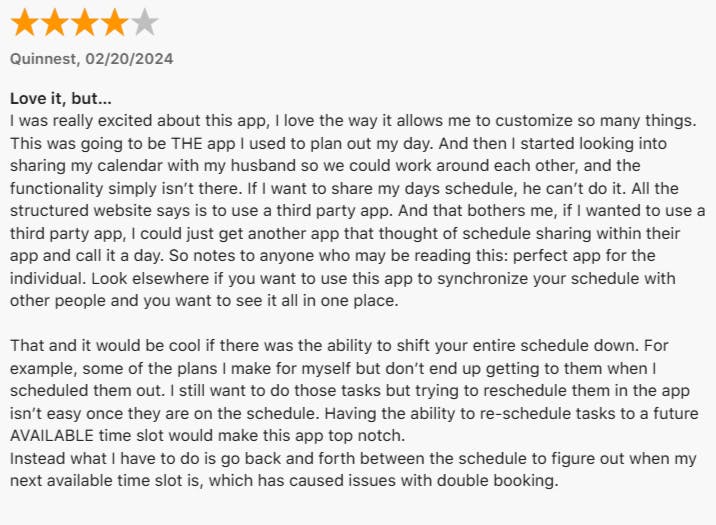
6. Structured - Daily Planner
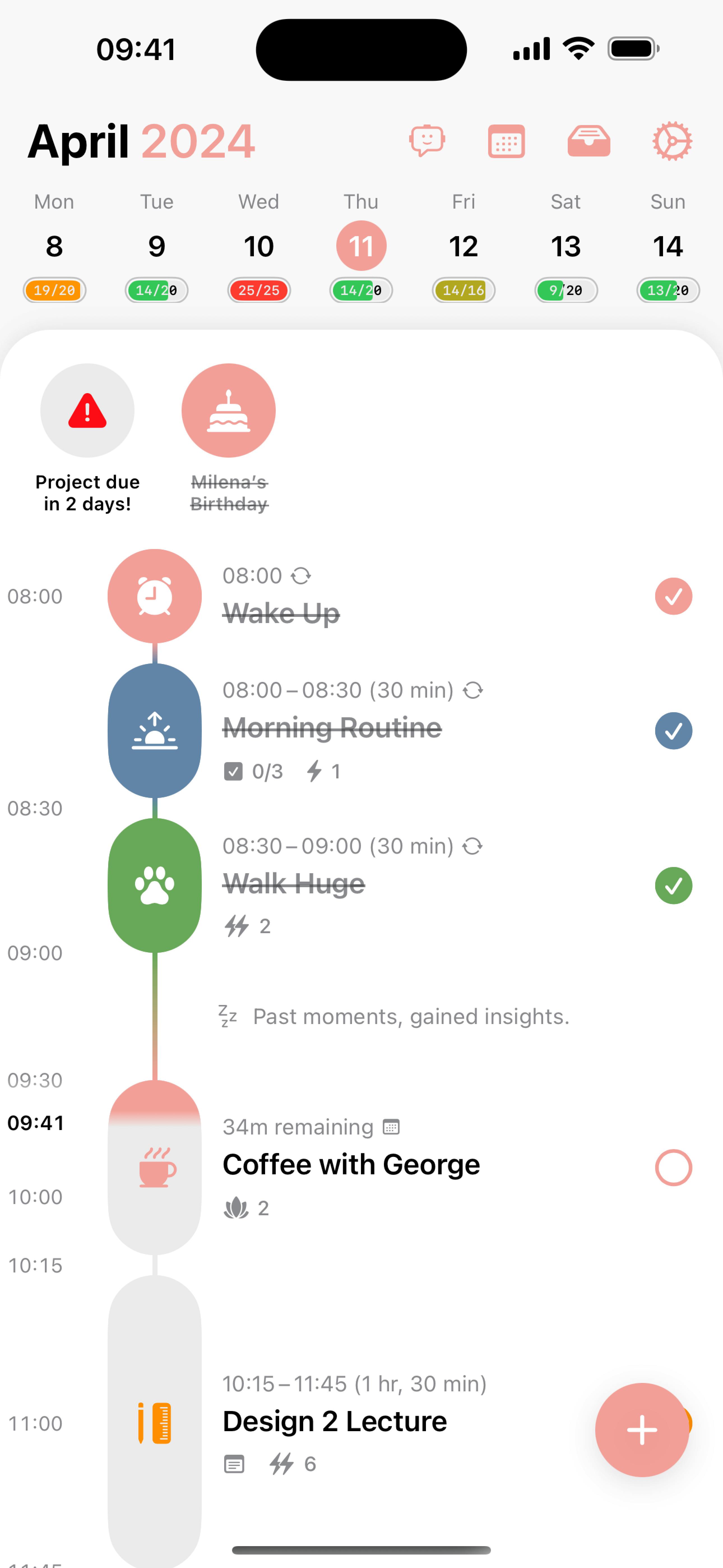
Structured is a daily planning app that organizes tasks and events into a visual timeline. It supports calendar syncing, task scheduling and habit tracking within a simplified interface. The app is available across smart devices, including Apple Watch.
Planning tools and features
- Visual timeline: Structured displays your entire day in a scrollable timeline format, showing tasks, events and habits in chronological order. Users can drag and drop tasks to reschedule them and assign time slots.
- Calendar integration: The app syncs with external calendars like Google Calendar and Apple Calendar. Imported events appear in the timeline, letting users manage scheduled tasks and calendar events in one place.
- Focus tools: The focus timer helps users work without distractions. The Energy Monitor tracks how users feel throughout the day, providing a visual snapshot to help plan tasks during peak productivity periods.
Structured reviews and ratings
Apple App Store: 4.8
Pricing
7. TickTick
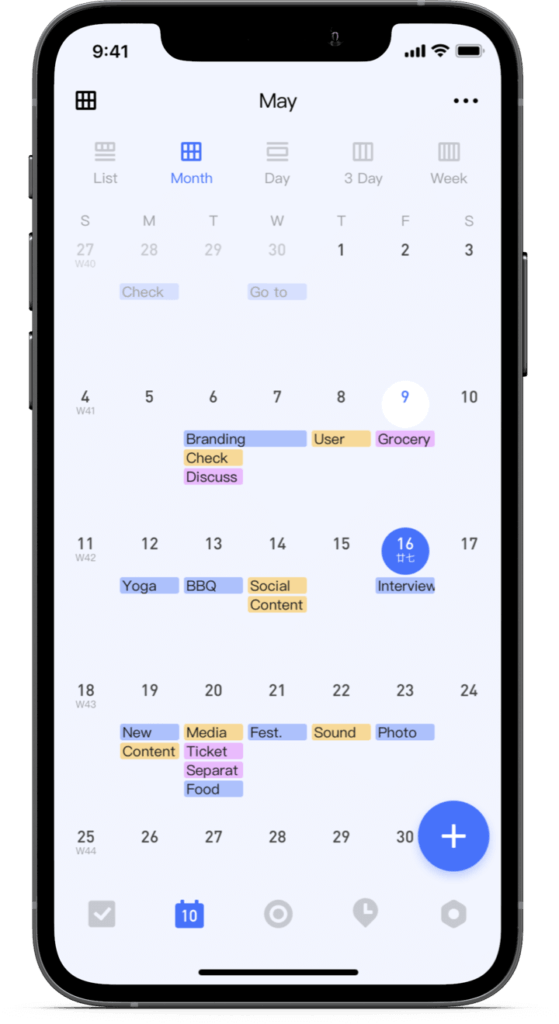
TickTick is a cross-platform task management app that helps users organize tasks, schedule events and track habits. It supports calendar integration, collaboration and customizable planning tools. Available on smart phones, web and desktop, it offers a mix of personal productivity and lightweight project management features.
Planning tools and features
- Task management: Create tasks using text, voice commands or by forwarding emails. Users can add subtasks, checklists and priority levels. Recurring tasks can be customized for daily, weekly or specific rule-based repetition.
- Pomodoro timer: A built-in Pomodoro timer lets users work in focused intervals with scheduled breaks. This tool is integrated into the task view so users can launch it directly from a to-do, helping with time management and concentration.
- Habit tracker: Users can set daily or recurring habits and track progress over time. Each habit is logged in a separate view that provides visual feedback, such as streaks and completion rates, to support long-term goal tracking.
Want a more streamlined TickTick alternative? NotePlan offers a minimal interface with strong time-blocking and note syncing.
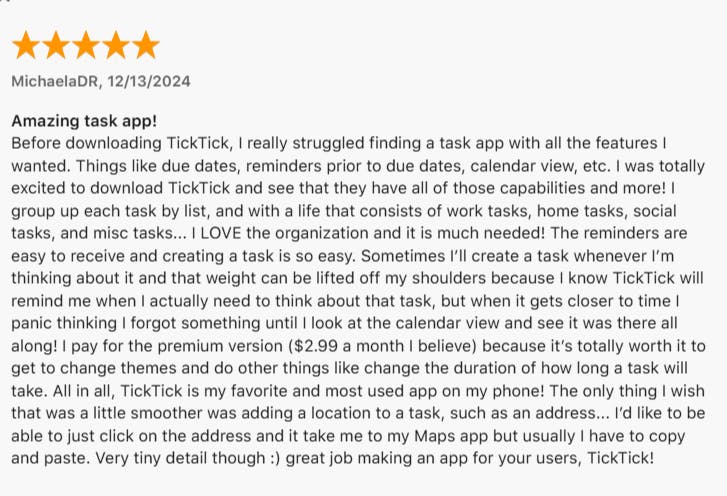
TickTick reviews and ratings
Apple App Store: 4.9
Pricing
TickTick is free, with an optional Premium upgrade for $35.99/year that unlocks features like full calendar views, custom filters and progress tracking.
8. OmniFocus
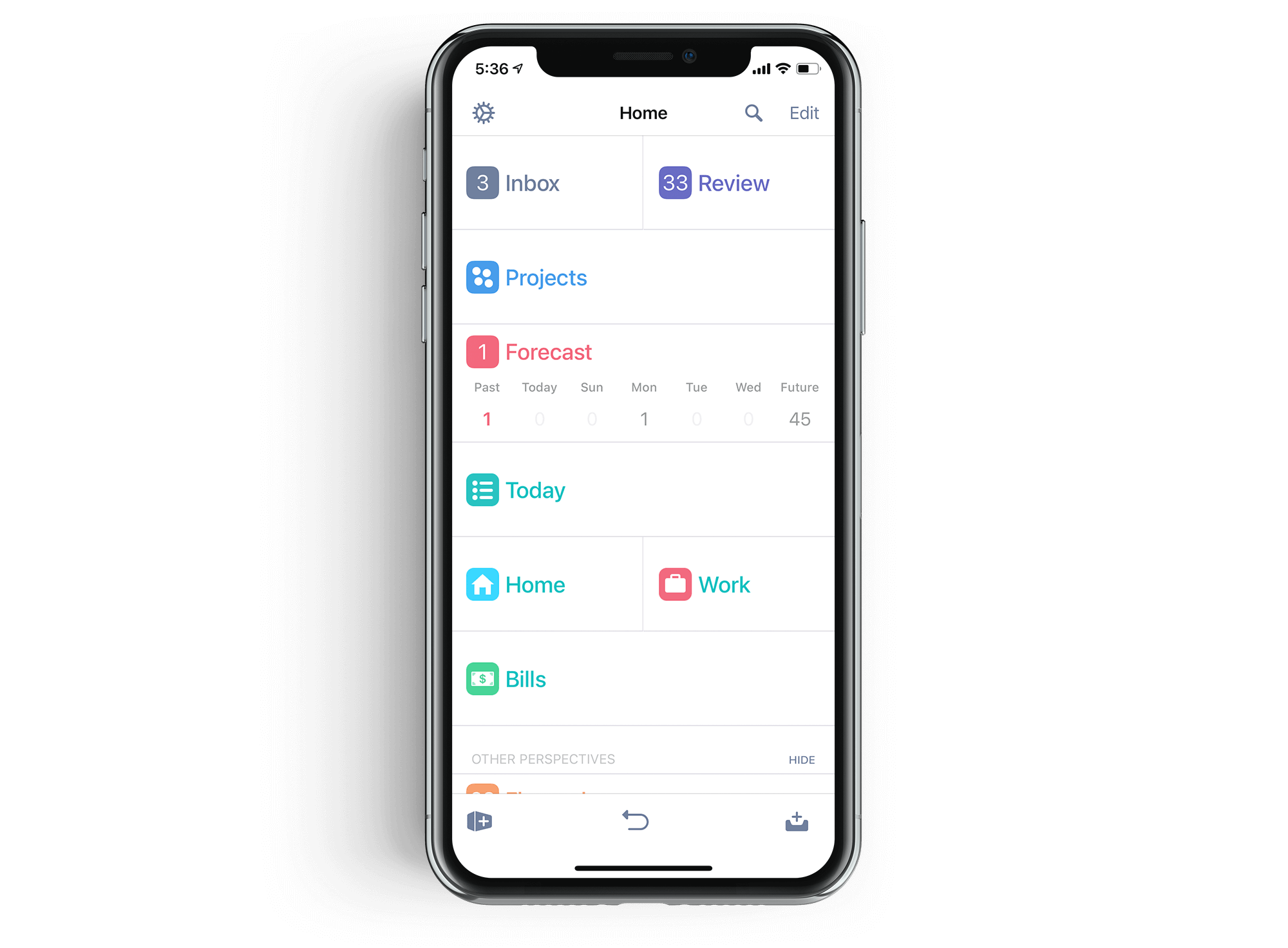
OmniFocus is a task management app for Apple users, with features designed to organize tasks, projects and schedules in detail. It runs on iPhone, iPad, Mac, Apple Watch and also offers a web version for cross-platform access.
Planning tools and features
- Task management: Add tasks with natural language, voice input or keyboard shortcuts. Each task supports subtasks, notes, file attachments and flags. Users can assign due dates or defer tasks to control when they appear in their workflow.
- Tagging and filtering: A flexible tagging system helps users sort and filter tasks by context, energy level, location or any custom criteria. Multiple tags can be added per task, which allows for more granular filtering when managing complex plans.
- Custom perspectives (Pro version): Custom perspectives let users create saved views based on specific criteria, like showing only flagged tasks due this week or grouping tasks by tag.
If OmniFocus feels too rigid, this OmniFocus alternative might give you more room to work the way you want.
OmniFocus reviews and ratings
Apple App Store: 4.4

Pricing
9. Diarly
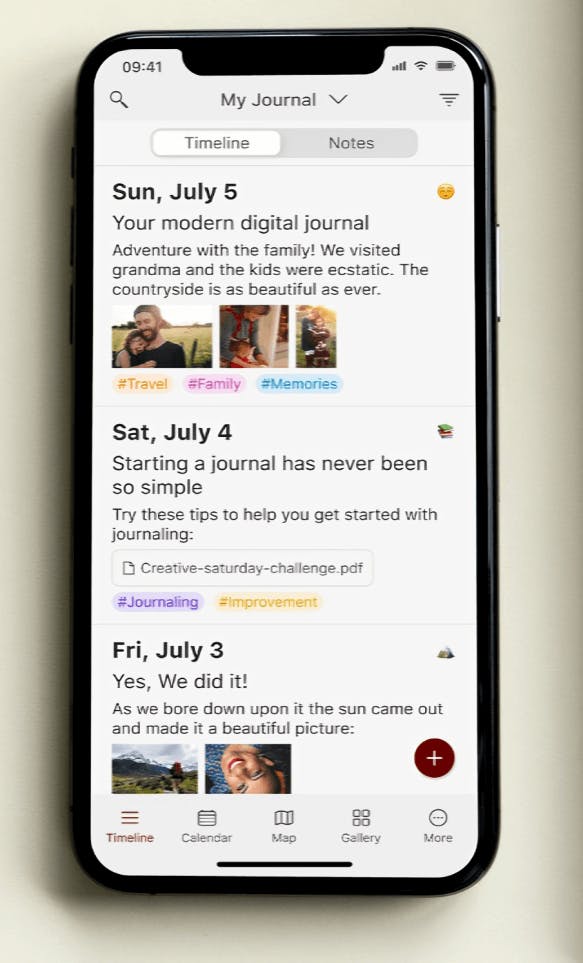
Diarly is a journaling app available on iPhone, iPad and Mac, built for users who want to log thoughts, events and routines in a structured digital format. It supports calendar-based organization, multimedia attachments and markdown editing.
Planning tools and features
- Calendar and timeline views: Entries are automatically organized by date and can be reviewed using calendar or timeline views.
- Daily prompts and data integration: Each new entry can be enriched with contextual data like weather, location, calendar events and Apple Health information.
- Reminders and goal tracking: Built-in reminders encourage consistent journaling, while the goal tracking feature shows streaks, word counts and writing frequency.
Diarly reviews and ratings
Apple App Store: 4.8

Pricing

10. Trello
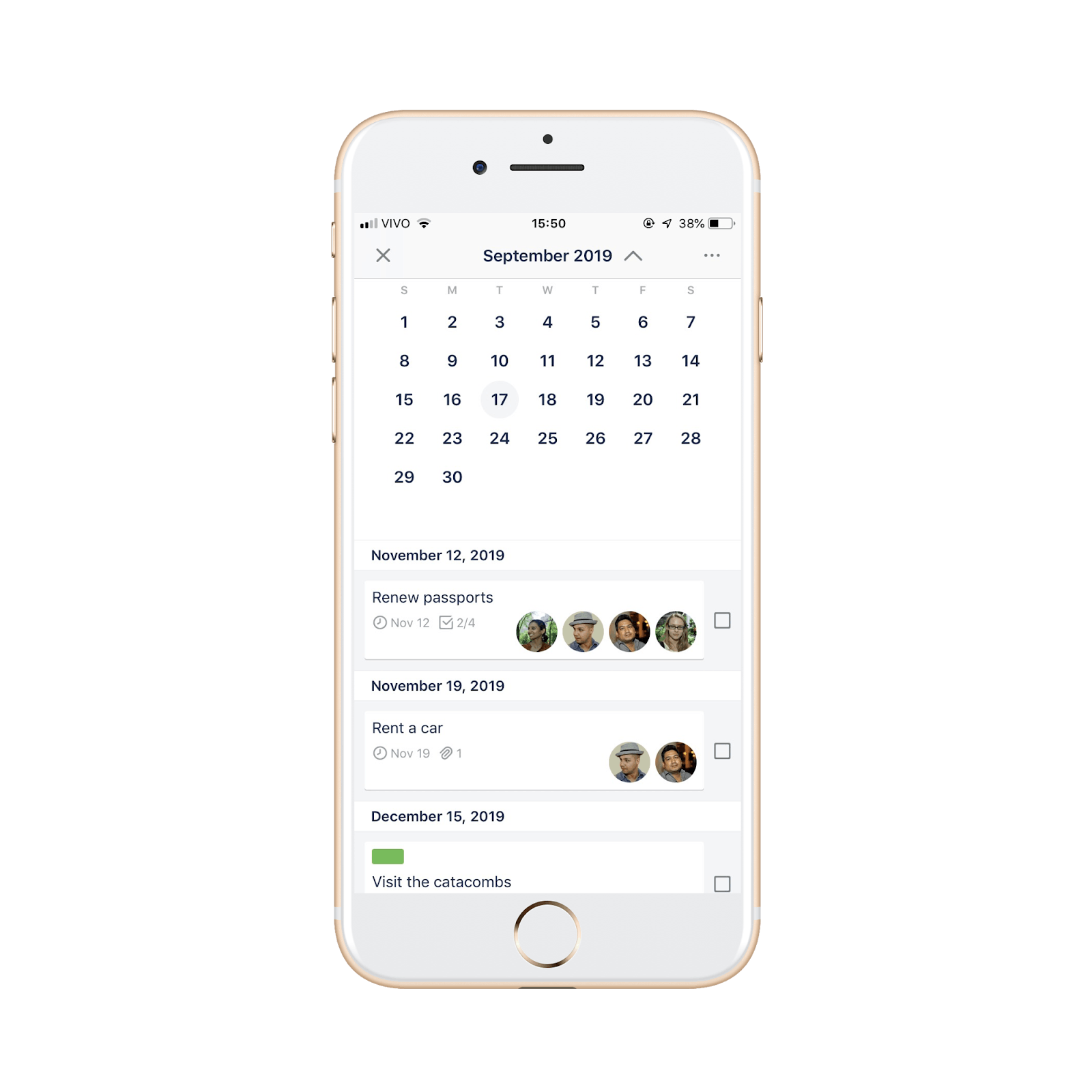
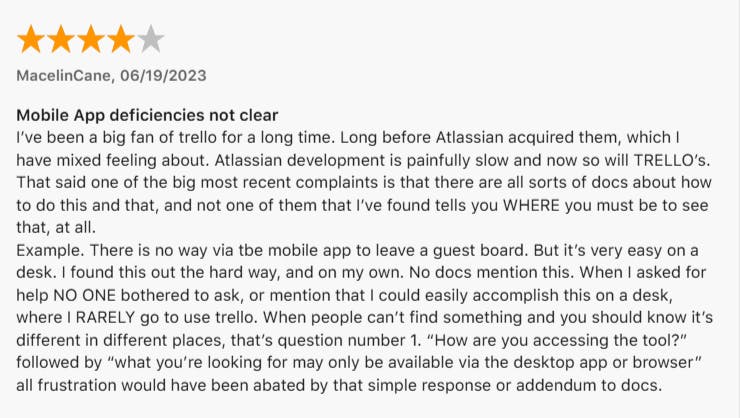
Trello is a visual project management tool that uses boards, lists and cards to help users organize tasks and workflows. It’s available on smart phones, desktop and web, with features for keeping track of tasks, team collaboration and workflow automation. Trello supports calendar sync, third-party integrations,and mobile access for on-the-go planning.
Planning tools and features
- Boards, lists and cards: Trello uses boards for projects, with lists like “To Do,” “Doing” and “Done.” Tasks live on cards, where you can add checklists, due dates, comments and more.
- Customization tools: Cards can be customized with colored labels, checklists and attachments to add structure and context. Users can also change board backgrounds or reorder lists and cards using drag-and-drop for better visual organization.
- Butler automation: Trello includes a built-in automation tool called Butler. It lets users create rules that automate repetitive tasks, such as moving cards when a checklist is complete, sending reminders before due dates or scheduling recurring tasks at set intervals.
Trello reviews and ratings
Apple App Store: 4.4
Pricing
Conclusion
Choosing the right iPhone planner app can make a real difference in how you manage your day. The best app fits your style, simplifies your planning routine and helps you follow through.
If you're looking for a flexible, all-in-one planner that handles tasks, notes, calendars and voice input in one clean interface, NotePlan is worth a closer look. It’s built for people who like structure without friction, offering everything from time blocking and task filters to note-taking features.
Can one app really replace your entire productivity stack?
NotePlan did. Try NotePlan free for 7 days to learn how