Home
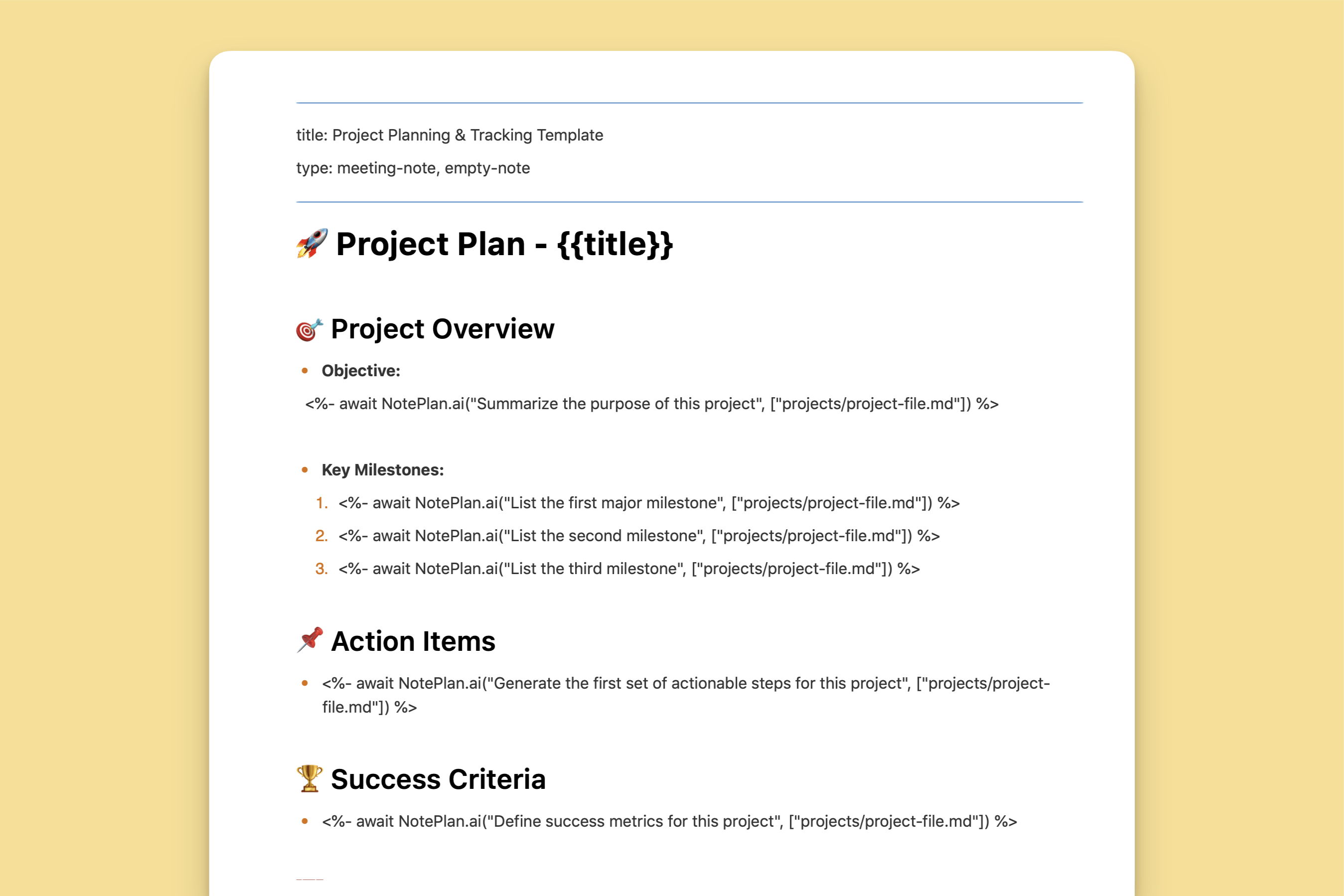
AI Project Planning & Tracking Template
The Project Planning & Tracking Template uses AI to organize objectives, milestones, and action steps for efficient project management.

Meet
Get things done with NotePlan
Categories
The Project Planning & Tracking Template in NotePlan is designed to help you create a structured and organized approach to managing projects. It allows you to define objectives, track progress, set milestones, and establish next steps while leveraging AI to pull relevant information from your project notes. This template ensures that every project has a clear direction and measurable success criteria, keeping you aligned with deadlines and priorities.
With the integration of NotePlan AI Prompts, this template automates the retrieval of key details from your project notes, allowing you to focus on execution rather than manually compiling information. AI dynamically pulls updates from your existing notes to summarize objectives, suggest milestones, and provide actionable next steps, making project management more efficient and data-driven.
How this template helps you
- Clarifies project objectives by pulling relevant information from your project notes, ensuring a well-defined purpose and scope.
- Automates milestone tracking by summarizing progress and highlighting important deadlines from your existing notes.
- Identifies key action items needed to move the project forward, reducing the need for manual planning.
- Provides a structured overview of project success criteria, ensuring measurable outcomes.
- Enhances collaboration by maintaining an AI-generated summary of the most recent developments in the project.
How it works
This template uses AI-generated insights to create a structured approach to project planning and tracking. It references:
- Project Notes (for defining objectives, milestones, and tracking progress)
- Calendar Notes (for tracking project-related deadlines and key events)
- Task Lists (for prioritizing action items and next steps)
The AI analyzes these sources and automatically generates key details, helping you keep your projects well-structured without spending time manually updating information.