NewIntroducing Memo AI — Turn voice notes into structured insights→
Top 10 Goodnotes Alternatives for School Notes in 2025
Explore the top Goodnotes alternatives for school in 2025, offering diverse features to boost note-taking, organization, and learning across devices.

Looking for a Goodnotes alternative that suits your studying needs better?
Our new article will introduce you to digital note-taking apps that make school work easier!
Keep reading to learn about Goodnotes alternatives that may work better and their key features that fit your style and study habits.
The best Goodnotes alternatives at a glance
| App name | Key features | Best for | Pricing | Ratings |
|---|---|---|---|---|
NotePlan | Works offline and online Multiple input methods Calendar integration Customization & organization | Students and creatives who need an intuitive, all-in-one tool for organizing notes, tasks, and schedules | Monthly: $12 Annually: $99.99 ($8.33/month) | App Store: 4.8/5 Capterra: 4.0/5 |
CollaNote | PDF markup and export Audio integration Unlimited pages and templates AI tools and flashcards | Art students and creators who need a customizable note-taking platform | Free Lifetime Premium, starting at $6.95 | App Store: 4.8/5 |
Notability | Audio synchronization Handwriting and math conversion Annotation and templates Notability gallery | Students, teachers, and professionals seeking an all-in-one tool to capture multimedia-rich notes | Starter: Free Plus: starting at $2.99 per month, region-dependent | Capterra: 4.7/5 |
OneNote | Versatile notebook structure Cross-platform syncing Collaboration tools AI-powered features | Students, teams, and anyone looking for a powerful, organized digital notebook | Free Microsoft 365 personal: $6.99/month | Capterra: 4.6/5 |
Noteful | Handwriting precision Layered annotations Advanced tagging system | Students and professionals who need a powerful, easy-to-use handwriting app with seamless PDF and document annotation | Free: Noteful pro: $4.99 one-time fee | App Store: 4.7/5 |
ZoomNotes | Handwriting tools and search Infinite zoom and sub-pages PDF and document import Split screen and audio recording | Students and professionals who need detailed note-taking with presentation, audio, and organizational capabilities | ZoomNotes lite: Free Full version: $7.99 one-time fee | App Store: 4.5/5 |
Zinnia | Creative design elements Customizable journals and layouts Sync across devices Community content | Creative individuals who want an artistic approach to digital planning and journaling with social sharing options | Weekly: $3.99 Monthly: $2.23 / Week Yearly: $39.52 | App Store: 4.6/5 |
Noteshelf | Handwriting and PDF annotation Audio recording AI-powered handwriting recognition Customizable templates and covers | Professionals, students, and creatives who want an intuitive, customizable tool for both note-taking and document markup | Free: Basic features with limited notebooks Premium: One-time purchase of $9.99 for unlimited notebooks, templates, and handwriting recognition | App Store: 4.3/5 |
Nebo | AI-powered handwriting recognition Expandable canvas and editing gestures PDF annotation and multi-device sync Interactive content creation | Students, professionals, and educators who need precise note-taking with advanced annotation and organizational tools | Basic: Free Add-ons: $4-$5 for specific features $8.99 for the full bundle | App Store: 4.7/5 |
Kilonotes | Natural handwriting and PDF markup Multifunctional note-taking Card-based learning and split-screen Customizable notebooks | Students and professionals who need a reliable, customizable app for note-taking, studying, and PDF management | Free plan Premium: $6.99 one-time fee for full access, or $3.99 annual subscription | App Store: 4.7/5 |
NotePlan
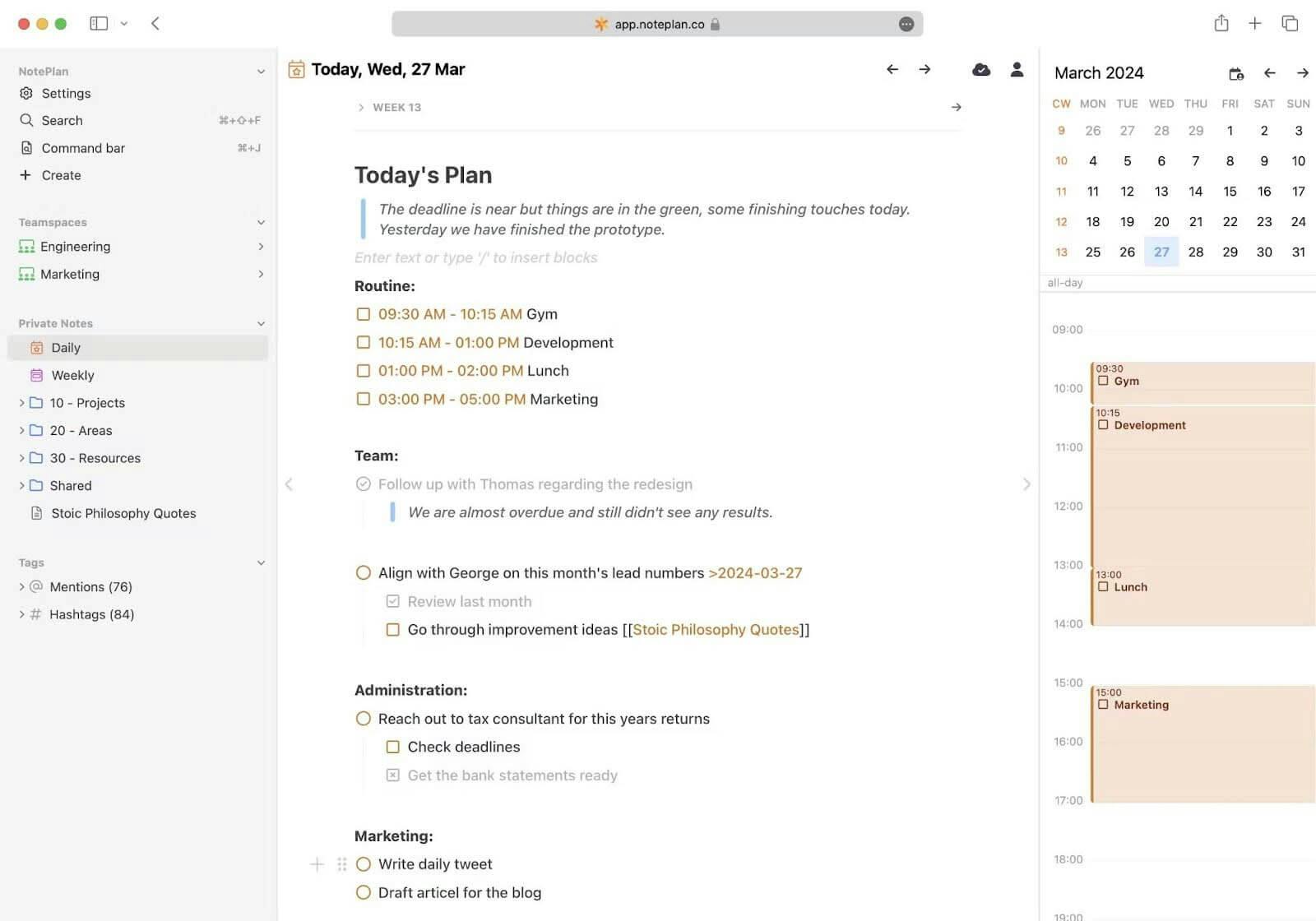
Image source: NotePlan
NotePlan combines tasks, notes, and calendar management in one easy-to-use app, designed for students and creatives who need an organized, flexible note-taking system. Users can take notes, set deadlines, and keep track of events all in one place, which makes it ideal for balancing schoolwork and personal projects.
For a full comparison, take a look at our top picks for the best note-taking apps for 2025 to find more options for students and creators alike.
NotePlan features
- Works offline and online: Access and edit notes anywhere; sync automatically when back online, ensuring no assignments or projects are missed even in low-connectivity areas.
- Multiple input methods: Draw, dictate, or type, making it ideal for capturing class notes, diagrams, and brainstorming sessions for assignments.
- Calendar integration: Syncs with Google Calendar to track tasks and deadlines, such as homework assignments and upcoming tests, all within the app.
- Collaboration-friendly: Easily share notes and to-do lists for group projects, allowing classmates to view and contribute in real time.
- Customization & organization: Use tags, mentions, and filters to quickly find notes related to specific subjects, projects, or class topics.
- Task tracking for student goals: Set reminders and prioritize tasks to efficiently manage school and personal deadlines.
Best for
Students and creatives who need an intuitive, all-in-one tool for organizing notes, tasks, and schedules.
Pricing
- Monthly: $12
- Annually: $99.99 ($8.33/month)
With NotePlan’s 7-day free trial, you can explore all its features!
CollaNote
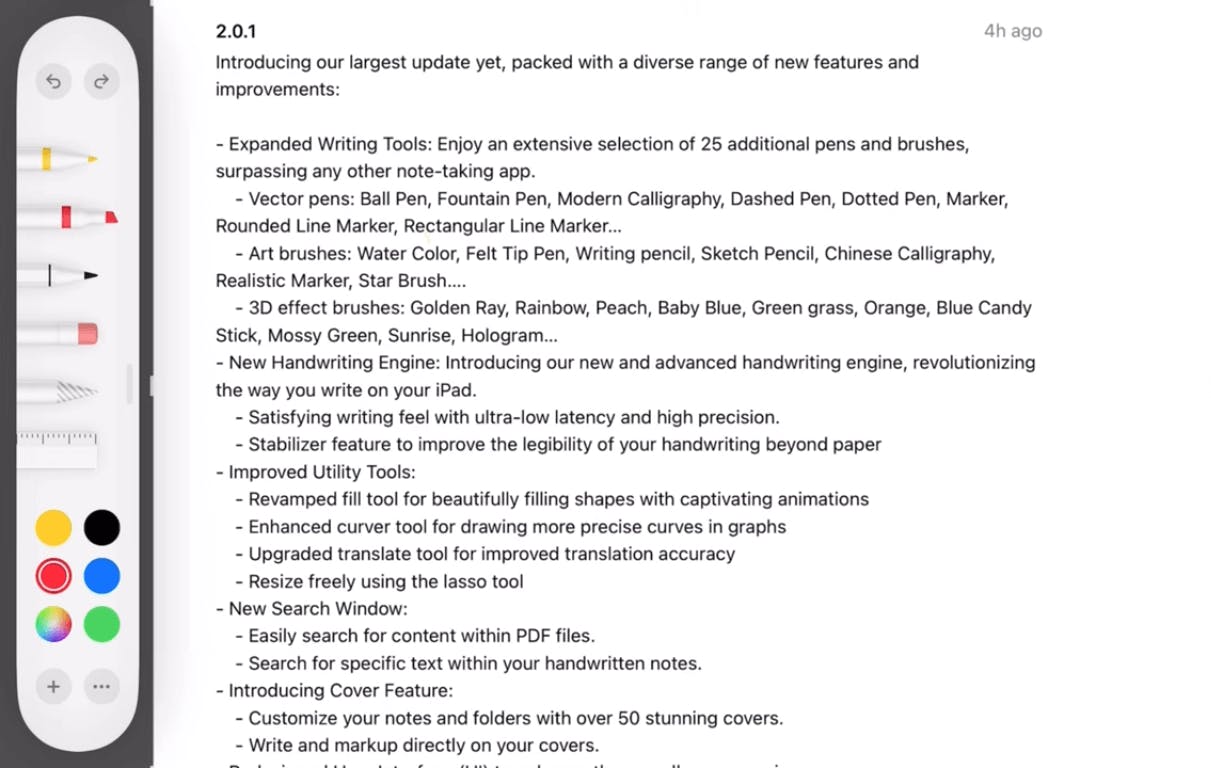
Image source: beingpaperless.com
CollaNote is a feature-rich note-taking app designed with artists, art students, and creators in mind, combining versatile study and planning tools with a creative edge. Built to take full advantage of the Apple Pencil, it transforms traditional note-taking into an immersive experience, offering specialized drawing tools ideal for sketching, annotating, and designing alongside traditional notes.
If you’re looking for a fresh approach to organizing your Apple notes and managing distractions, check out the best note-taking apps for ADHD, which highlight features that support focus and productivity.
CollaNote features
- Wide tool range: Offers 25+ pens and brushes, including handwriting stabilizers for smoother writing.
- PDF markup and export: Easily import, annotate, and export notes, PDFs, PowerPoints, and DOCs.
- Audio integration: Record audio within notes—perfect for capturing lectures or brainstorming sessions.
- Unlimited pages and templates: Access over 150 colorful templates with options for grid, lined, or blank paper.
- AI tools and flashcards: Create flashcards, use the AI calculator, or apply AI-driven drawing tools.
Best for
Art students and creators who need an engaging, customizable note-taking platform.
Pricing
Free with optional in-app purchases for Lifetime Premium, starting at $6.95.
Notability
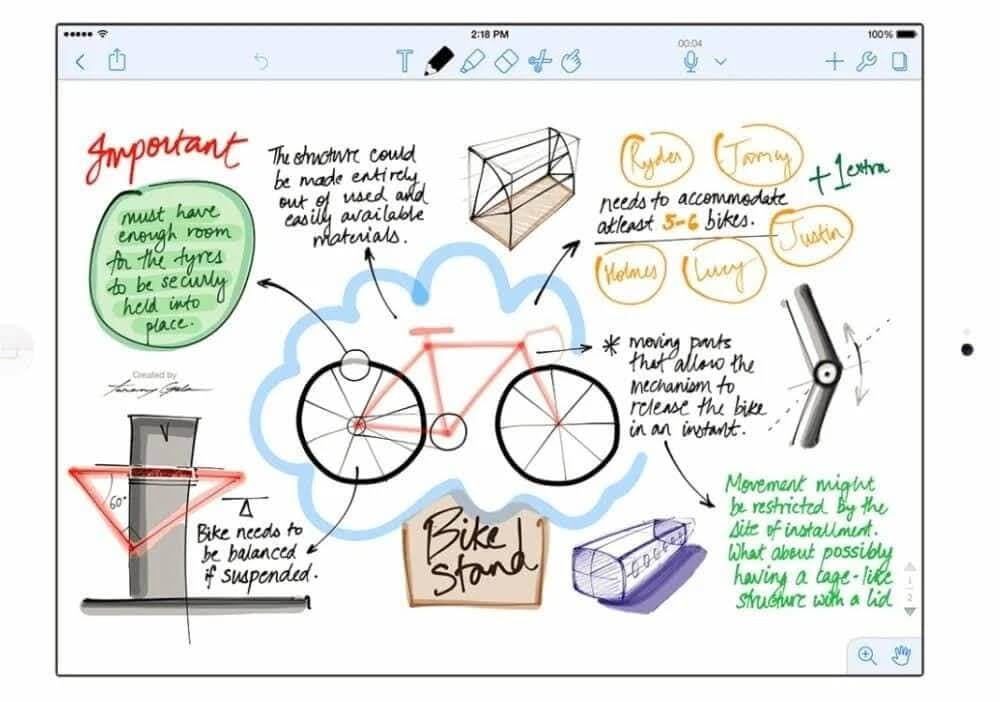
Image source: predictiveanalyticstoday.com
Notability is a versatile note-taking app designed for students, educators, and professionals who need to combine written notes, audio, and visual elements. Notability is intuitive and offers an easy way to capture, organize, and share ideas across multiple platforms.
Notability features
- Audio synchronization: Record lectures or meetings, with audio syncing directly to your written notes.
- Handwriting and math conversion: Convert handwritten notes to text and handwritten equations to LaTeX.
- Annotation and templates: Annotate PDFs, use templates, and create notes ideal for study guides or presentations.
- Notability gallery: Share and download notes from a public gallery, perfect for collaborative learning.
Best for
Students, teachers, and professionals seeking an all-in-one tool to capture multimedia-rich notes with minimal setup.
Pricing
- Free access for educators and classrooms through Apple School Manager
- Notability starter: Free
- Notability plus: Subscription starting at $2.99 per month, region-dependent.
OneNote
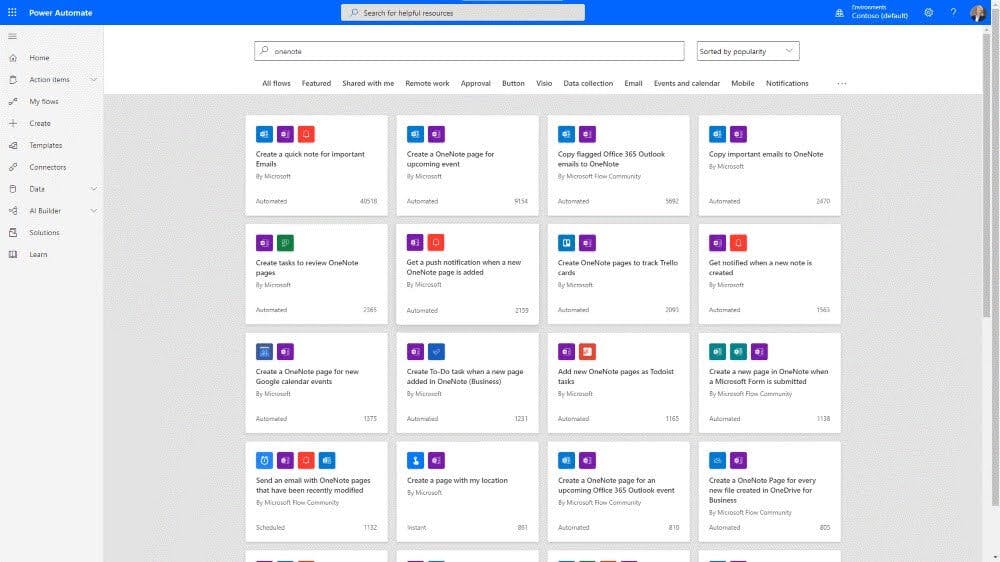
Image source: brightwork.com
OneNote is Microsoft’s digital notebook, offering flexible organization and collaboration tools suited for students, professionals, and teams. Known for its cross-platform support, OneNote provides a cohesive space to gather ideas, manage tasks, and share content across devices.
OneNote features
- Versatile notebook structure: Create multiple notebooks, sections, and pages to organize notes by topic or project.
- Cross-platform syncing: Access notes on Windows, macOS, iOS, Android, and via the web.
- Collaboration tools: Real-time sharing and editing make it ideal for group projects and team planning.
- Ink and multimedia integration: Supports handwriting, drawing, audio, and video embedding, perfect for rich multimedia notes.
- AI-powered features: With Microsoft 365, use Copilot to draft lists, organize content, and generate ideas.
Best for
Students, teams, and anyone looking for a powerful, organized digital notebook across multiple platforms.
Pricing
- Free: Core features, 5GB cloud storage.
- Microsoft 365 personal: $6.99/month, includes premium features and 1TB storage.
Noteful
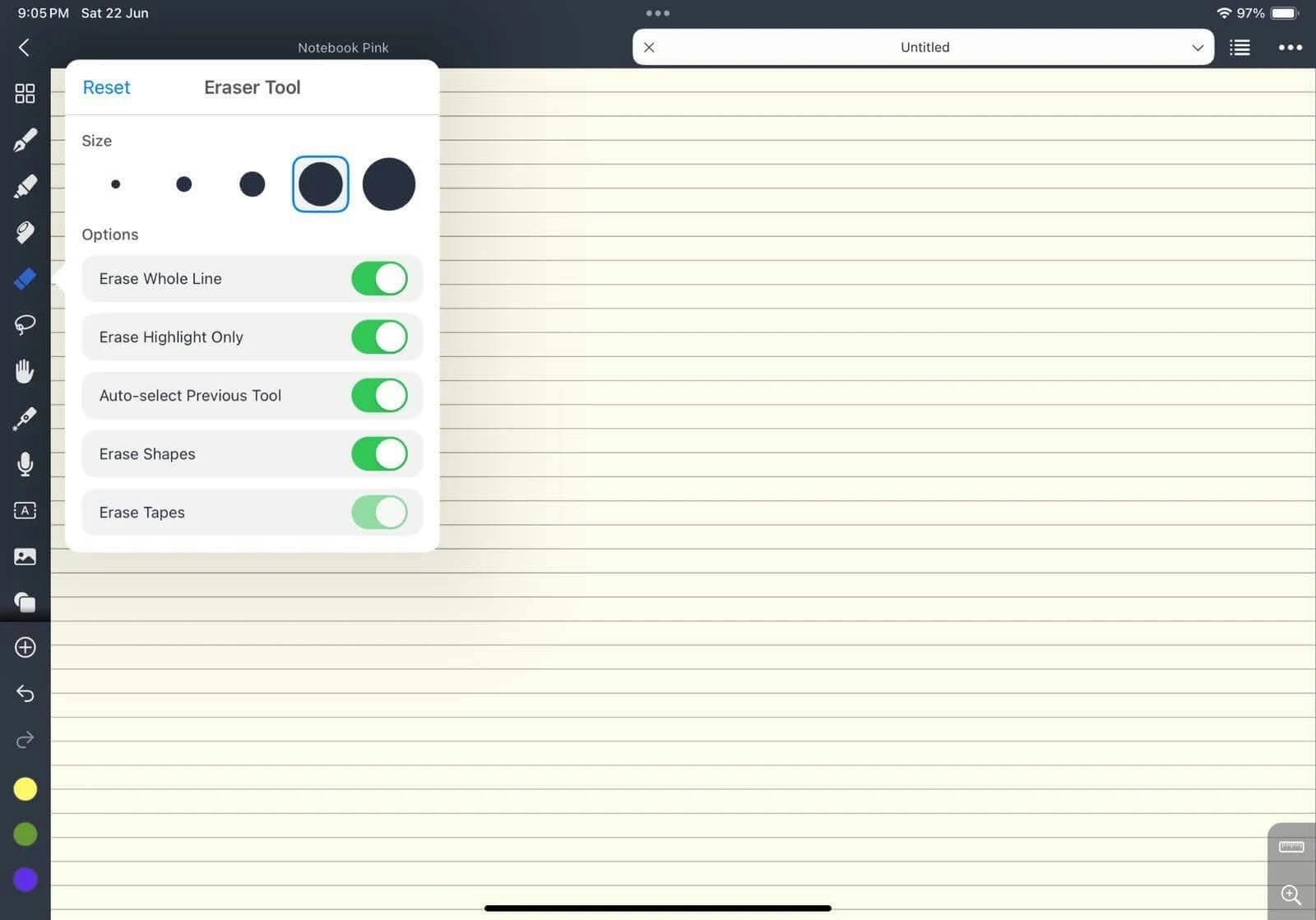
Image source: planerin.com
Noteful is a handwritten note-taking app built specifically for iPad and Apple Pencil users, offering a natural writing experience with powerful organization and annotation tools.
Noteful is great for precise note-taking on iPad. If you prefer using an iPhone, you may want to look into our roundup of the Best iPhone notes app for options designed for mobile note-taking.
Noteful features
- Handwriting precision: Custom ink engine supports fluid, high-resolution writing with three brush types—ballpoint pen, fountain pen, and highlighter.
- PDF and document annotation: Import and mark up PDFs or Office files, making it ideal for study/meeting notes or meeting reviews.
- Layered annotations: Add annotations on separate layers, allowing you to hide or rearrange layers without altering the original content.
- Advanced tagging system: Organize with flexible tagging rather than folders, making it easy to browse notes by topic or priority.
Best for
Students and professionals who need a powerful, easy-to-use handwriting notes app with seamless PDF annotation.
Pricing
- Free: Basic note-taking features.
Noteful pro: $4.99 one-time fee.
ZoomNotes
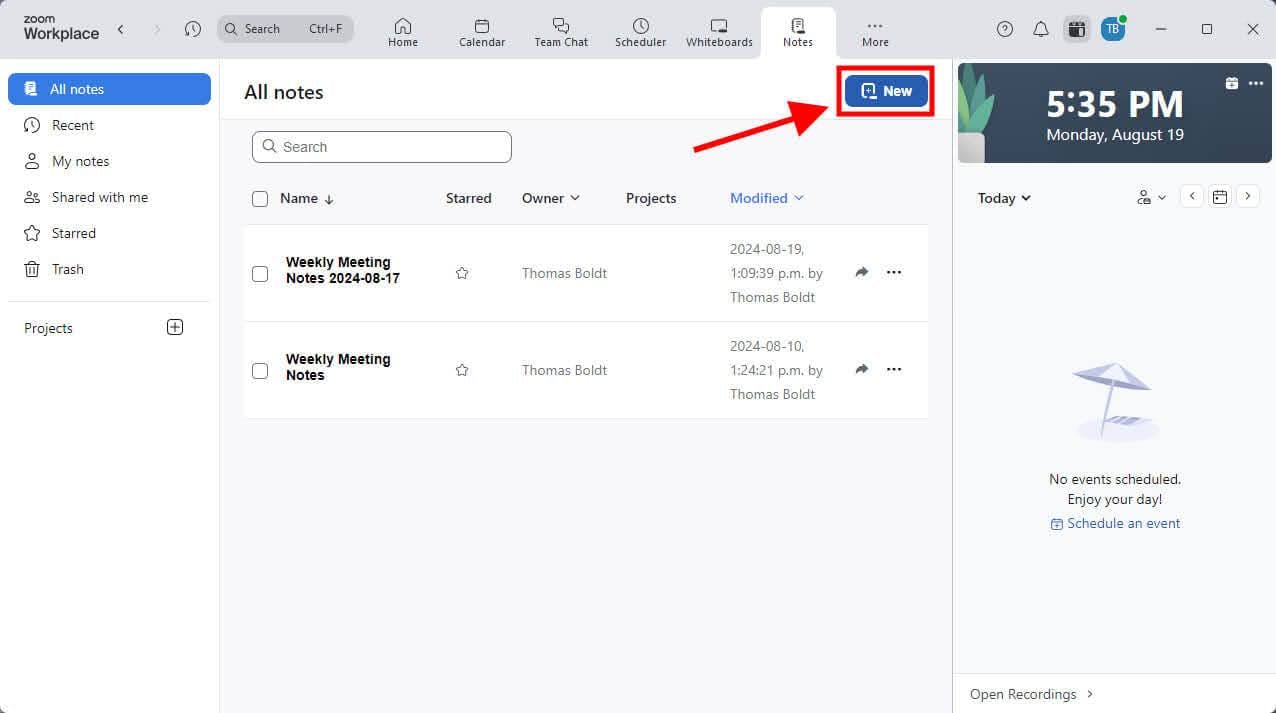
Image source: notta.ai
ZoomNotes is a highly customizable note-taking app that offers a rich set of tools for users who need flexibility in both organization and presentation. It is ideal for students, artists, and professionals who want the freedom to create layered, detailed notes.
If you’re primarily on Mac and looking for more integrated scheduling features, explore our guide to the best planning apps for Mac for suggestions that blend calendars, tasks, and note-taking tools.
ZoomNotes features
- Handwriting tools and search: Eight pen options, handwriting search, and handwriting-to-text conversion for streamlined note-taking.
- Infinite zoom and sub-pages: Unique sub-pages allow for "pages within pages," ideal for creating organized, hierarchical notes.
- PDF and document import: Annotate PDFs and Office files, and embed them as sub-pages.
- Digital planners and bookmarks: Customizable digital planners and bookmarks support advanced organization and presentations.
- Split screen and audio recording: Work on two documents simultaneously and sync audio recordings to drawings.
Best for
Students and professionals who need detailed note-taking with presentation, audio, and organizational capabilities.
Pricing
- ZoomNotes lite: Free.
- Full version: $7.99 one-time fee.
Zinnia
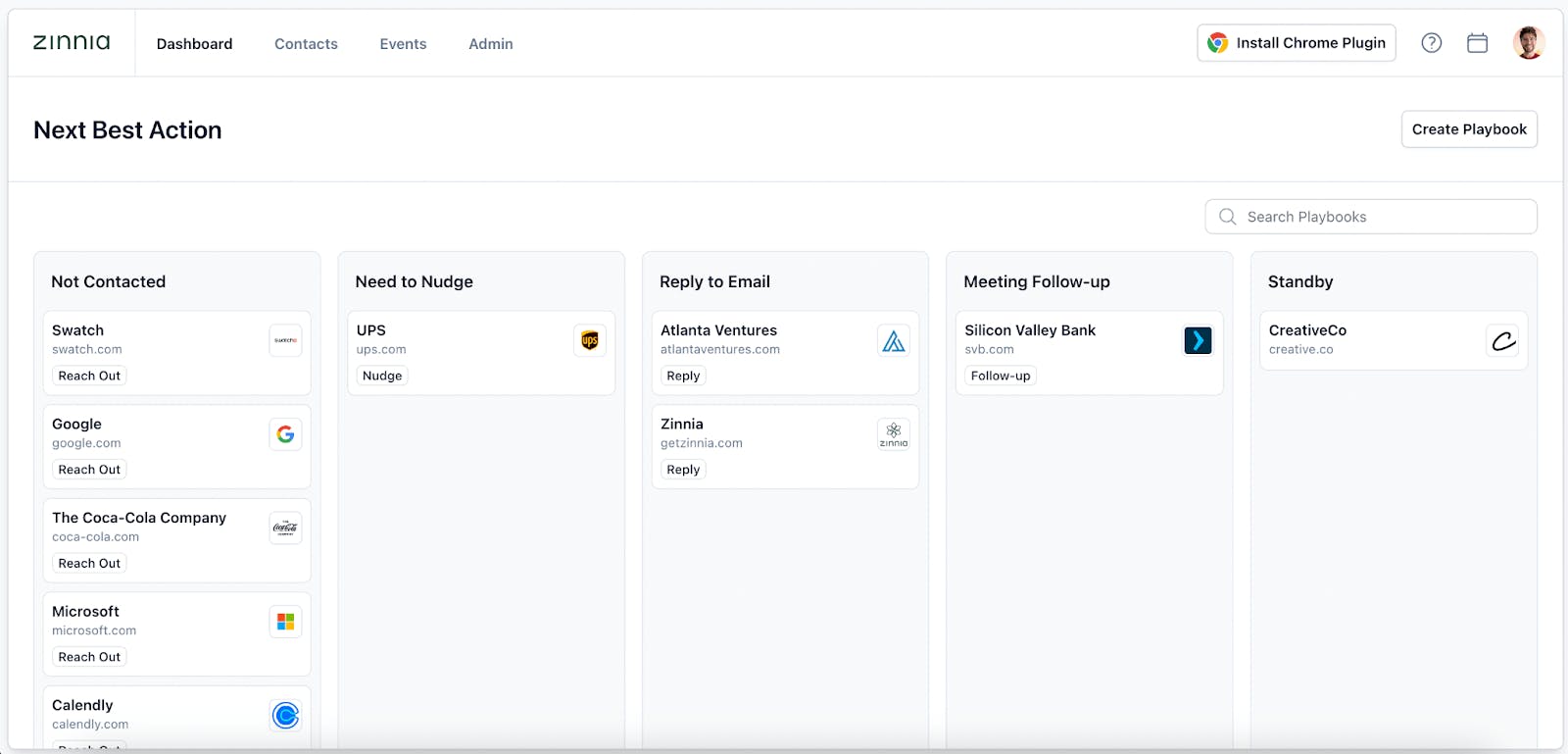
Image source: getzinnia.ai
Zinnia brings the charm of journaling and planning to digital devices, blending aesthetics with practicality for users who enjoy creating visually rich planners and journals. Tailored for iPad and iPhone, Zinnia offers design tools that mimic the experience of physical journaling, with added digital flexibility.
Zinnia features
- Creative design elements: Access a vast catalog of digital stickers, washi tape, habit trackers, and themed journals.
- Customizable journals and layouts: Use readymade templates or create unique web pages with various brush tools, text options, and customizable backgrounds.
- Sync across devices: Switch between iPad, iPhone, and Mac, with calendar integrations and offline access.
- Community content: Explore contributions from popular journaling artists and share designs within Zinnia’s public gallery.
Best for
Creative individuals who want an artistic approach to digital planning and journaling with social sharing options.
Pricing
- 7-day free trial
- Weekly: $3.99
- Monthly: $2.23 /Week
- Yearly: $39.52 (equivalent to $0.76 per week)
Noteshelf
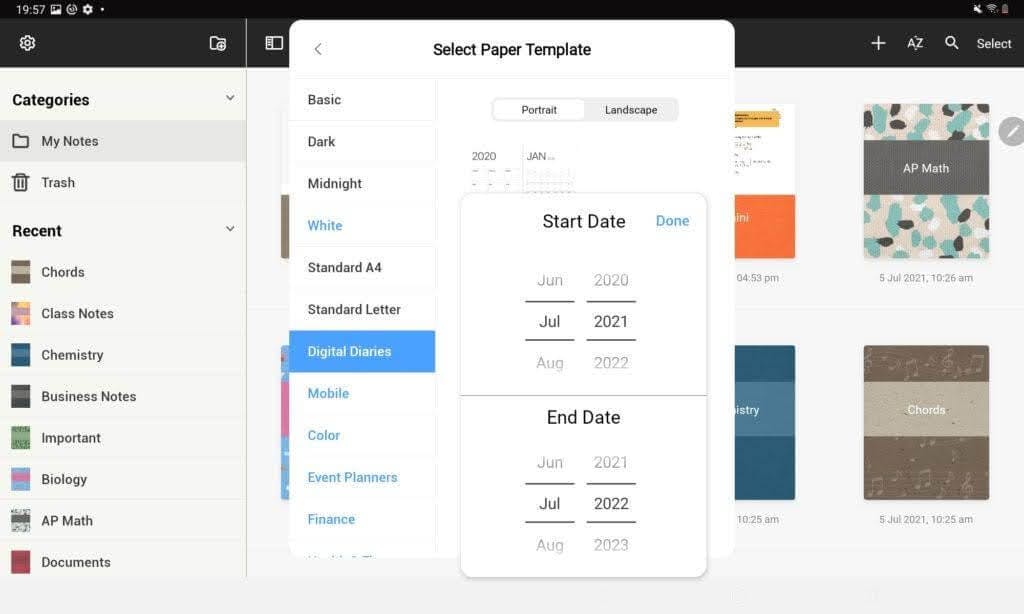
Image source: medium.com/noteshelf
Noteshelf is a feature-rich note-taking app for iOS, Android, and Windows, known for providing a realistic handwriting experience with tools to annotate, organize, and personalize notes. With support for multiple styluses, Noteshelf caters to users who enjoy both handwritten and typed notes online in a highly customizable format.
Noteshelf features
- Handwriting and PDF annotation: Annotate PDFs with highlights, underlines, and handwritten notes for seamless document review.
- Audio recording: Capture lectures and meetings, replaying them alongside your notes to avoid missing key details.
- AI-powered handwriting recognition: Convert handwriting to text and search through handwritten notes with ease.
- Customizable templates and covers: Choose from over 200 templates and personalize notebook covers for easy organization.
Best for
Professionals, students, and creatives who want an intuitive, customizable tool for both note-taking and document markup.
Pricing
- Free: Basic features.
Premium: One-time purchase of $9.99.
Nebo
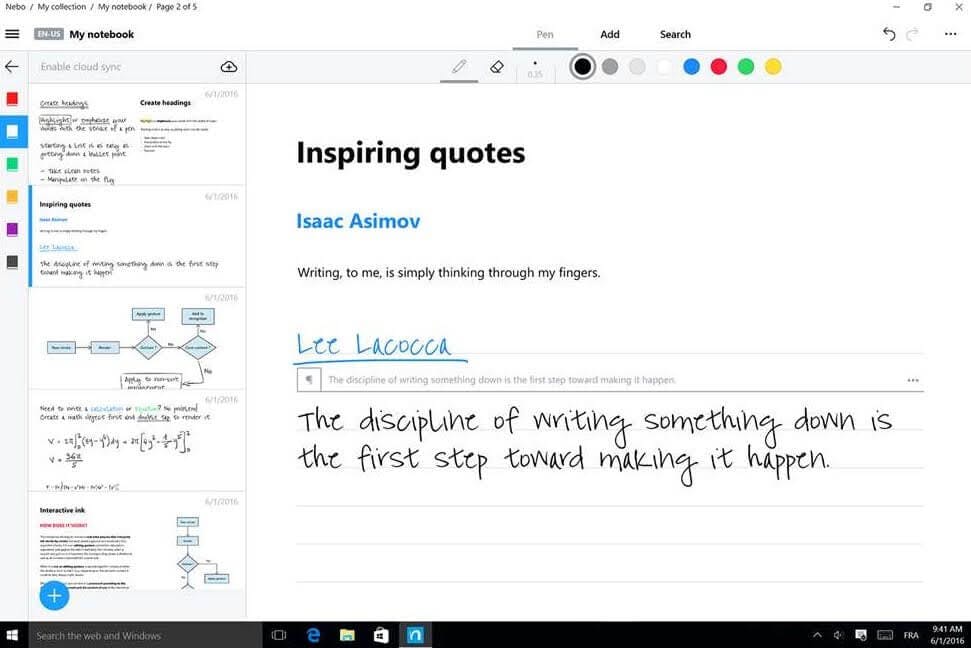
Image source: ul.gpii.net
Nebo blends handwriting recognition with AI-powered features, making it ideal for professionals, students, and creators who prioritize precision and organization. Users can effortlessly convert handwritten notes to text, annotate PDFs, and create interactive diagrams.
If you prefer a creative way to organize notes, consider using a digital bullet journal app to structure tasks and keep everything on track.
Nebo features
- AI-powered handwriting recognition: Convert handwriting to text, including math equations and lists, with highly accurate recognition in over 60 languages.
- Expandable canvas and editing gestures: Use an endless whiteboard-style canvas, with pen gestures for quick edits like erasing or emphasizing.
- PDF annotation and multi-device sync: Import and mark up PDFs, and sync across iOS, Windows, and Android devices for accessible note management.
- Interactive content creation: Build responsive documents with diagrams, math solving, and structured lists, perfect for project planning or study guides.
Best for
Students, professionals, and educators who need precise note-taking with advanced conversion, annotation, and organizational tools.
Pricing
- Basic: free
- Add-ons: Range from $4 to $5 for specific features, or $8.99 for the full add-on bundle.
Kilonotes
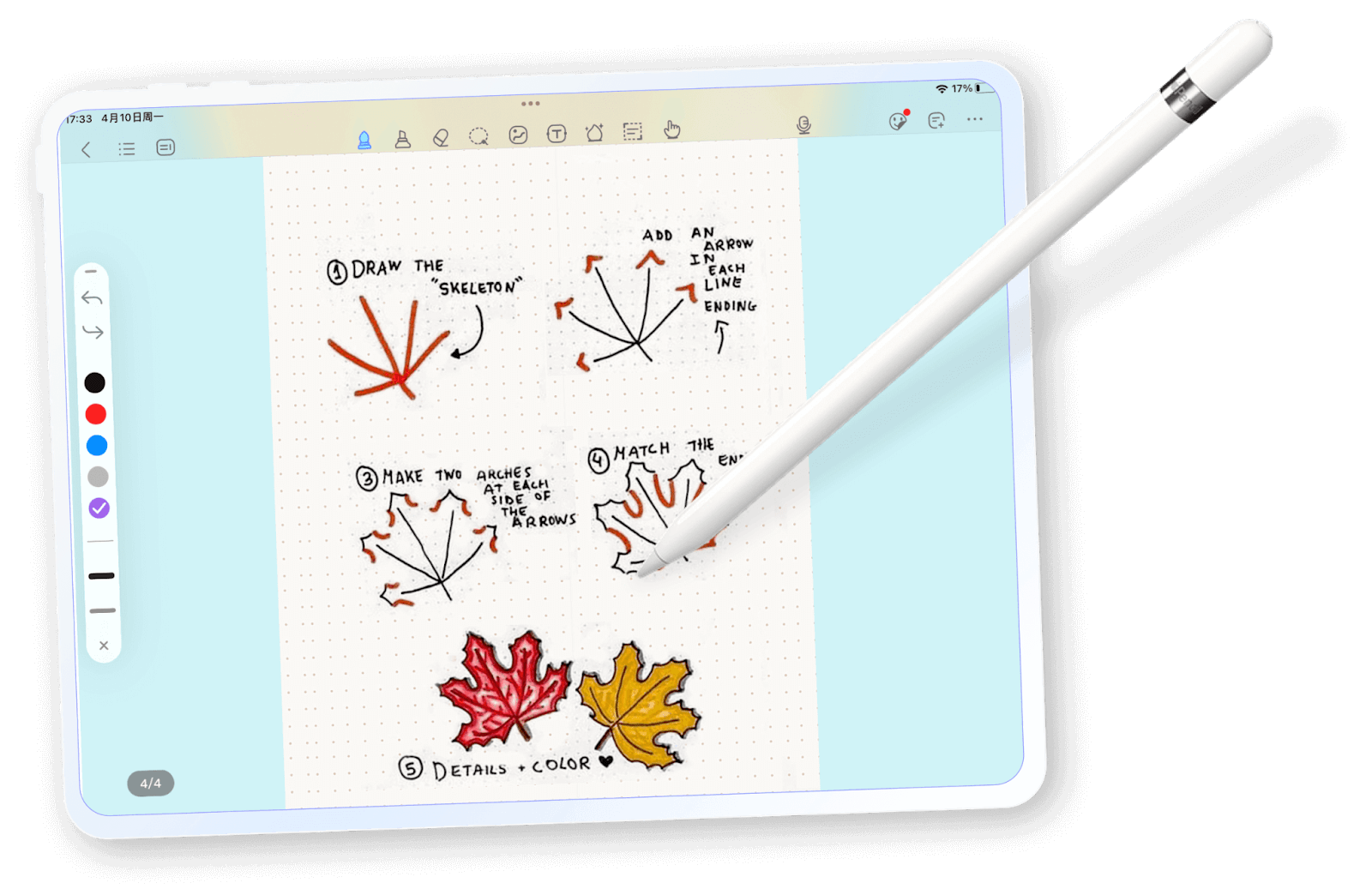
Image source: top-stack.com
Kilonotes is a versatile note-taking and PDF annotation app designed to streamline study and organization for students and professionals. With custom notebooks, audio recording, and split-screen functionality, Kilonotes is an excellent choice for efficient digital note-taking and learning.
Kilonotes features
- Natural handwriting and PDF markup: Offers a realistic handwriting experience, customizable brushes, and PDF annotation tools.
- Multifunctional note-taking: Organize and create sticky notes with images, audio, and text extraction, and quickly browse important points.
- Card-based learning and split-screen: Develop a personal knowledge base with flashcards and use split-screen for creating notes while viewing content side by side.
- Customizable notebooks: Personalize notebooks with different covers, paper templates, and labeling for unique organization.
Best for
Students and professionals who need a reliable, customizable app for note-taking, studying, and PDF management.
Pricing
- Free: Basic features.
Premium: $6.99 one-time fee for full access, or $3.99 annual subscription.
Conclusion
Each app offers unique strengths, from advanced PDF annotation and handwriting recognition to multimedia integration and real-time collaboration. Choosing the right one involves considering features that match your study style, device compatibility, and note-taking method.
NotePlan stands out as an all-in-one solution. It combines notes, tasks, and calendars seamlessly, making it easy to stay organized and focused. With offline capabilities and multiple input methods, NotePlan offers a versatile setup that’s perfect for balancing academic tasks with personal projects.
To explore NotePlan's full potential, start a 7-day free trial.
Goodnotes Alternatives FAQ
Is there anything better than Goodnotes?
"Better" depends on your personal needs. For students, NotePlan offers seamless task and calendar management along with note-taking, which can make study planning more efficient.
Is there a free Goodnotes alternative?
Yes — CollaNote and OneNote offer free versions with comprehensive features, including PDF annotation and multimedia notes.
What is a free version of Goodnotes?
If you're specifically looking for an app with similar functionality to Goodnotes but free, Kilonotes is a great choice for basic note-taking and PDF annotation. CollaNote also offers extensive features without a subscription.
What is better, Noteful or Goodnotes?
Noteful and Goodnotes are both strong contenders, but each has unique strengths. Thanks to its high-resolution ink engine, Noteful is great for precise handwriting and offers robust PDF annotation. On the other hand, Goodnotes provides a polished interface and a range of templates, making it ideal for users who prioritize aesthetics and a smooth user experience. If precise handwriting and PDF features are top priorities, Noteful might be the better option.
Can one app really replace your entire productivity stack?
NotePlan did. Try NotePlan free for 7 days to learn how