NewIntroducing Memo AI — Turn voice notes into structured insights→
The Best Weekly Planner: 7 Simple Apps To Boost Organization
Searching for the best weekly planner? We go through 7 simple apps that can boost organization and improve well-being. Let’s dive in.

Struggling to stay on top of your week? A good weekly planner can change everything. They can give you structure, clarity, and peace of mind - so you know exactly what needs to get done and when.
From managing work projects to working towards personal goals, these weekly planner apps will help you plan ahead, avoid last-minute stress, and actually follow through.
Let’s walk through seven of the best weekly planner apps that’ll keep you organized without overwhelming your schedule.
Quick Comparison of the Best Weekly Planners
| App Name | Features | Best For |
|---|---|---|
Linked notes with weekly view | Tasks + calendar in one | |
Todoist | Smart recurring tasks | Task Planning |
TimeBloc | Drag-and-drop daily blocks | Visual time blocking |
Sunsama | Daily planning + task inbox | Work-life balance |
Trello | Visual card-based layout | Weekly projects |
Sorted³ | Auto-scheduling engine | Smart scheduling |
ClickUp | Calendar, tasks, and docs in one | Teams + personal use |
NotePlan - Best Weekly Planner for Tasks + Calendar in One
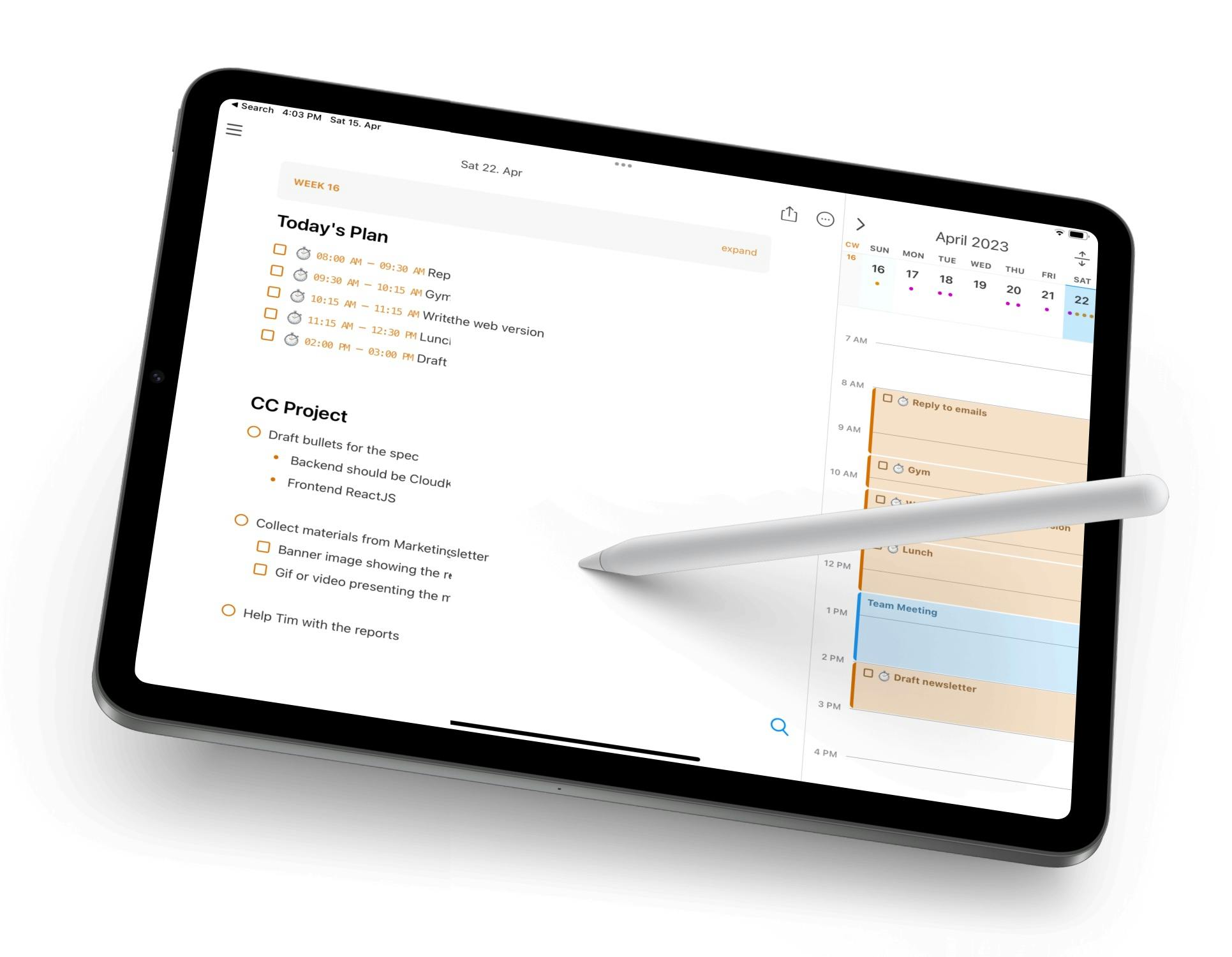
If you are looking for an all-in-one solution that has tasks, notes, and a calendar all in one place, NotePlan is ideal. The weekly view lets you see tasks across each day, while linked notes help you reflect, adjust, and re-prioritize as your week unfolds.
It’s perfect for people who like to write things out and plan visually, but still want a structured calendar.
The markdown editor makes writing smooth and fast, and the bidirectional links between notes, tasks, and dates create a seamless workflow. If you like to plan your week around meetings, habits, and goals, NotePlan brings everything together.
Key Features:
- Weekly calendar view with drag-and-drop tasks
- Bi-directional linking between tasks and notes
- Sync with Apple Calendar and Reminders
- Markdown daily and weekly notes
- Lightweight and distraction-free
Pricing: Free trial, then $8.33/month ($99 billed annually)
What Users on Reddit Say About NotePlan
Comment
by u/EduardMet from discussion
in noteplanapp
NotePlan on iPad Overview on YouTube
Todoist - Best Weekly Planner for Task Planning
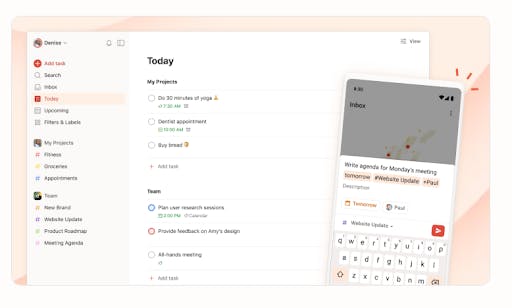
Todoist is a favourite planner app - and with its Upcoming feature and 7-day views, it doubles as a weekly planner too. You can set up projects, assign deadlines, and use smart recurring tasks (like “every Monday”) to automate your schedule. Labels, filters and priority levels help you zero in on exactly what matters this week.
It’s simple, flexible, and scalable - great for individuals and teams who want to focus on task execution over visual layout.
Key Features:
- Smart date parsing for recurring tasks
- Task delegation and comments
- Weekly and upcoming views
- Syncs across all devices
- Priority levels and labels
Pricing: Free basic plan, premium versions at $4 or $6 / month (billed annually)
TimeBloc - Best Weekly Planner for Visual Time Blocking
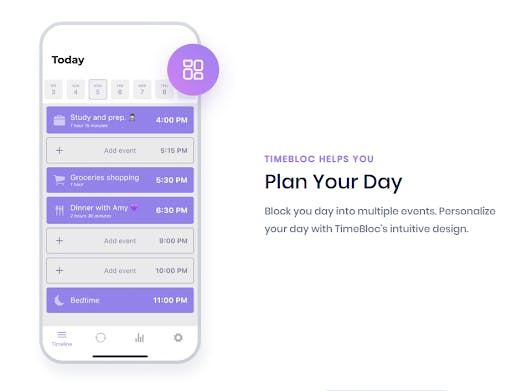
TimeBloc is the go-to weekly planner app for people who love to plan their days by the hour. You can create blocks of time for meetings, focus work, breaks, or personal tasks, then drag them around your schedule with ease. The weekly overview makes it easy to see where your time is going - and adjust before the chaos hits.
It’s like having a visual whiteboard in your pocket - perfect for fans of the “time blocking” method.
Key Features:
- Recurring time blocks for routine tasks
- Drag-and-drop daily/weekly timeline
- Minimalist and fast interface
- Reminders and notifications
- Color-coded activities
Pricing: Free, with many premium options starting at $4.99/month
Sunsama - Best Weekly Planner for Work-Life Balance
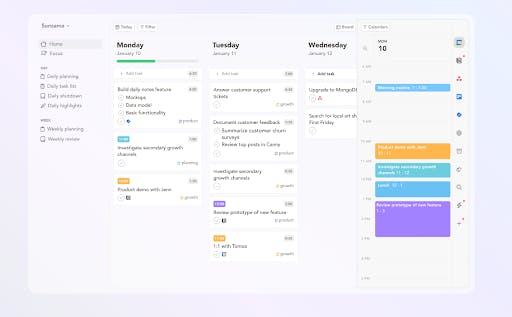
Sunsama is a weekly planner online app that’s built with intention. You start each day by choosing what tasks to carry over, what to postpone, and what’s realistic - helping you plan without overloading. The weekly view lets you manage work tasks alongside personal to-dos and calendar events.
It integrates beautifully with tools like Notion, Todoist, Trello, and Google Calendar - so you can pull everything together into one calm space.
Key Features:
- Daily planning rituals + weekly overview
- Integration with 10+ productivity tools
- Focus timer and task estimates
- Clean, minimalist design
Pricing: $16/month (billed annually)
Trello - Best Weekly Planner for Weekly Projects
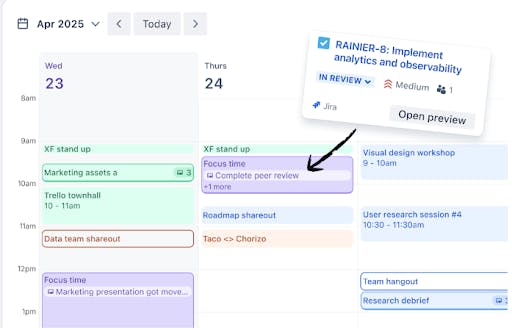
Trello turns weekly planning into a visual experience. You can create columns for each day of the week, then add cards for tasks, goals, or habits. Each card supports checklists, attachments, due dates, and more - making it great for planning projects or collaborating with others.
If you prefer drag-and-drag simplicity with maximum flexibility, Trello’s kanban boards are hard to beat.
Key Features:
- Integrates with Slack, Google Drive, etc.
- Due dates, labels, and automations
- Great for sharing and collaboration
- Card-based task management
- Kanban-style weekly layout
Pricing: Free with different premium options, starting at $5/month (billed annually)
Sorted³ - Best Weekly Planner for Smart Scheduling
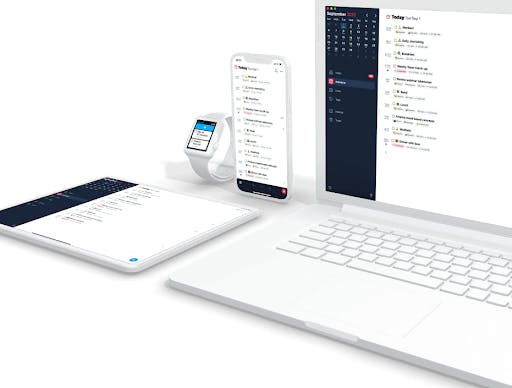
Sorted³ is an underrated gem in the weekly planner world. Its standout feature? Auto-scheduling. You enter your tasks, assign durations, and Sorted³ automatically places them into your timeline based on your availability.
You can tweak the plan as needed, all from a sleek interface. It’s perfect for people who want to plan but hate dragging tasks around manually all day.
Key Features:
- Auto-schedule tasks into your calendar
- Minimalist design with powerful tools
- Smart reminders and focus mode
- Timeline + task list hybrid view
- Offline-first app
Pricing: Free with premium options, starting at $14.99/month
ClickUp - Best Weekly Planner for Teams + Personal Use
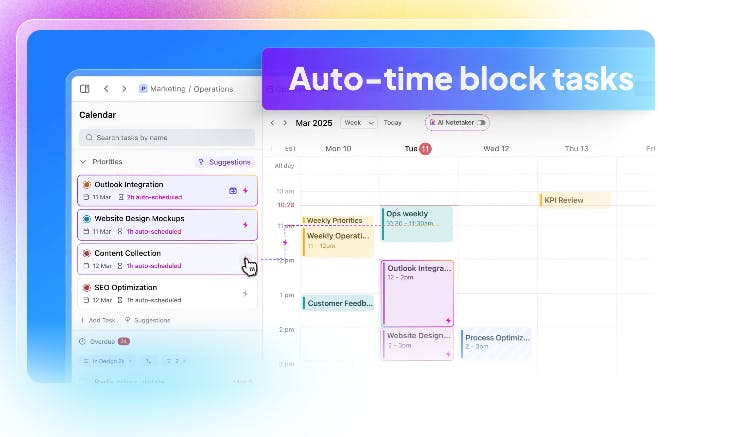
ClickUp is more than just a planner - it’s a full workspace. But it works great as a weekly planner too, thanks to its calendar view, task dashboard, and docs integration. You can manage your own to-dos, coordinate with your team, and store notes or plans - all in one place.
With customizable views and automations, ClickUp is a powerful tool if you want to scale your organization beyond a basic checklist.
Key Features:
- Calendar, list, and timeline views
- Weekly task planning with priorities
- Docs and goal tracking built in
- Real-time collaboration
- Integrates with 1000+ tools
Pricing: Free with premium options, starting at $7/month (billed annually)
Conclusion
Using any of these weekly planners can help you stay on track. They offer a powerful way to plan your week so you can think clearly, stay consistent, and get more done (without burning out). Make sure the app you choose reflects your personal wants.
For a comprehensive solution, NotePlan works great. Or, if you prefer to get a little creative, TimeBloc may be more your style. Whichever you choose, any of these weekly planners will serve you well.
Frequently Asked Questions (FAQs)
What is The Best Weekly Planner?
The best weekly planner is whatever works the best for you. For a comprehensive, easy solution, NotePlan is great.
Are Planners Good for ADHD?
Yes, planners are good for ADHD. They can help with focus and ensure that tasks aren’t forgotten.
How do I Plan My Weekly Routine?
You can plan your weekly routine by jotting down all important tasks, prioritizing the most important, and then creating an optimized schedule that ensures they all get completed.
Can one app really replace your entire productivity stack?
NotePlan did. Try NotePlan free for 7 days to learn how