NewIntroducing Memo AI — Turn voice notes into structured insights→
Best Bullet Journal for iPhone: The Top 9 Bullet Journals Reviewed
Looking for the best bullet journal for iPhone? We go through the top 9 journals and review them based on ease-of-use, functionality, and more.

Want to bring the power of bullet journaling to your iPhone? A digital bullet journal helps you stay organized, track your habits, and track your goals - without carrying a notebook around.
Let’s explore nine of the best bullet journal apps for iPhone and how they can transform your productivity.
Quick Comparison of the Best Bullet Journals for iPhone
| App Name | Features | Best For |
|---|---|---|
Daily and weekly notes with calendar integration | Notes + Calendar + Tasks | |
GoodNotes | Handwriting and sketching support | Handwritten-style journaling |
Notion | Customizable bullet journal templates | Full-page customization |
Journey | Daily mood logs and guided prompts | Guided reflections & logs |
Day One | Markdown support and daily prompts | Digital diary + prompts |
Obsidian | Plugin system for custom tracking | Zettelkasten-style journaling |
Grid Diary | Daily, weekly, and monthly layouts | Journal prompts + habits |
Noteshelf | Audio recording alongside written notes | Handwriting & sketching |
Evernote | Apple Pencil and stylus support | Classic digital journaling |
NotePlan - Best Overall Bullet Journal for iPhone
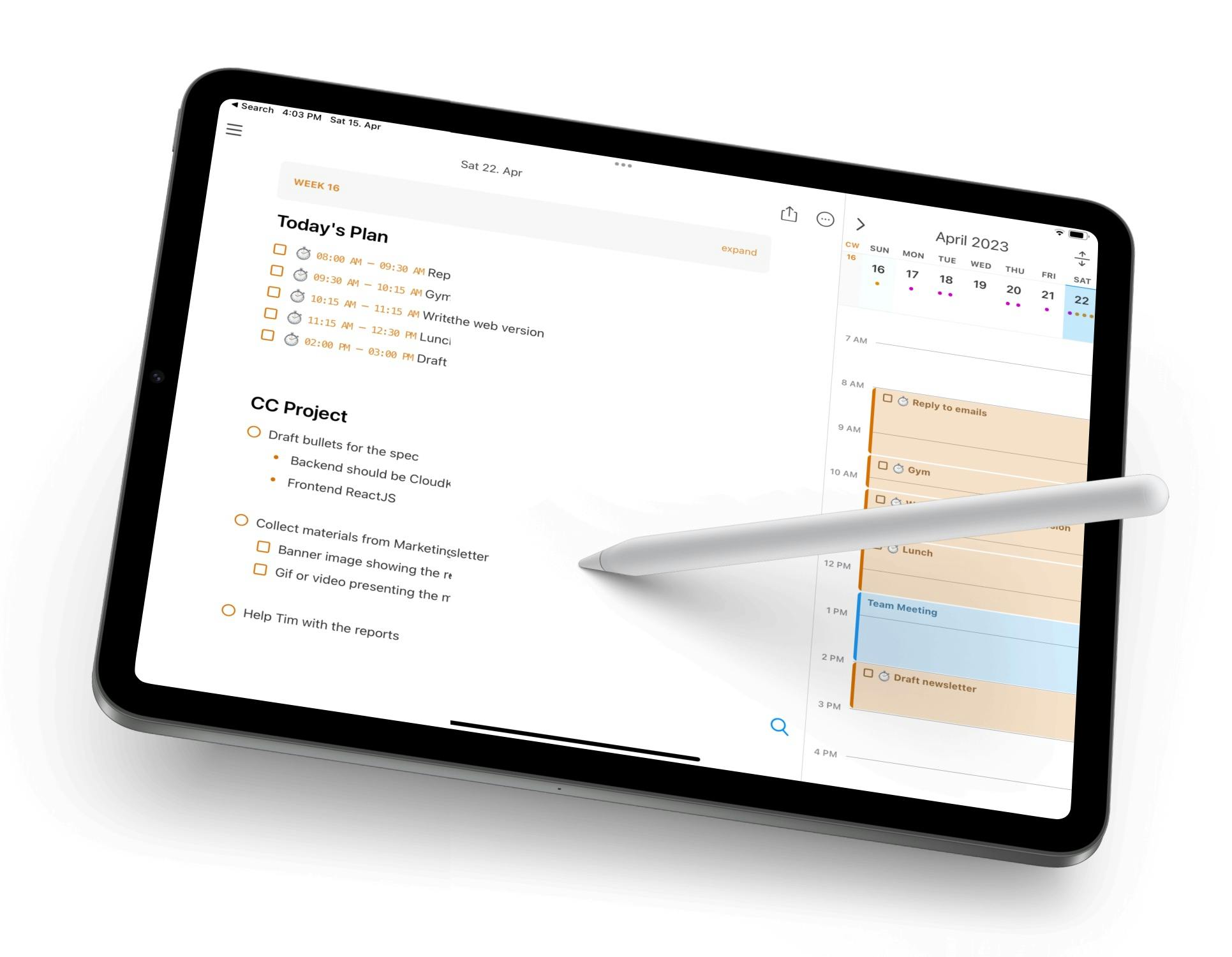
NotePlan blends the best parts of bullet journaling with digital planning. You can create structured daily or weekly logs, link notes to calendar dates, and use markdown to format everything cleanly. It supports bullet points, checkboxes, and headers - making it easy to make a bullet journal system right from your iPhone.
With habit trackers, backlinks notes, and a clean calendar view, NotePlan gives you full control over your system. Whether you want to keep things minimal or build complex logs, NotePlan does it all.
Key Features:
- Daily and weekly notes with calendar integration
- Bullet points, checkboxes, and task status
- Habit tracking and linked note structure
- Markdown support for rapid logging
- Works offline and syncs via iCloud
Pricing: Free trial, then $8.33/month ($99 billed annually)
What Users on Reddit Say About NotePlan
Comment
by u/EduardMet from discussion
in noteplanapp
NotePlan on iPad Overview on YouTube
GoodNotes - Best Bullet Journal Handwritten-Style Journaling
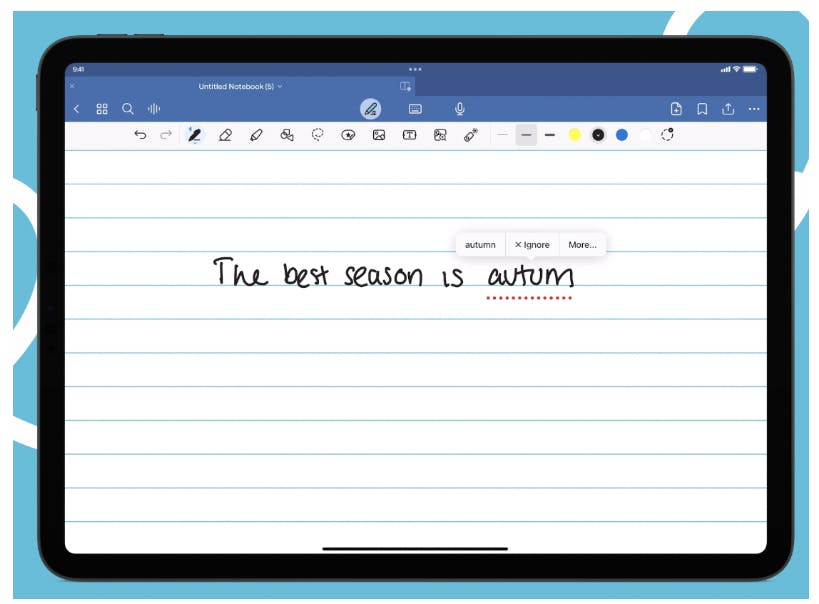
GoodNotes turns your iPhone into a digital notebook, perfect for people who love handwriting. You can draw out your own bullet journal or download custom templates. It supports Apple Pencil on iPad, and lets you swipe between beautifully organized notebook pages.
While it doesn’t have native habit tracking or task linking, it shines for visual thinkers and creatives who prefer writing to typing.
Key Features:
- Sync across iPhone, iPad, and Mac via iCloud
- Import printable bullet journal PDFs
- Handwriting and sketching support
- Powerful folder and tag system
- Fully customizable layouts
Pricing: Free / premium at $9.99/year
Notion - Best Bullet Journal for Full-Page Customization
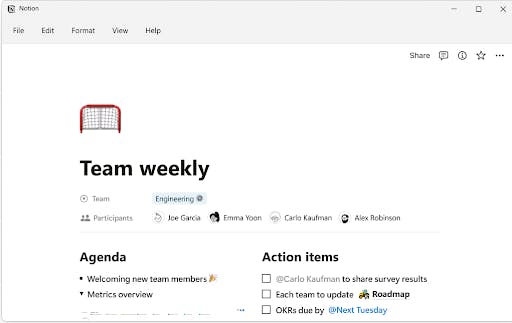
Notion is a favorite for those who want to build their own bullet journal system from scratch. You can create linked pages, track tasks, embed calendars, or use tables to build a habit tracker - all in one interface, It’s drag-and-drop, block-based, and fully modular.
There are hundreds of bullet journal templates out there if you don’t want to start from zero. Once you dial in your layout, it’s a productivity powerhouse.
Key Features:
- Customizable bullet journal templates
- Habit trackers, mood logs, and task lists
- Full cross-linking and nested pages
- Sync across all devices
- Supports collaboration
Pricing: Free with different premium plans, starting at $11.50
Journey - Best iPhone Bullet Journal for Guided Reflections
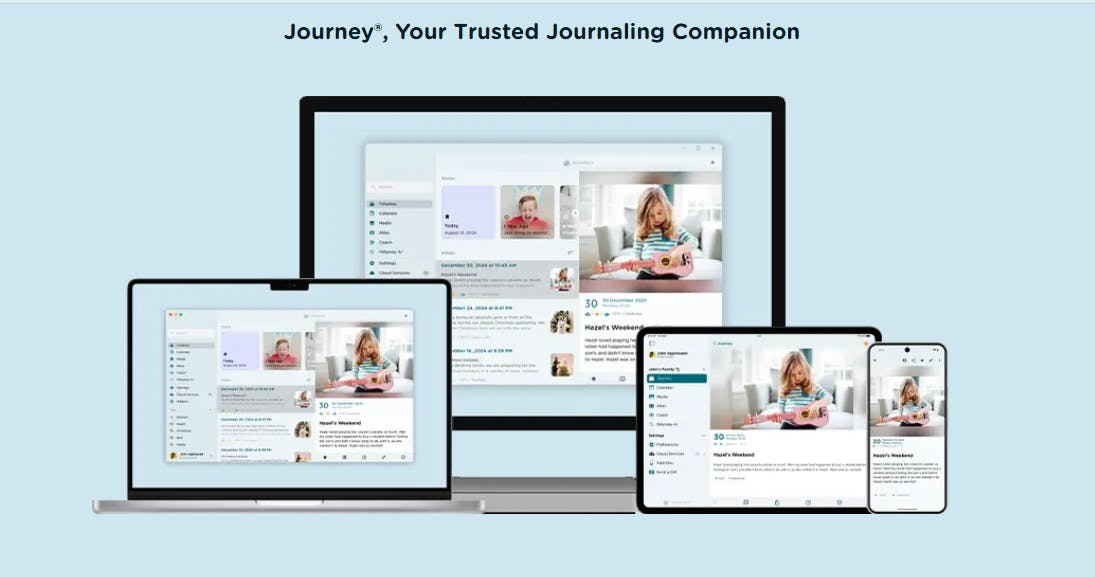
Journey blends the bullet journaling format with wellness journaling. It gives you prompts, templates, and multimedia options for tracking goals or habits. Its clean design and guided entries make it easy to journal daily without feeling overwhelmed.
It’s great if you want journaling to be part of your mental wellness or morning routine.
Key Features:
- Daily mood logs and guided prompts
- Clean timeline and calendar views
- Photos, videos, and audio entries
- Habit and goal tracking tools
- Syncs with Google Drive
Pricing: $4.17/month (billed annually)
Day One - Best Bullet Journal for Digital Diary + Prompts
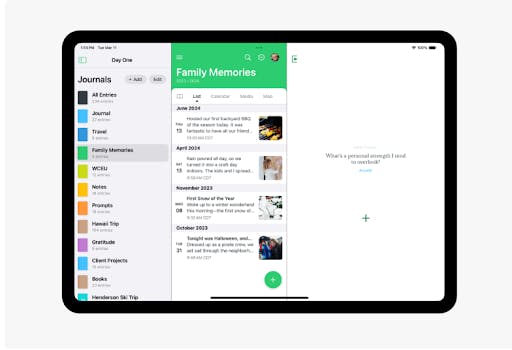
Day One is one of the most polished journaling apps on iOS. You can structure it like a bullet journal, using custom tags, templates, and short entries. It also supports daily prompts and reminders to build the habit of logging regularly.
It’s great for capturing everything from daily tasks to deeper thoughts - all with encryption and a beautiful interface.
Key Features:
- Tags and filters for bullet-style organization
- Markdown support and daily prompts
- Sync via iCloud and Dropbox
- Voice and photo entries
- End-to-end encryption
Pricing: Free basic plan, premium at $2.92/month (billed annually)
Obsidian - Best iPhone Bullet Journal for Zettelkasten-Style Journaling
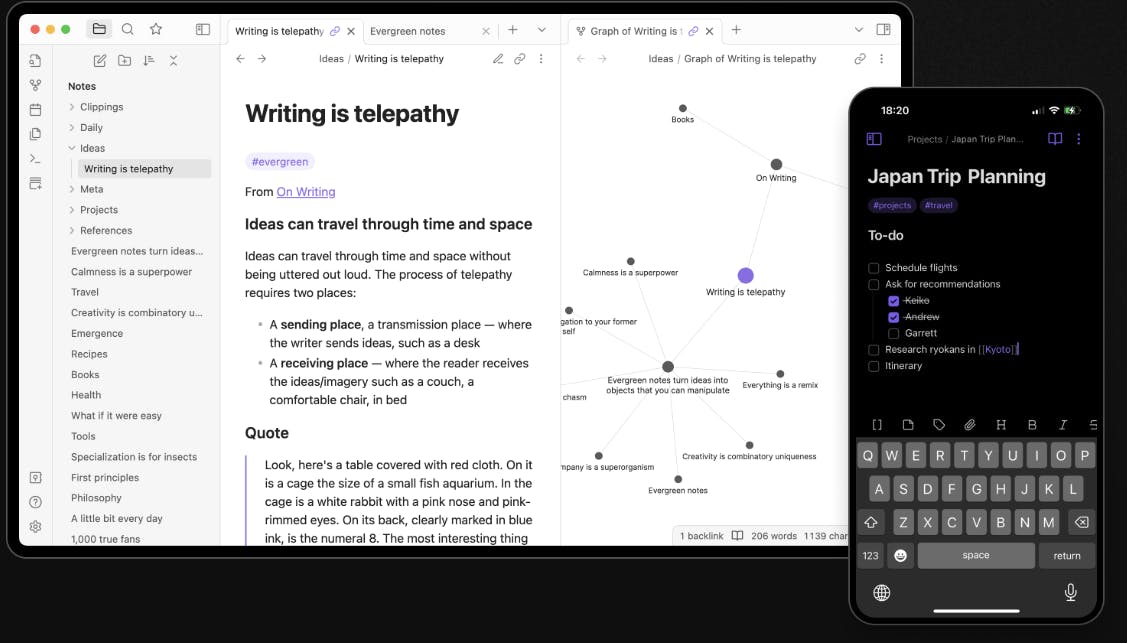
Obsidian is a knowledge management app that works perfectly for advanced bullet journaling. You can link daily notes, create custom trackers with plugins, and use a powerful local markdown engine. It’s perfect for people who treat journaling as a thinking tool or second brain.
It's less visual, but more flexible than the majority of other bullet journals for iphone.
Key Features:
- Full control over folders and templates
- Plugin system for custom tracking
- Graph view to see connections
- Markdown-based linked notes
- Works offline with local sync
Pricing: Free with different premium plans starting at at $4/month (billed annually)
Grid Diary - Best Bullet Journal for iPhone with Journal Prompts
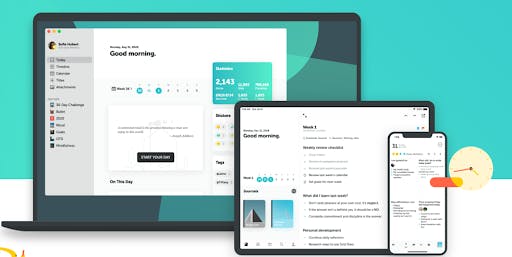
Grid Diary combines structured prompts with habit tracking. Each journal entry is divided into blocks (grids) such as “Today i’m grateful for…” or “What did I learn?” - which makes bullet journaling feel approachable and focused.
It’s ideal for beginners or anyone who wants journaling to feel like answering meaningful questions rather than starting at a blank page.
Key Features:
- Daily, weekly, and monthly layouts
- Customizable journal grids
- Clean and calm interface
- Built-in habit tracking
- Syncs via iCloud
Pricing: Free basic plan, with different premium plans starting at $2.99/month
Noteshelf - Best Bullet Journal for Handwriting and Sketching
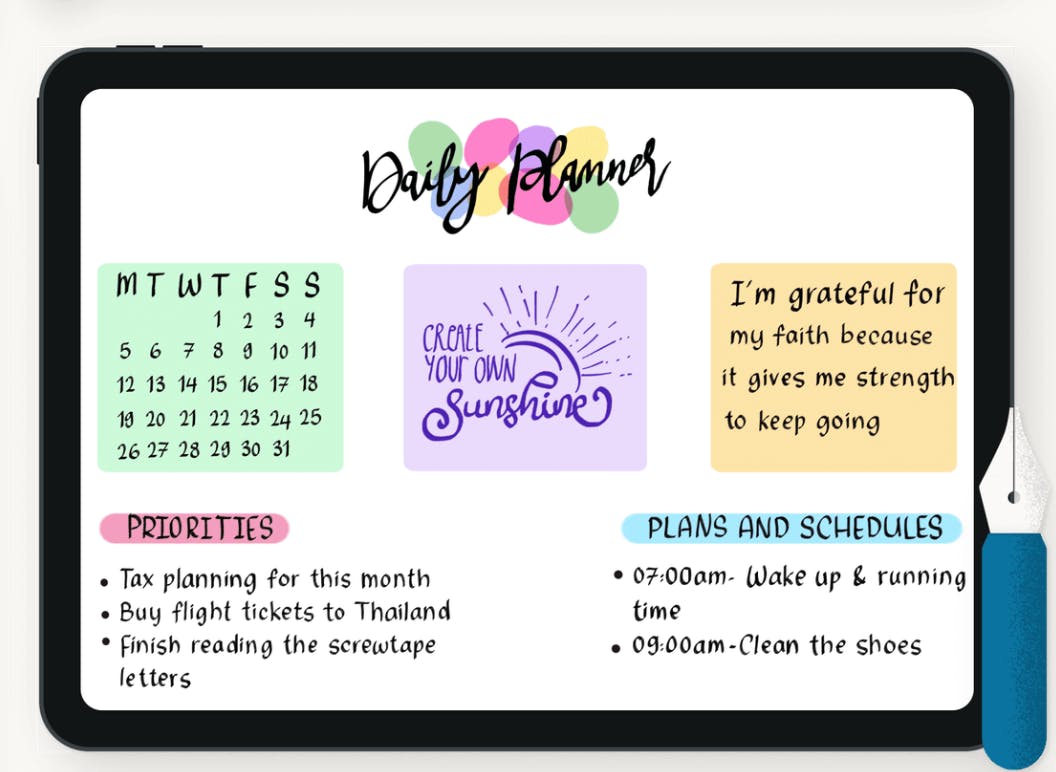
Noteshelf is a handwriting-first app that works beautifully with iPhone and iPad. You can draw your own bullet journal spreads, highlight, color-code, and even record audio notes. It’s powerful for visual bullet journal users and students.
It’s not free, but worth it for people who love to write and sketch all of their ideas.
Key Features:
- Audio recording alongside written notes
- Beautiful handwriting recognition
- Apple Pencil and stylus support
- Custom template import
- Syncs via iCloud
Pricing: Free basic plan, premium plan is $9.99 for lifetime access
Evernote - Best iPhone Bullet Journal for Classic Digital Journaling
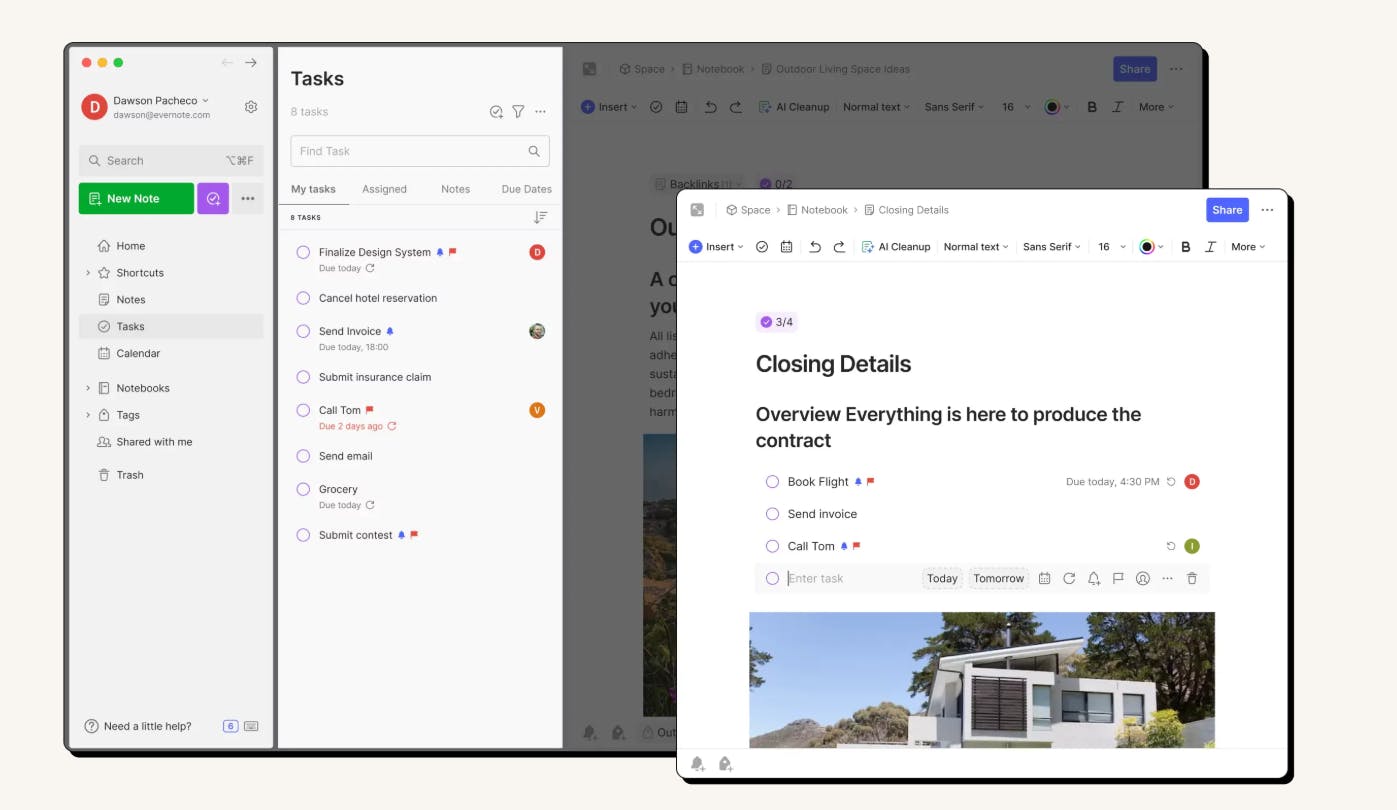
Evernote is one of the original note-taking apps and still holds up well for bullet journaling. You can use tags, templates, and checkboxes to build custom logs. Its search and sync features are top-tier, and the calendar widget helps you track your journal activity.
If you’re looking for something reliable and familiar, Evernote is still a solid choice.
Key Features:
- Audio recording alongside written notes
- Apple Pencil and stylus support
- Custom template import
- Handwriting recognition
- Syncs via iCloud
Pricing: Free with limited uses, with different premium plans starting at £6.66/month
Final Thoughts
Your iPhone can be the perfect home for your bullet journal. From minimalistic setups to guided systems, or even a visual sketchbook - you’ve got options. The best digital bullet journal for you is the one that fits how you think and plan.
Start with one that matches your style, and build your journaling habits from there.
Frequently Asked Questions (FAQs)
Can I Use my iPhone as a Journal?
Yes, you can use your iPhone as a journal. You can use Notes, or install apps like NotePlan which have more purpose-built features.
Are Bullet Journals Good for ADHD?
Yes, bullet journals are good for ADHD. Writing your thoughts/to-dos down can help reduce stress and clear the mind.
How to Make a Journal in iPhone?
You can use Notes on iPhone to make a journal, or install a specific app like NotePlan.
Can one app really replace your entire productivity stack?
NotePlan did. Try NotePlan free for 7 days to learn how