Home
Jira Integration - Get Active Tickets Template
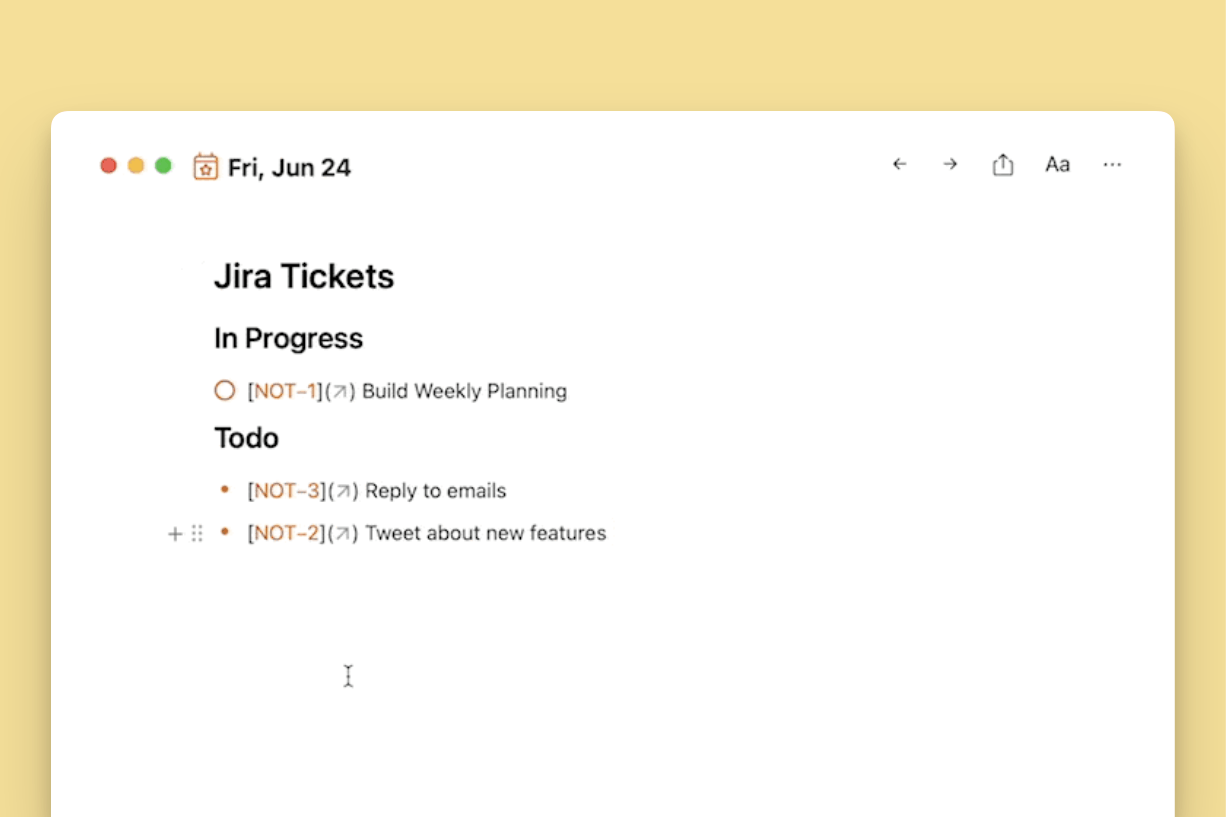
This template will pull all tickets assigned to you with the status "To Do" and "In Progress" into the current note.

AaronG
Get things done with NotePlan
Categories
This template will pull all tickets assigned to you with the status "To Do" and "In Progress" into the current note. You will need to do a little bit of setup before you can use this integration. You need:
- An API Token: Generate it here
- Your user email address
- Your organization URL, such as "https://noteplanapp.atlassian.net"
Once you have the token and your email address, you need to base64 encode it in this combination: email:api-token. You can use any tool or website to encode it, for example, this one.
Template
Before you copy it into NotePlan, make sure to replace:
- the `BEARERTOKEN` with your base64 encoded `email:api-token` combination.
- And replace the `jiraURL` with the link for your organization.
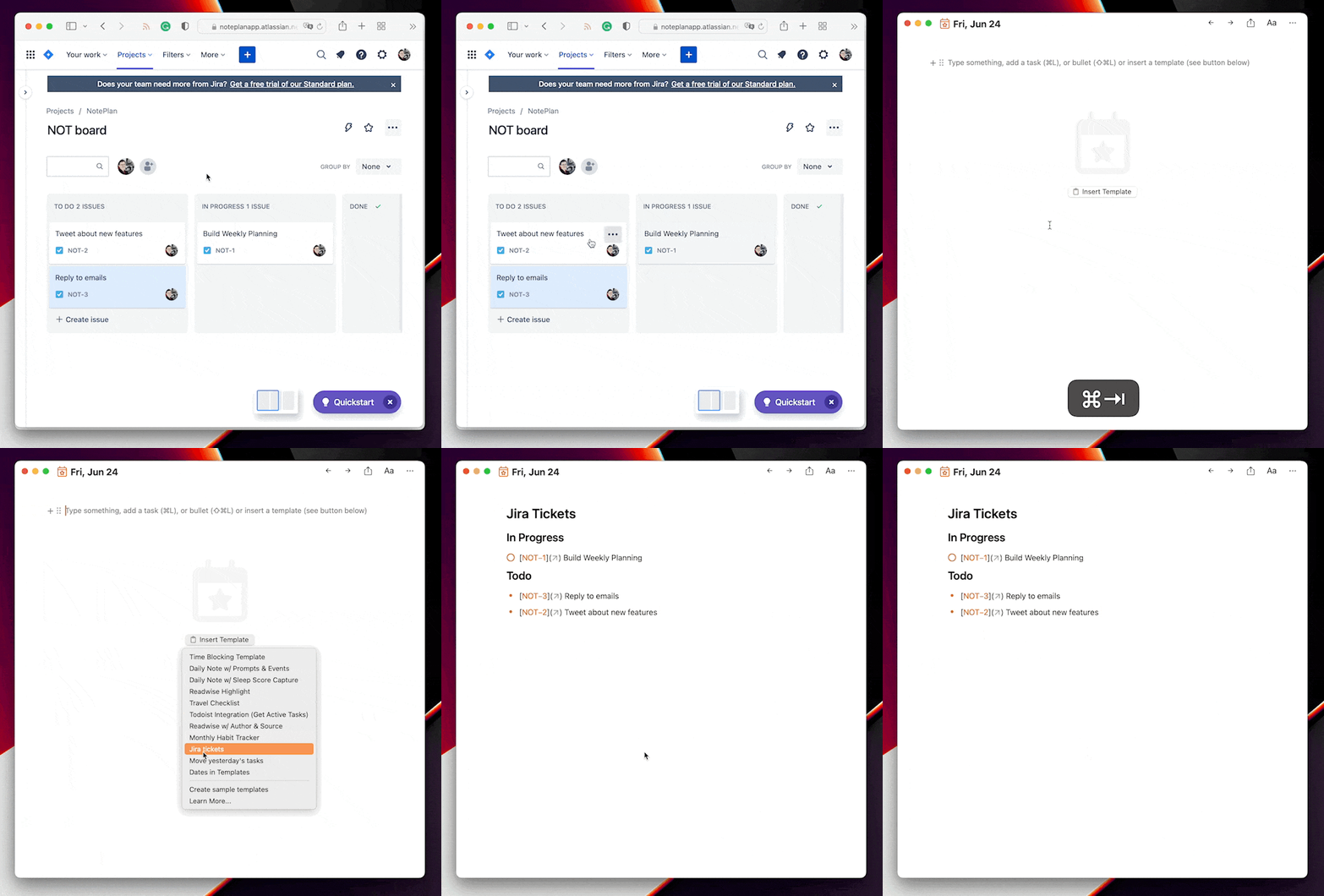
See the integration here in action:
Contributions
Thanks to the community for providing this example ( @AaronG) and the underlying templating functionality (@codedungeon and the plugin team as a whole). Join our discord community and visit our templating channel to learn more.