NewIntroducing Memo AI — Turn voice notes into structured insights→
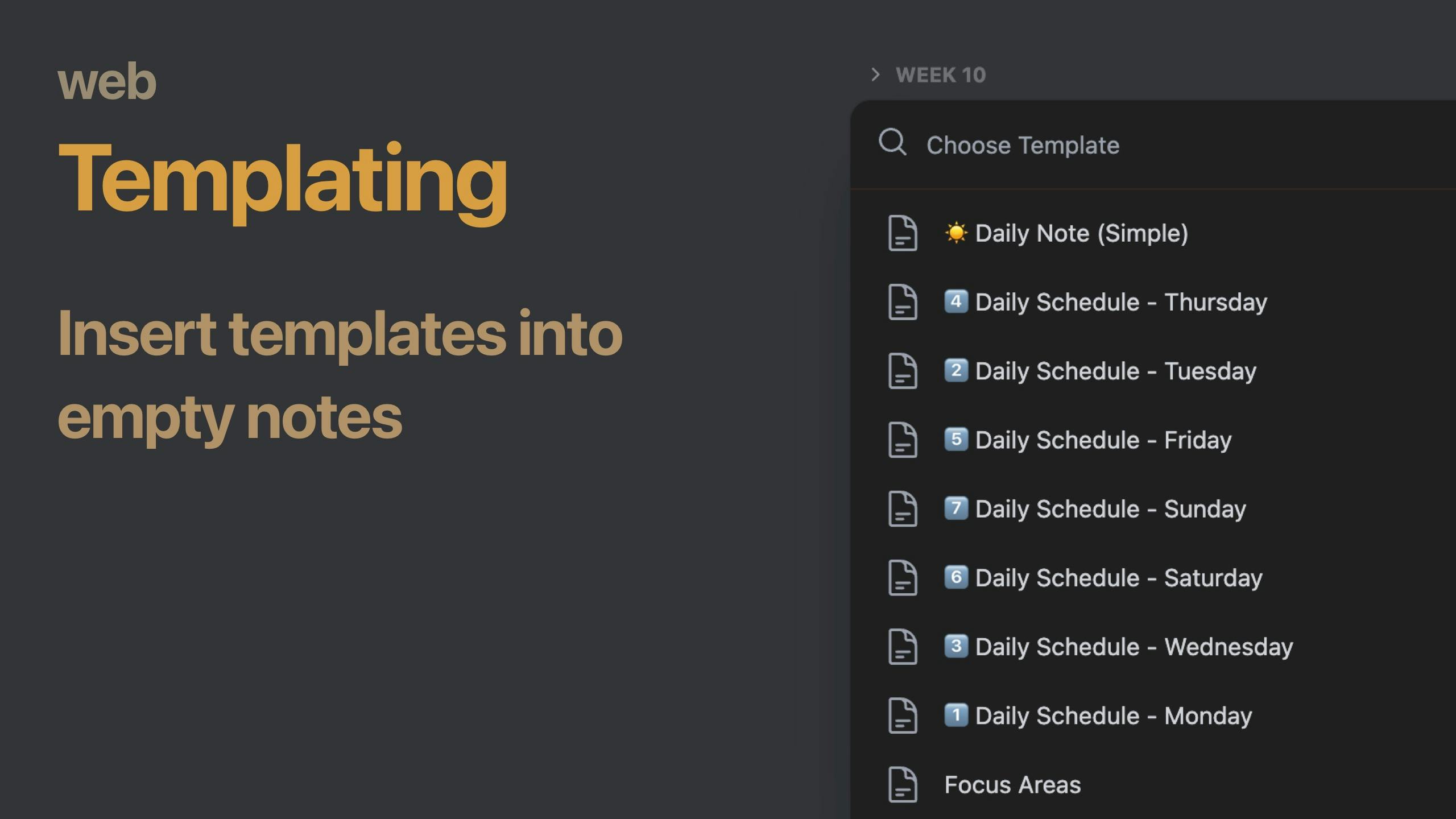
Templates are available now in the web version of NotePlan! You will see your existing templates in the left sidebar under "Smart Folders" just like in the native versions. Create new templates, edit or delete existing.
There are two ways to insert your templates into calendar notes or project notes:
1. Insert Template Button
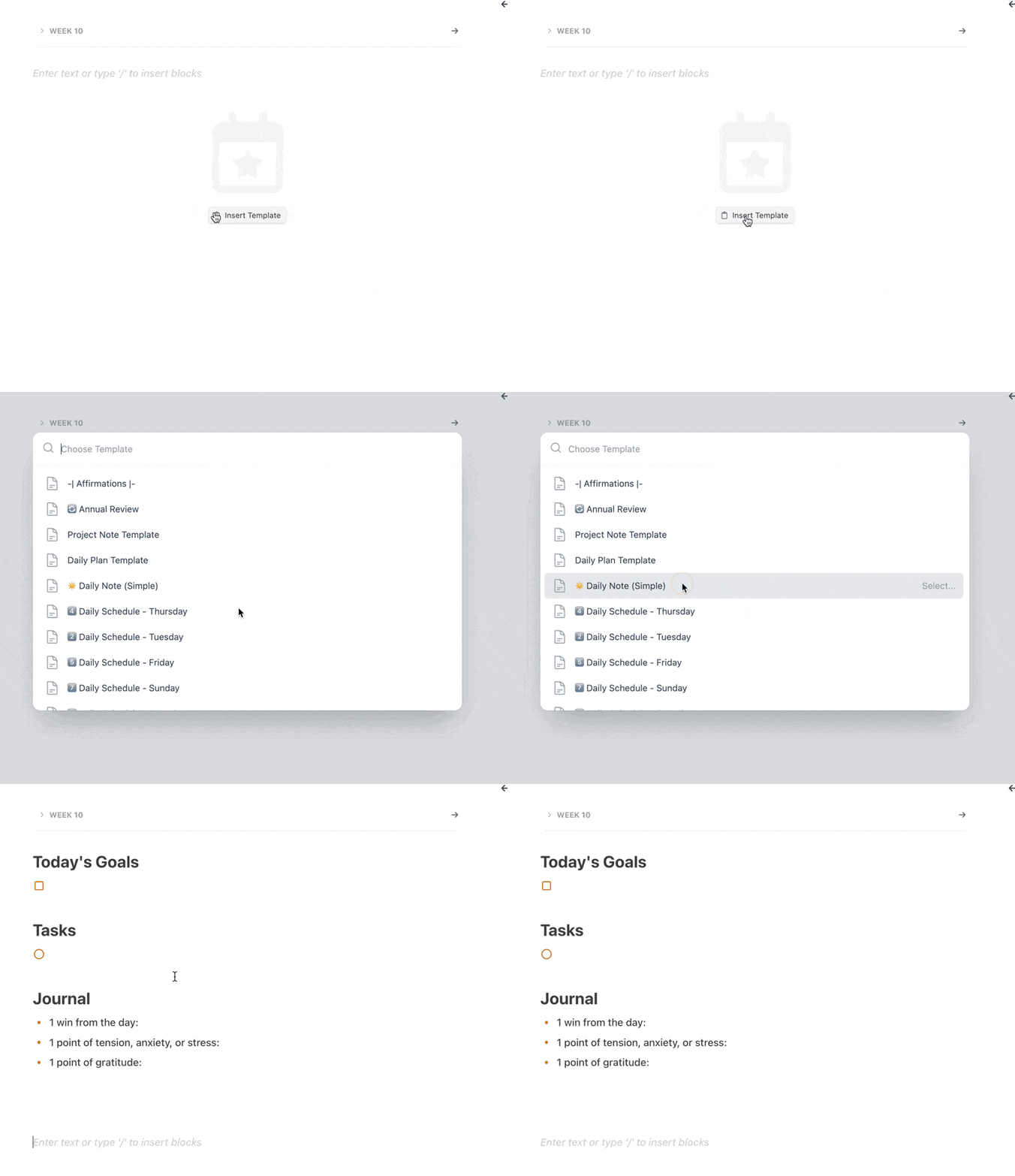
Open an empty calendar note and find the "Insert Template" button in the center of the note. Clicking on it opens a list of available templates to choose from.
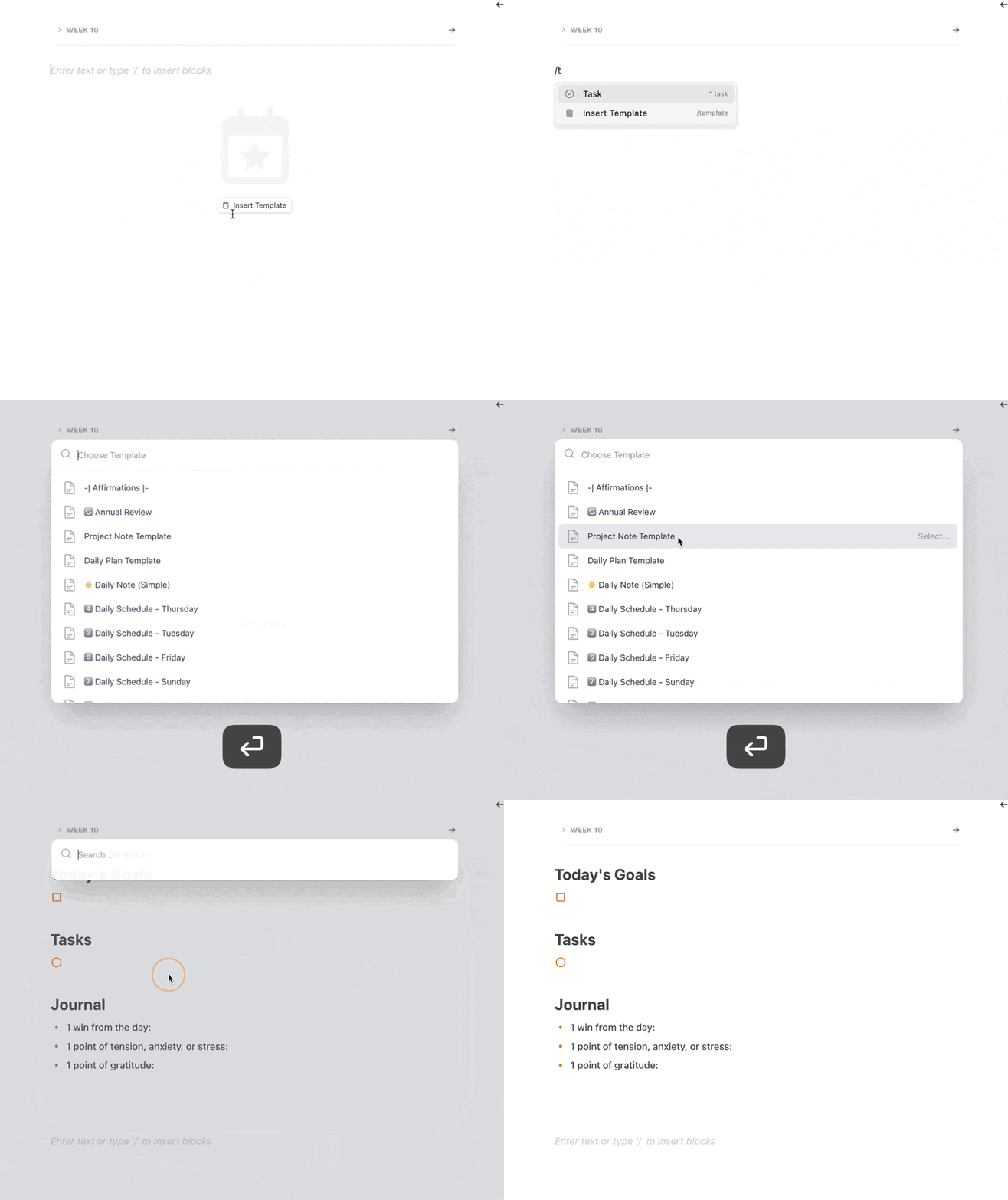
2. /template Command
Any where in the note and in any note, type "/template", select the "Insert Template" option from the suggestions and a selection of templates opens. Select any template to insert at the cursor position.
Can one app really replace your entire productivity stack?
NotePlan did. Try NotePlan free for 7 days to learn how