Footer

NotePlan lets you combine your tasks, your notes, and your calendar in a single place. All linked and synced seamlessly between your devices. Powered by Markdown and stored in plaintext, your data is easy to access, and available online and offline.

XDiscordReddit

Community

  • Discord
  • Feedback
  • Reddit
  • Plugins
  • NotePlan on Tool Finder
  • Custom Themes

NotePlan

  • Web Login
  • Help Center
  • Contact
  • Blog
  • Privacy Policy
  • Terms of Use
  • Changelog

Use Cases / Compare

  • Getting Things Done
  • P.A.R.A.
  • Zettelkasten
  • Bullet Journal
  • NotePlan vs Craft
  • NotePlan vs Agenda
  • NotePlan vs Things

© 2025 NotePlan LLC. All rights reserved.

NotePlanNotePlan Logo
PricingSpacesHelp Center
Try Free For 7 Days →
Back to other posts
Web Version Update
Download
App Store
Beta
TestFlight

In this update we have added support for the >today tag, which creates a reference for today's note until the task gets completed. Means this reference stays as the days pass and "today" becomes a different daily note.

today tag

You can add this tag by typing `>today` behind a task. Now it should appear in todays note and you don't have to update the scheduled date, it will stay in today's note.
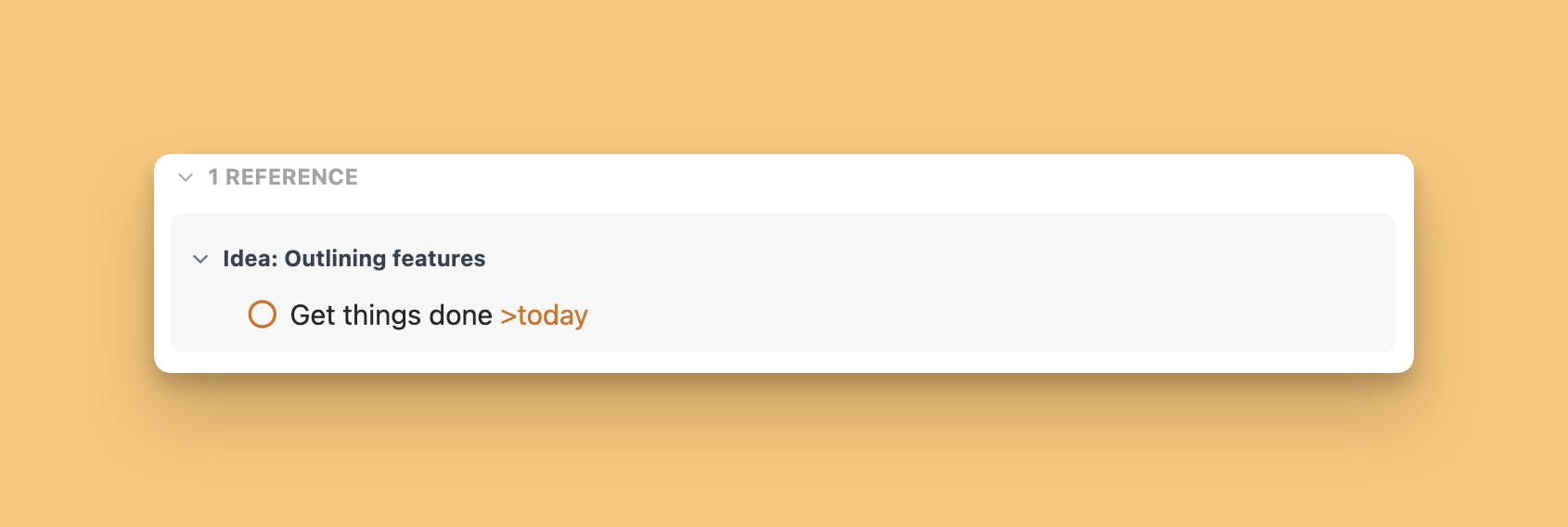
today tag in references

Can one app really replace your entire productivity stack?

NotePlan did. Try NotePlan free for 7 days to learn how