NewIntroducing Memo AI — Turn voice notes into structured insights→

Status: Beta
NotePlan 3.21 is a polish-focused release — many small improvements, speed and memory gains, and new touches across the app. The bigger additions: the doors are now open to Community Plugins, and a new CommandBar Forms API for multi-field dialogs.
Tables and Kanban boards got a lot of love, folder views can show events and reminders alongside tasks, and in-note Find works inside tables.
Community Plugins
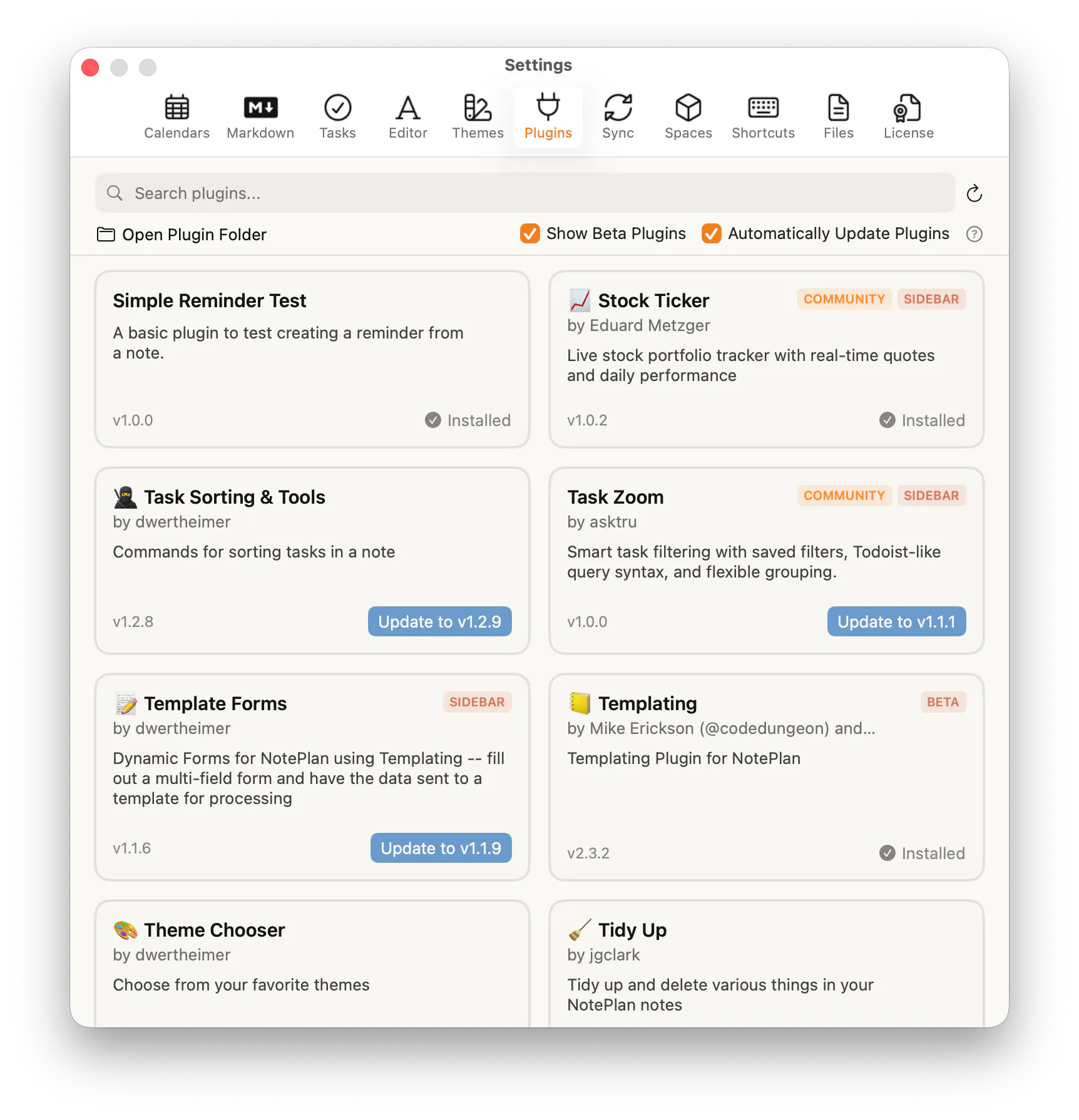
Until now, every plugin in NotePlan was a core or featured plugin — built by a small group of trusted developers and closely maintained. Community Plugins open things up to a wider group of developers, many of whom we work with through our Discord community. Each community plugin is reviewed for security and basic quality before being listed, and carries a COMMUNITY badge to set it apart.
The first wave includes:
- Stock Ticker
- Weekly Review Dashboard
- Task Zoom
- Reflect
- Note Graph
- Donote
- CRM Dashboard
Folder Views

Folder views got a serious upgrade across the board. When you group a Kanban board by heading, the columns are now fully editable — add, rename, remove, and drag them around — with a "+" button on heading and date columns to add tasks right where you need them.
Card dragging is smoother, and today's column header uses your accent color (so you can quickly see which column "today" is). Columns are also draggable now, so you can drag a column faster across the screen.
Folder views in general can now pull in events and reminders as sources, enabled under the View menu, and a new Sources option lets you mix calendar notes and regular notes in one place.
Drag events and reminders between date columns, filter out past or timeblock events, and try the new "Rolling 7 Days" timeframe.
Tables

Tables got a thorough overhaul. You can now use simple formulas like =sum directly in cells — just hit "=" to open a formulas submenu with autocomplete.
Columns are resizable by dragging their borders, and there's a new editor setting to let tables expand beyond the text width when you need more room. Under the hood, tables have been rewritten to load faster and scroll more smoothly, even when they're large.
Text search within a note (Cmd+F) now reaches into tables as well, including find and replace.
Editor
The editor picked up a handful of small refinements. Code blocks now have a copy button, and fold chevrons stay visible on collapsed lines so you can always see what's folded. References can be filtered to hide completed or cancelled tasks, voice recordings now ask for confirmation before being discarded (so you never dismiss a transcription accidentally), and there's a new Transcribe Voice shortcut for Mac (⇧⌘O).
Plugin API
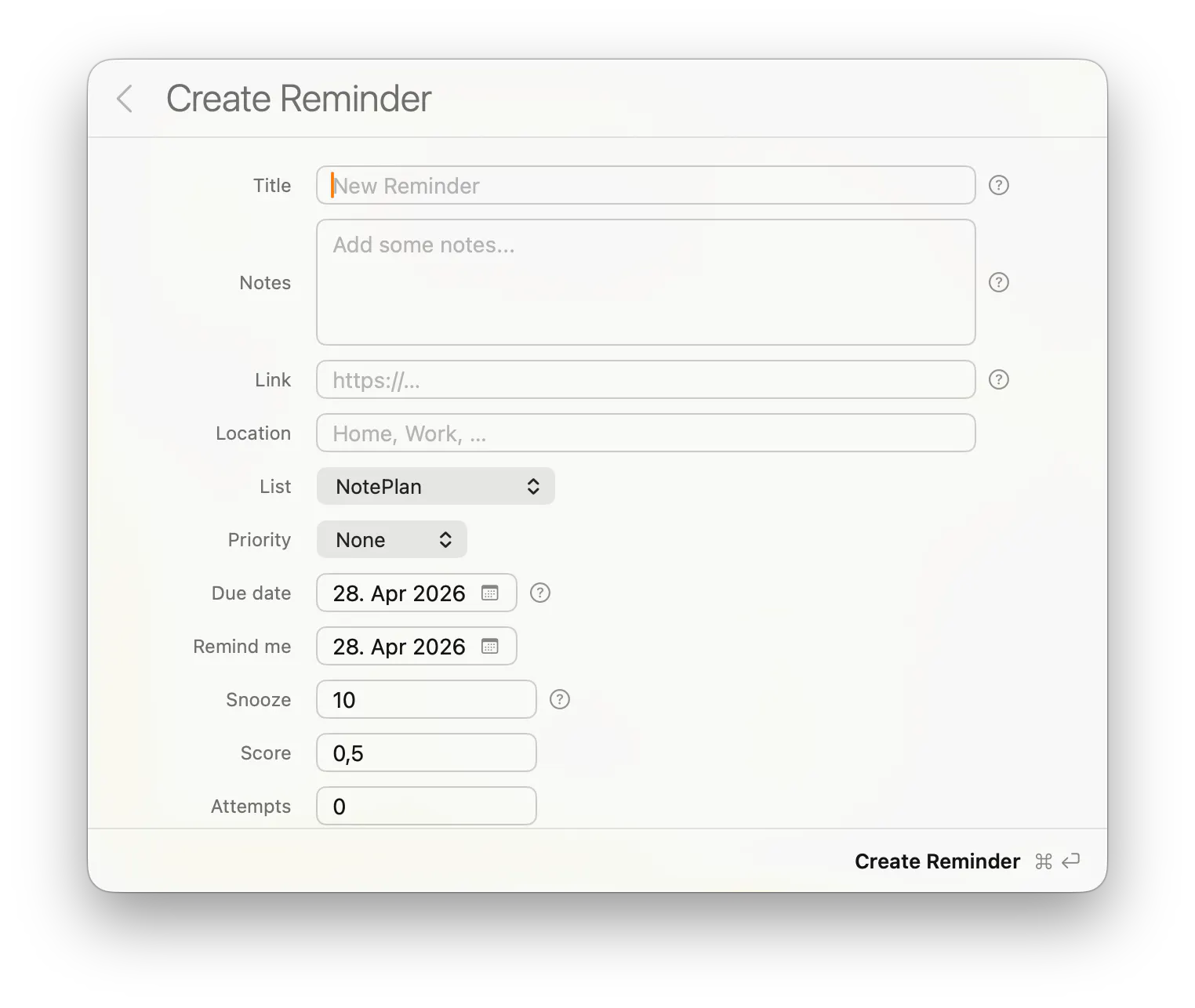
The Plugin API picked up several useful additions. A new CommandBar Forms API (CommandBar.showForm) lets plugins build multi-field dialogs in one call, and a new HTML plugin type comes with lifecycle events so views can refresh when shown or hidden. The API has also been expanded to let notes be accessed and edited directly from HTML view JavaScript, and plugin URL handling has been tightened for safer links.
Event Editor
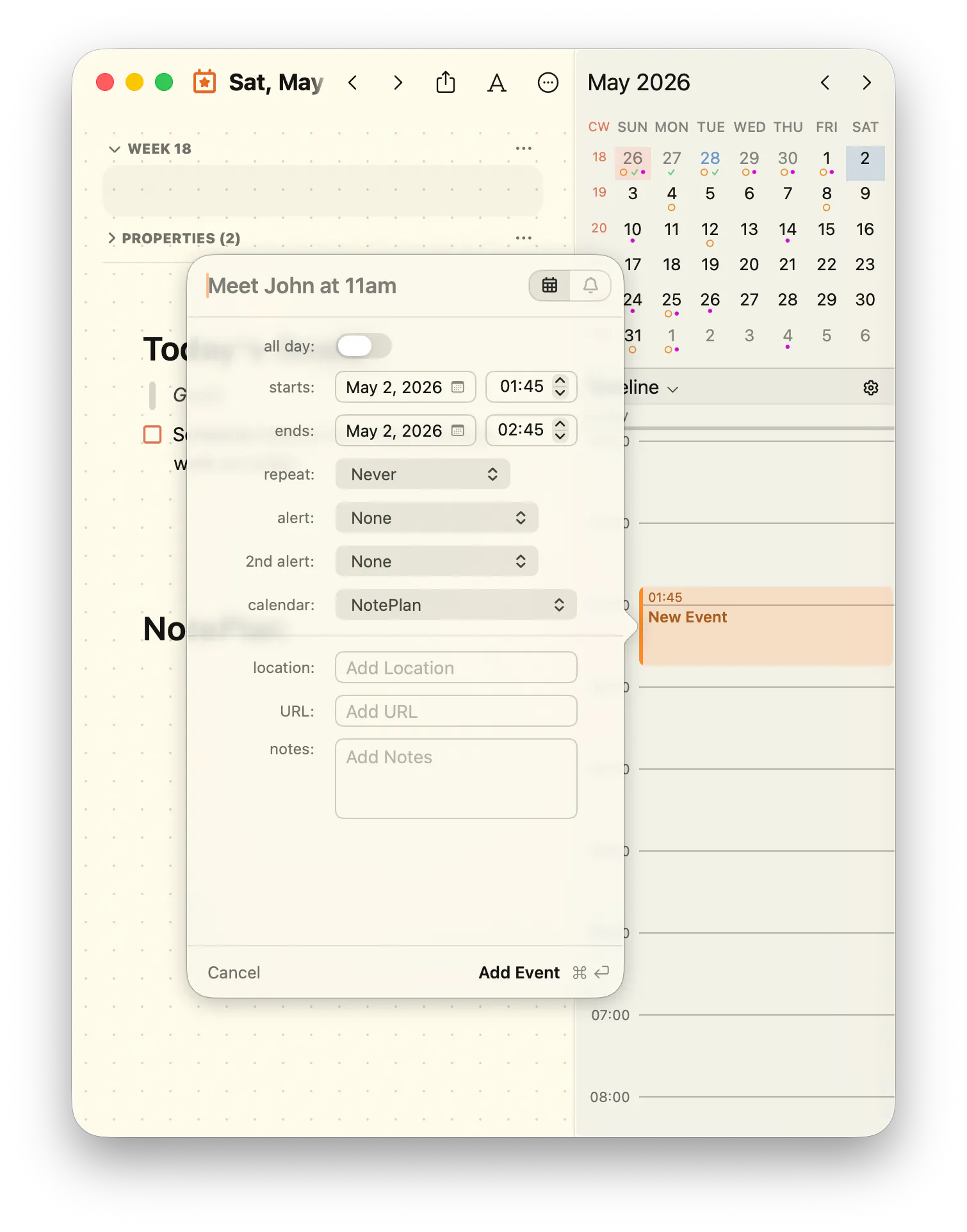
We have redesigned the Event Editor in Apple's Liquid Glass style and made it completely keyboard supported (macOS 26 needed).
Fixes & Improvements
- Fixed freezes opening notes with very large tables
- Fixed Cmd+K to edit the existing link under the cursor
- Fixed references count to show the real number of matches
- Fixed folder rename merging notes with the same name
- Fixed slash date parsing for day-first locales (e.g. en_GB)
- Fixed weekly references disappearing when the week didn't start on Monday
- Fixed the overdue task popover going blank after switching Spaces
- Fixed table content being wiped when moving between notes
- Fixed x-callback links being stripped when pasting
- Fixed Cmd-drag leaving an extra blank line behind
- Fixed a clipped highlight and caret at the bottom of a note
- Fixed several rare stability crashes
---
Enjoying NotePlan? A quick review on the App Store helps support independent development.
Can one app really replace your entire productivity stack?
NotePlan did. Try NotePlan free for 7 days to learn how