Footer

NotePlan lets you combine your tasks, your notes, and your calendar in a single place. All linked and synced seamlessly between your devices. Powered by Markdown and stored in plaintext, your data is easy to access, and available online and offline.

XDiscordReddit

Community

  • Discord
  • Feedback
  • Reddit
  • Plugins
  • NotePlan on Tool Finder
  • Custom Themes

NotePlan

  • Web Login
  • Help Center
  • Contact
  • Blog
  • Privacy Policy
  • Terms of Use
  • Changelog

Use Cases / Compare

  • Getting Things Done
  • P.A.R.A.
  • Zettelkasten
  • Bullet Journal
  • NotePlan vs Craft
  • NotePlan vs Agenda
  • NotePlan vs Things

© 2026 NotePlan LLC. All rights reserved.

NotePlanNotePlan Logo
PricingSpacesHelp Center
Try Free For 7 Days →
Back to other posts
v3.20 banner
Download
App Store
Beta
TestFlight

Can one app really replace your entire productivity stack?

NotePlan did. Try NotePlan free for 7 days to learn how

[BETA]

NotePlan 3.20 focuses on better html plugin integration, faster capture, accessibility, and overall stability.

Plugins have been part of NotePlan for a long time, but until now HTML plugins lived in their own separate window. In this release, they can run directly inside the main app window (macOS) and will be added to the sidebar, making them easier to access and feel more connected to the rest of NotePlan.

On top of that, this update adds a new lock screen widget (iOS) for quick capture, improves accessibility (VoiceOver), and includes a long list of fixes and performance improvements across the app.

Lock Screen Widgets for Quick Capture (iOS)

Video loading...

This release adds a new lock screen widget focused on fast capture. You can add a task, start a voice transcription, or create a drawing directly from the lock screen, with flexible configuration options.

Voice transcription from the lock screen has also been optimized to open faster, with an option to skip post-processing to get content into your notes more quickly.

How to add a lock screen widget:
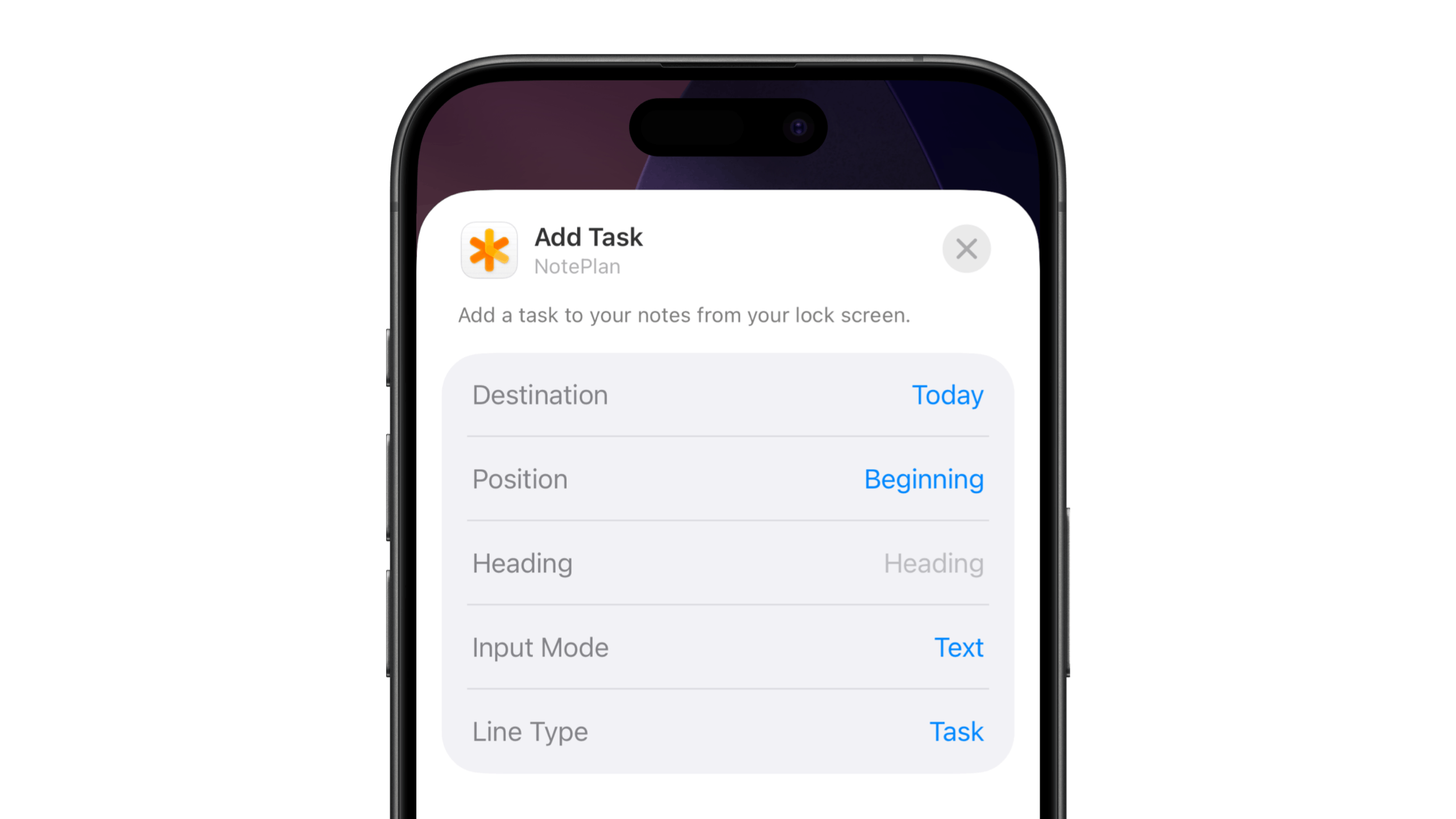
  • Long-press on the lock screen until the customization view appears
  • Tap Customize
  • Tap the widget area below the clock
  • Tap NotePlan's "Add Task" from the widget list
  • Tap the widget to configure its action and options
  • Tap Done to save your lock screen

Configure lockscreen widget

You can configure where you want to capture (which note, under which heading, prepending or appending), what (task, bullet, quote, ...), and how (voice transcription, typing, drawing).

New in this area:

  • New lock screen widget for tasks, voice transcription, and drawings
  • Configurable widget actions
  • Faster opening of voice transcription
  • Optional skipping of post-processing
  • Improved Shortcuts behavior when adding content to notes

Integrated HTML Plugins (macOS)

html plugins in macOS

On macOS HTML plugins are now able to run inside the main NotePlan window, including split view. They also appear automatically in the sidebar once opened so you can switch to them just like you would switch between notes, calendar, or tasks.

This makes html-based plugins such as the Dashboard or Linear Calendar (more are coming) more practical to use in daily workflows, without needing a separate window.

What changed:

  • HTML plugins can be loaded inside the main window
  • Plugins appear in the sidebar for quick switching

Developers:

  • Open an html plugin inside the main view using the new HTMLView.showInMainWindow(html, title, options) function. See the documentation here.
  • Learn here how to write a plugin in general.
  • Tip: Use Claude Code or Cursor to write a plugin quickly without having to know how to code.

Accessibility & UX Improvements

Several accessibility and user experience improvements landed in 3.20, making NotePlan more inclusive and easier to use. Highlights include full VoiceOver support, more translations and a new setting to change your week number calculations.

  • Full VoiceOver support was added to iOS and macOS
  • Translations for Italian, Japanese, Korean, Simplified Chinese, and Russian
  • The Properties editor at the top of notes can be now fully navigated with the keyboard
  • “Show in Finder” added to attachment context menus, so it's easier to find them when you need the actual file
  • Improved navigation between Spaces calendar notes (jumping to the correct daily, weekly, etc. notes)
  • Added monthly, quarterly and yearly notes to Spaces
  • Added week number calculation setting to "Calendars", so you can align your week numbers with Apple's ("System") or Google's ("ISO Standard") calendars
  • Fixed layout issues on older system versions
  • Fixed table editing issues with IME languages such as Japanese
  • Icons added to most context menus (macOS)
  • Dragging a task into the calendar (on Mac) now shows available headings from the calendar note upon dropping
  • Fixed display issues with multi-day events on iOS

Performance & Reliability

This release includes many under-the-hood fixes aimed at reducing freezes, crashes, and edge cases.

  • Better memory and CPU management
  • Search now requires at least 3 characters to avoid freezes
  • Improved rendering of images and attachments in References
  • Safer attachment renaming to avoid accidental deletion
  • Fixed tag renaming edge cases
  • Various crash fixes across the app

Enjoying NotePlan? A quick review on the App Store helps support independent development.