Quality of Life Improvements: This update introduces markdown formatting for tables with support for links, tasks, bullets, and more. We have also added multi-filter capabilities in the folder view along with new date filters ("This Month", "Future", "Past"). Additionally, teamspace users can now view tasks directly from calendar notes.
Markdown in Tables
Beyond basic text formatting like bold and italic, tables now support links (web and note links), tasks, bullets, and nearly all other features available in the regular note editor.
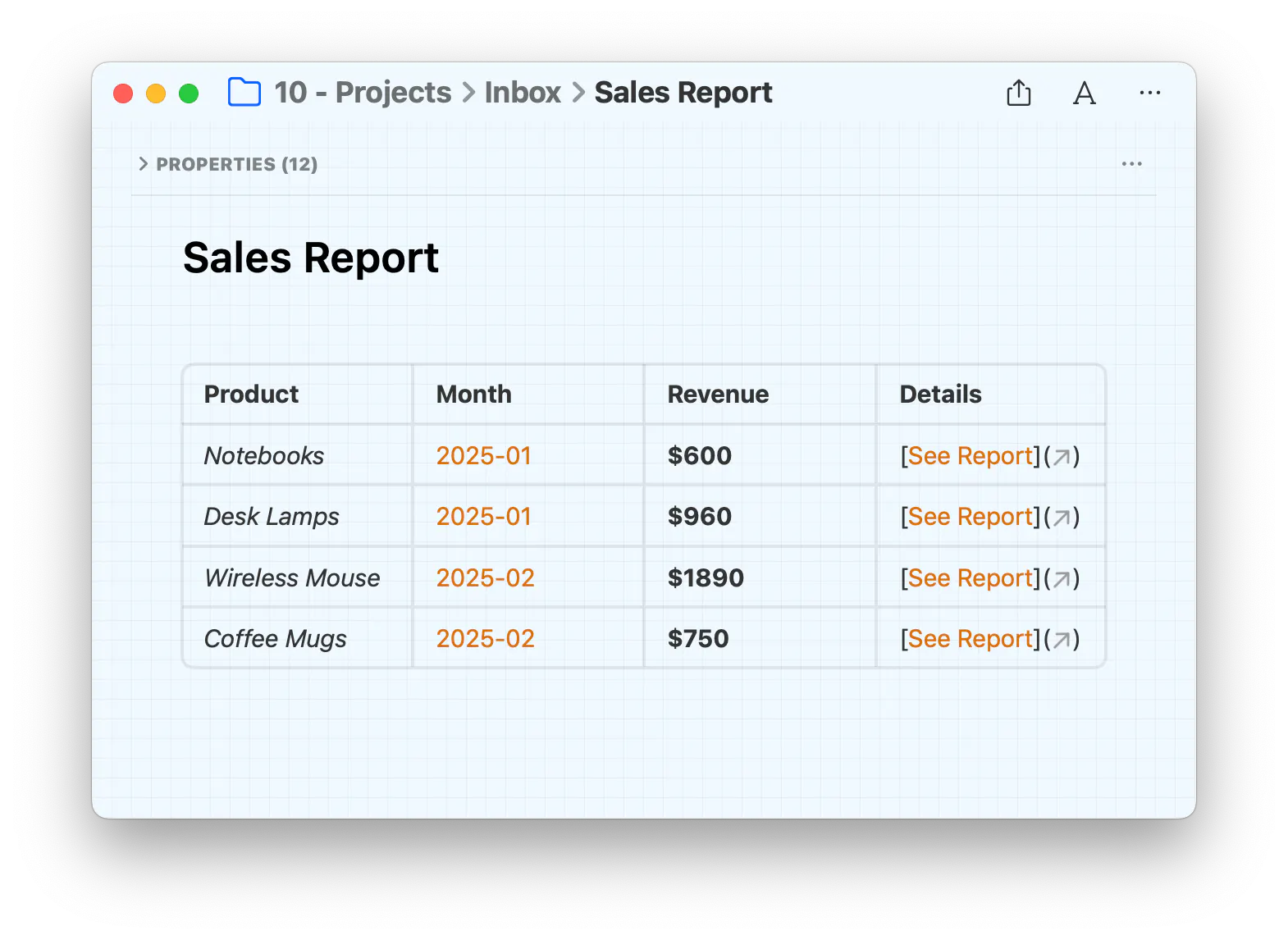
Format text as bold, italic, strikethrough, highlight, underline
Use headings (for column titles for example), bullet lists, tasks, quotes instead of plain text
Add web links and note links
Add new lines within the same table cell with return
Note: Tasks in tables are not supported yet in plugins, filters, or references
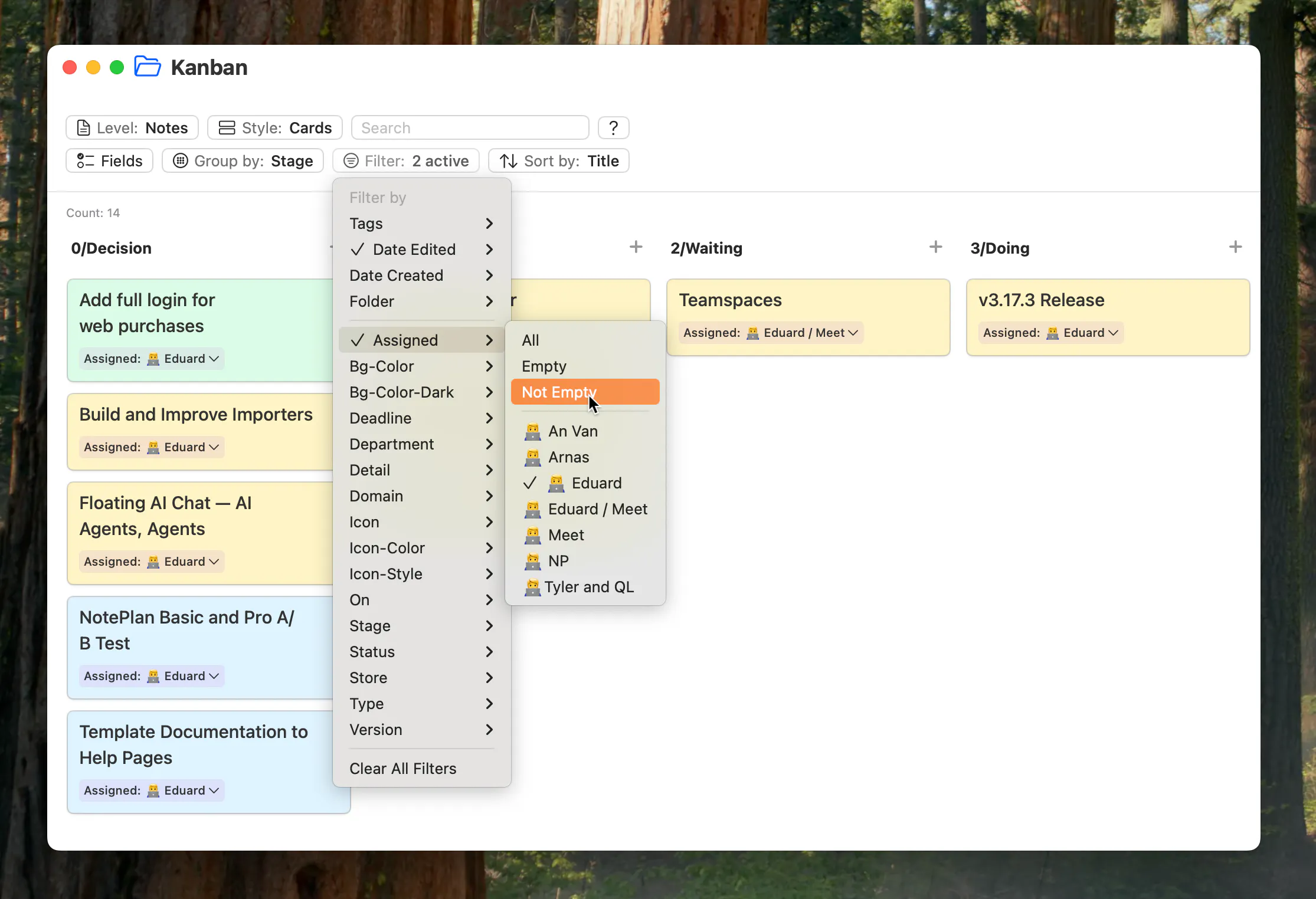
Multi-Filter in Folder View
Filter notes and tasks by selecting multiple filters
New date filters: Today, Past, Future, Last Week, This Week, Next Week (... Month, ...Year), Rolling 30 Days. Use it to filter notes by edit date or custom date properties or to filter scheduled tasks.
Teamspaces now show tasks from calendar notes and regular notes (click/tap on the teamspace and switch the level to "Tasks").
Improvements & Fixes
Updated the AI interface for prompts on selected text (or empty selection). Select text and open the AI dialog: on Mac hit CMD+O (or find it in the menubar "Format" > "Prompt AI"), on iOS hit the prompt AI button in the toolbar. On both platforms you can also use the slash command /prompt.
Added a default option to properties: "Show Field Title" to show or hide the property title in the fields.
Added a search option on Mac to ignore calendar notes and just return regular notes (use the settings button right of the search text field).
Improved folder view list display on iPhone, now optimized for a mobile view.
Fixed text wrapping in cards (Kanban View), so you can have longer summaries for example.
Can one app really replace your entire productivity stack?
NotePlan did. Try NotePlan free for 7 days to learn how