Best Markdown Editor for Mac: 10 Top Picks for 2025
Elevate your writing with our curated list of best markdown editor for Mac. From minimalist to feature-rich, find your perfect match.
Can one app really replace your entire productivity stack?
NotePlan did. Try NotePlan free for 7 days to learn how
I know firsthand how crucial it is to find the perfect tool that aligns with your writing style and needs. That's why I've put together this comprehensive guide to the top 10 Markdown editors for Mac in 2025.
For those new to the concept, Markdown is a lightweight markup language designed for formatting text. It's become increasingly popular among writers, bloggers, and developers for its simplicity and versatility. There are many Markdown editors available, each offering unique features and customization options.
In my journey, I've discovered a wide range of options, from sleek, minimalist interfaces that keep me focused on my words, to feature-rich powerhouses that can handle even the most complex projects. I'm excited to share my findings with you!
Throughout this article, I'll take you through:
Editors that offer distraction-free environments for pure writing bliss
Tools with powerful organization features to help manage your thoughts and ideas
Apps that provide real-time previews so you can see your formatting come to life
Options with cross-device syncing to keep your work at your fingertips
Advanced editors for those who need more than just basic Markdown
Whether you're a seasoned writer, a coding enthusiast, or just starting with Markdown, I believe you'll find an editor in this list that suits your needs perfectly. So, join me as we explore these fantastic Markdown editors that have the potential to transform your Mac into a writing powerhouse.
Best markdown editor for Mac at a glance:
This table provides a comprehensive overview of the best Markdown editors available for Mac in 2025. Each editor is evaluated based on its pricing model, App Store rating (where applicable), and key features.
Pricing: 14 day free trial. Paid plan starting with $9.99/month
App Store Rating: 4.8 out of 5
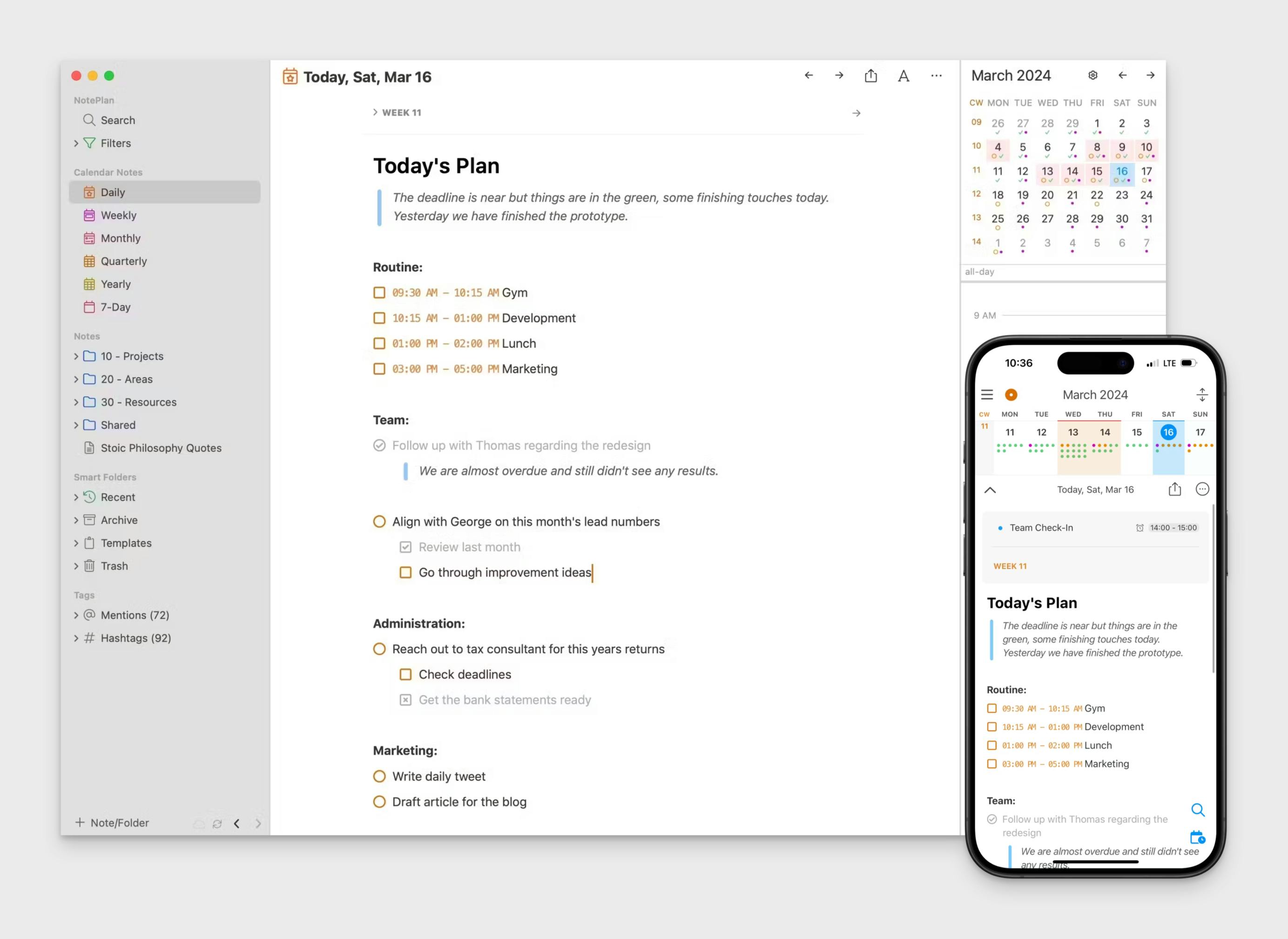
NotePlan stands out as a top-tier markdown editor for Mac, seamlessly blending powerful note-taking capabilities with intuitive calendar integration. NotePlan is highly rated (4.8 rating!) on Mac App Store.
Its clean, distraction-free interface provides an ideal environment for writing in markdown, while robust search and tagging features ensure efficient organization of your thoughts and ideas.
The app's support for backlinks and wiki-style internal linking enhances the interconnectivity of your notes, fostering a deeper understanding of your content.
What truly sets NotePlan apart is its ability to bridge the gap between note-taking and task management.
By integrating your notes with a calendar system, it becomes an all-in-one solution for both capturing ideas and planning your day.
This unique combination, coupled with cross-device syncing via iCloud, makes NotePlan an invaluable tool for Mac users seeking a comprehensive markdown editing experience that goes beyond simple text manipulation.
Pros of NotePlan as a markdown editor for Mac:
Seamless integration of notes and calendar for efficient task and project management
Clean, distraction-free interface optimized for writing in markdown
Powerful search and tagging capabilities to quickly find and organize information
Syncs across devices using iCloud for easy access on Mac, iPhone, iPad and Web.
Supports backlinks and wiki-style internal linking between notes
Offers customizable templates and snippets to streamline note creation
Includes a built-in todo system with due dates and reminders
Cons of NotePlan
Limited export options compared to more robust markdown tools
No built-in publishing options to platforms like WordPress or Medium
Typora
Pricing: 15 days free trial. One time purchase for $14.99
App Store Rating: Not Available
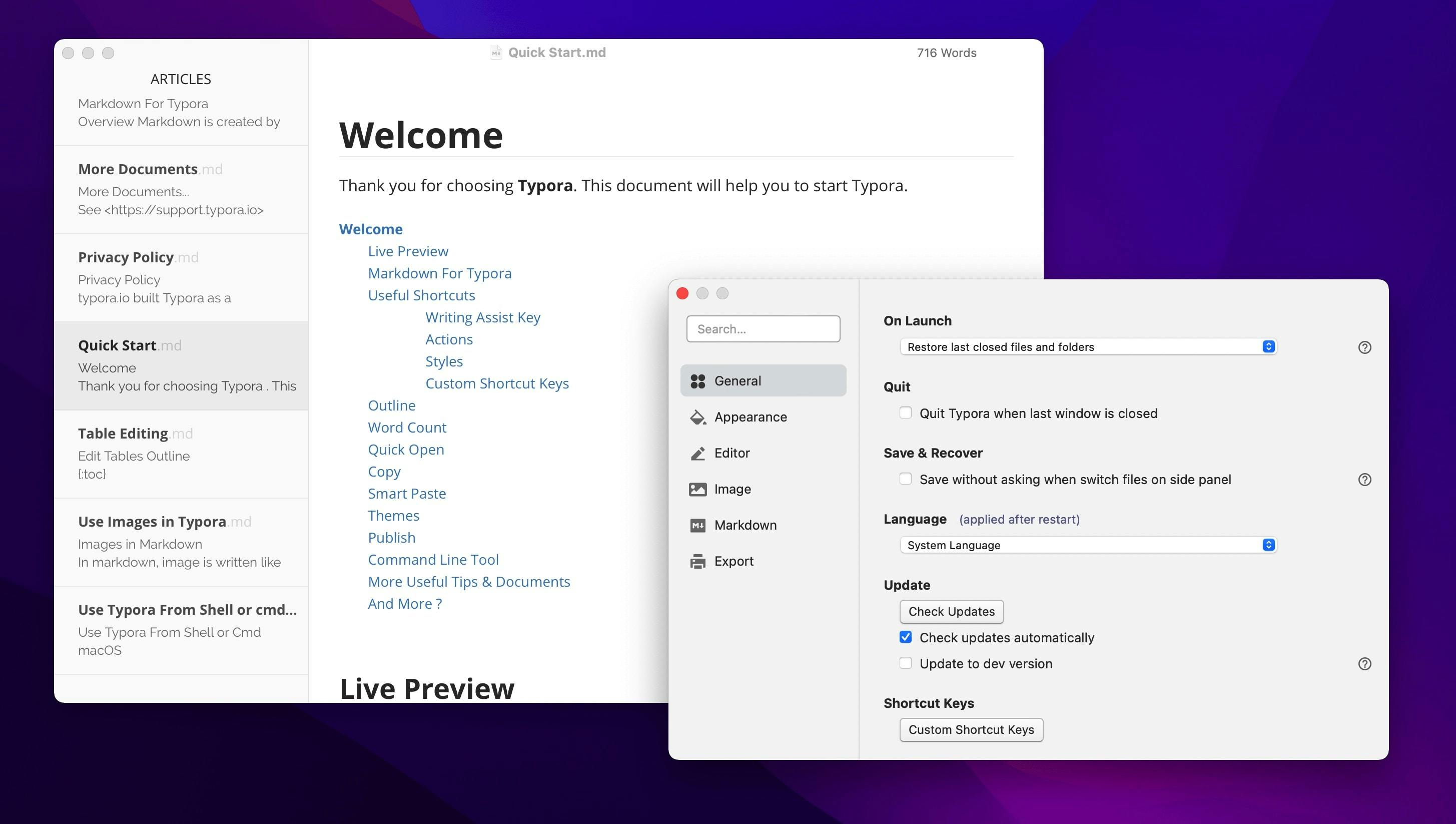
As a Mac user, you might find Typora a refreshing take on markdown editors. It offers a distraction-free, "what you see is what you get" interface, allowing you to focus on your writing without the clutter of traditional markdown syntax.
Its seamless live preview lets you see your formatted text as you type, making it ideal for those who prefer a visual approach to writing. Typora's real-time rendering includes markdown syntax highlighting, enhancing the visual writing experience.
While Typora excels in simplicity and real-time rendering, it's worth considering that it's not a feature-packed powerhouse. If you require advanced markdown functionalities or extensive customization options, you might need to explore other alternatives.
Pros of Typora as a markdown editor for Mac:
WYSIWYG Interface, making it ideal for users new to Markdown
Clean and Minimalist Design for a focused writing experience
Customizable Themes to personalize your workspace
Export to Multiple Formats for easy sharing
Cross-Platform Compatibility for flexibility across devices
Cons of Typora:
Lacks built-in file management or organizational system
No native cloud sync functionality
Limited options for side-by-side editing and preview
Fewer advanced features compared to some premium alternatives
No mobile apps available
iA Writer
Pricing: Free Trial. Then one time payment of $49.99
App Store Rating: 4.8 out of 5
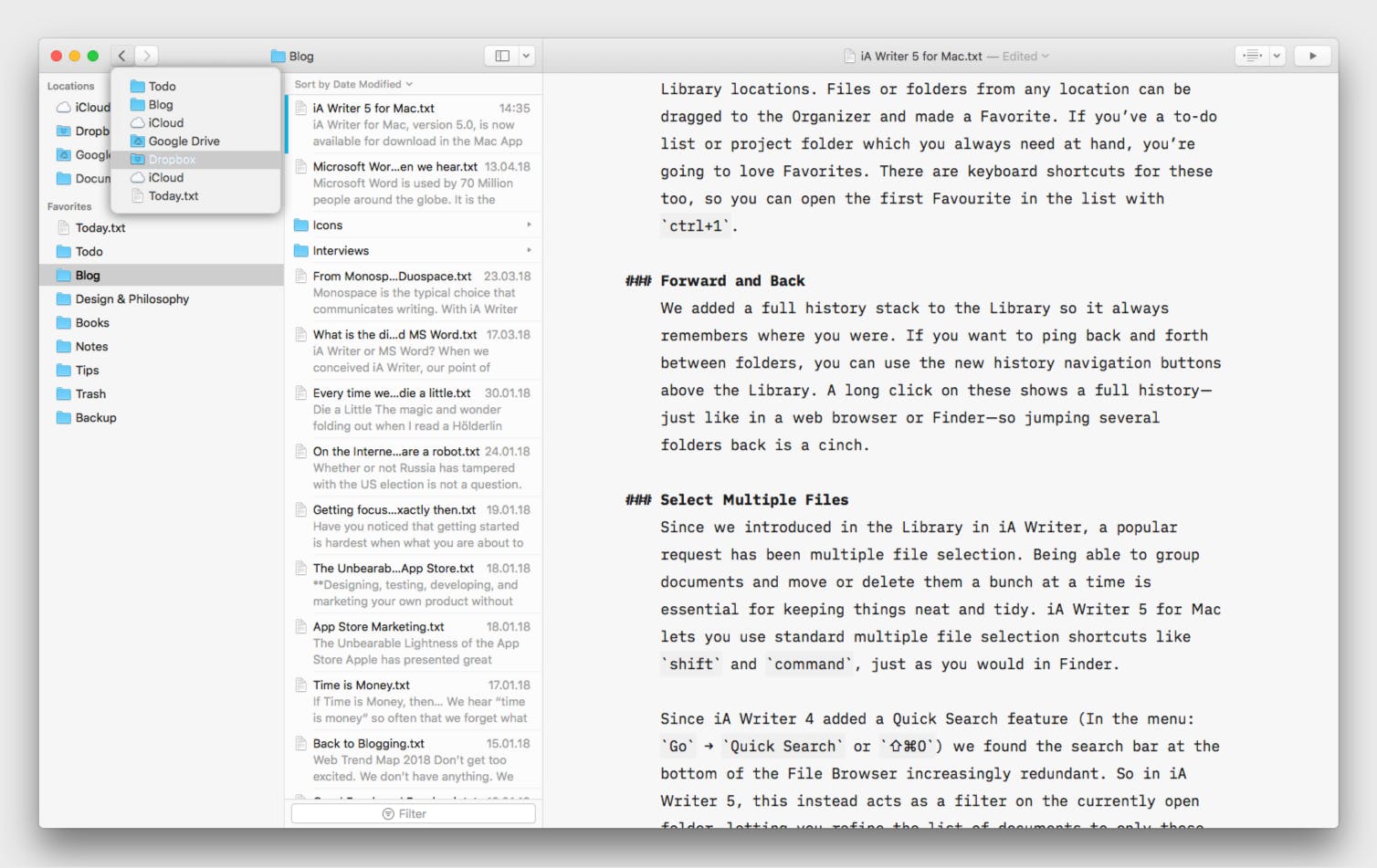
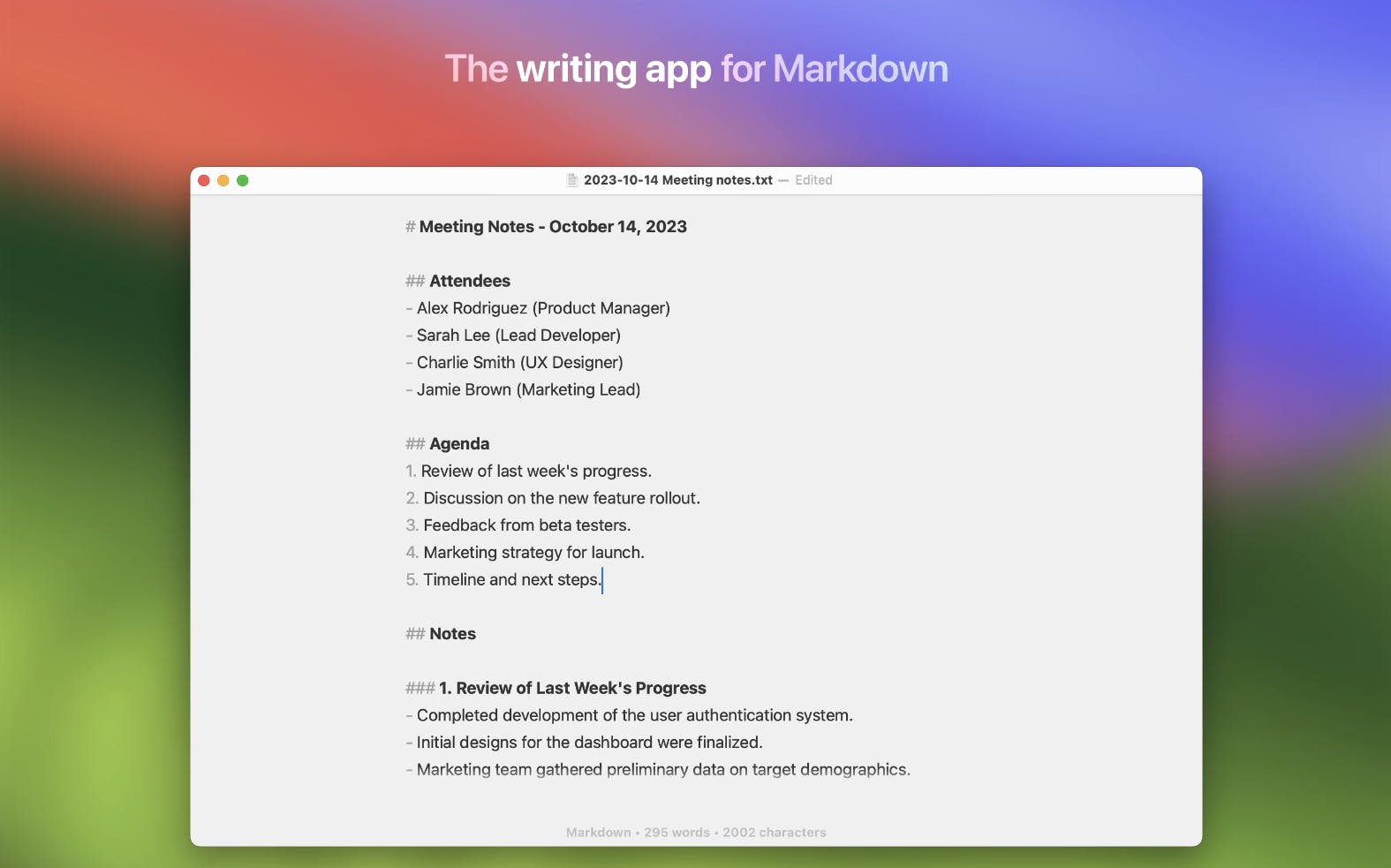
Its clean, minimalist interface helps eliminate distractions, allowing you to immerse yourself in your writing.
The "Focus Mode" further enhances concentration by highlighting only the current sentence or paragraph, keeping your attention on the task at hand.
iA Writer also boasts a unique syntax highlighting feature that subtly distinguishes markdown elements without overwhelming the visual experience. Additionally, iA Writer provides robust markdown support, making it an ideal choice for users looking for a streamlined writing experience.
While it might not offer the extensive feature set of some other editors, its dedication to simplicity and readability makes it a favorite among writers who value a streamlined, distraction-free environment.
Pros of iA Writer as a Markdown Editor for Mac:
Clean and Minimalist Interface, ideal for focusing solely on your writing
Syntax Control in the Pro version helps streamline your Markdown formatting
Focus Mode further enhances concentration by highlighting the current sentence or paragraph
Cross-Platform Compatibility allows seamless access to your work across devices (Mac, iOS, Windows, Android)
Night mode and custom typography options
Built-in document library with iCloud sync
Markdown Export to Multiple Formats supports various options like plain text, rich text, HTML, PDF, and Microsoft Word
Cons of iA Writer:
Limited organizational features compared to more robust systems
Fewer formatting options than some competitors
No built-in publishing integration for blogs or websites
Lacks advanced features like linking between documents or graph view
No collaboration features
Can be seen as expensive for a "simple" text editor
May feel too minimal for users who prefer more features readily available
MacDown
Pricing: Free. Available as open-source software.
App Store Rating: Not Available
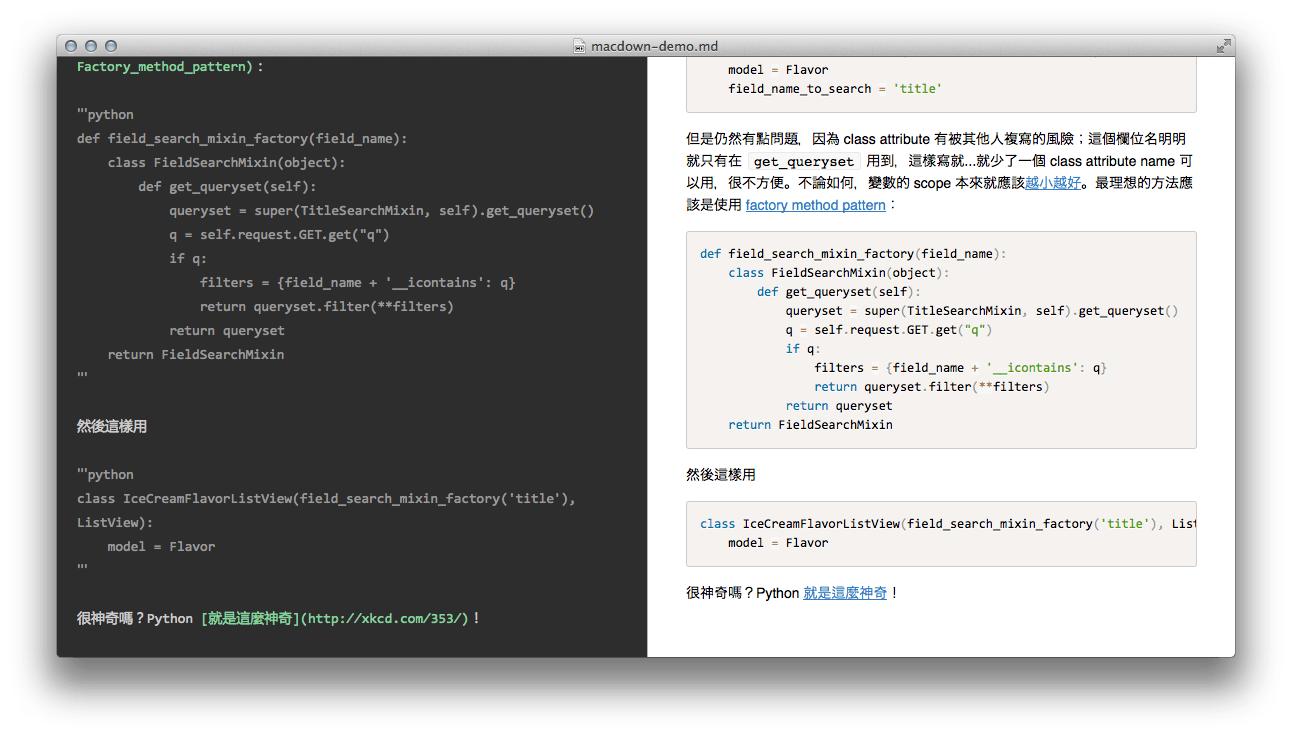
MacDown is a free, open source markdown editor offering a familiar, user-friendly interface reminiscent of traditional word processors, making it easy to transition from other writing tools.
Its live preview feature allows you to see your formatted text in real-time, and it supports a wide range of markdown syntax and extensions.
While MacDown might not boast the sleekest design or the most extensive feature set, it compensates with its reliability, customizability, and active community support.
It's a solid choice for those who value flexibility and prefer a more classic approach to markdown editing on their Mac.
Pros of MacDown as a Markdown Editor for Mac:
Free and Open-Source, making it an attractive option for budget-conscious users
Live Preview provides a real-time view of your Markdown as you type
Customizable Themes and CSS allow for a personalized experience
Offers syntax highlighting for code blocks
Allows for custom Markdown processor configuration
MathJax and fenced code block support, ideal for technical writing
Export to HTML and PDF for easy sharing and publishing
Cons of MacDown:
Less actively developed compared to some commercial alternatives
Limited organizational features for managing multiple documents
No built-in cloud sync functionality
Lacks advanced features found in premium apps (e.g., publishing integrations)
No mobile companion apps
Interface may feel dated compared to more modern editors
Fewer export options than some competitors
No focus or distraction-free writing mode
Ulysses
Pricing: Paid Plan. Available at $5.99 billed monthly
App Store Rating: 4.7 out of 5
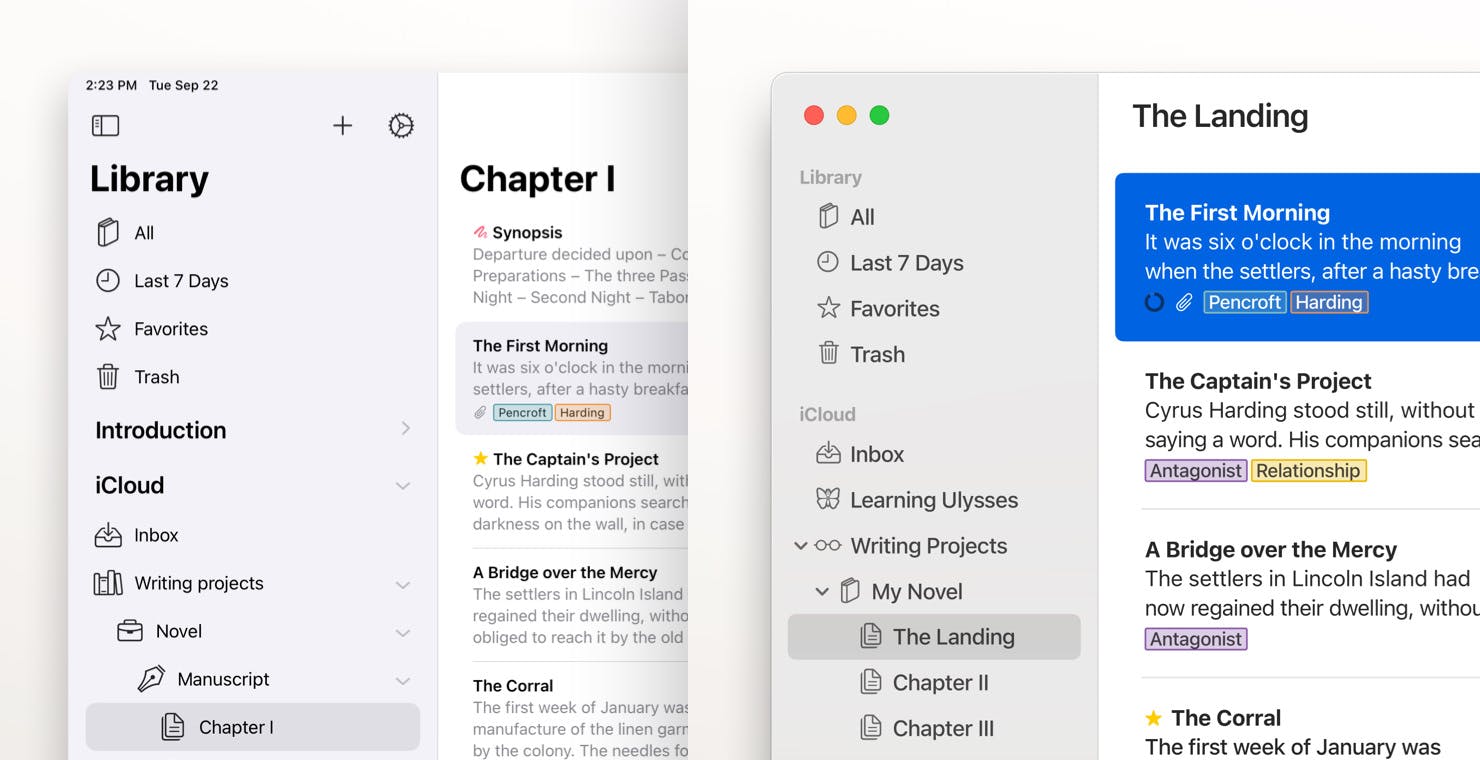
For Mac users seeking a comprehensive writing environment beyond basic markdown editing, Ulysses is a powerful option.
Its sleek interface fosters focus, and its "sheet" system organizes projects seamlessly, from notes to books. It's ideal for long-form writing and complex tasks.
Ulysses offers a robust markdown editor with live preview and customization. However, it's subscription-based, a consideration for those preferring one-time purchases.
For writers valuing a unified experience with organization and power, Ulysses is a valuable tool.
Pros of Ulysses as a Markdown Editor for Mac
Provides a clean, focused space for writing, minimizing distractions
Sheet-based system allows easy organization of large writing projects
Boasts features like images, attachments, keywords, goals, and version control
MarkdownXL enhances Markdown with annotations, comments, and image captions
Work syncs seamlessly across Mac, iPad, and iPhone devices
Supports exporting to various formats like PDF, ePub, HTML, and DOCX
Cons of Ulysses
Uses a proprietary version of Markdown, which may limit compatibility
Lacks some advanced features found in apps like NotePlan, Obsidian (e.g., backlinking)
Can be overkill for simple note-taking tasks
No built-in version control or collaboration features
Learning curve for users new to its organizational system
Marked 2
Pricing: Paid App. One time purchase of $13.99
App Store Rating: 4.7 out of 5
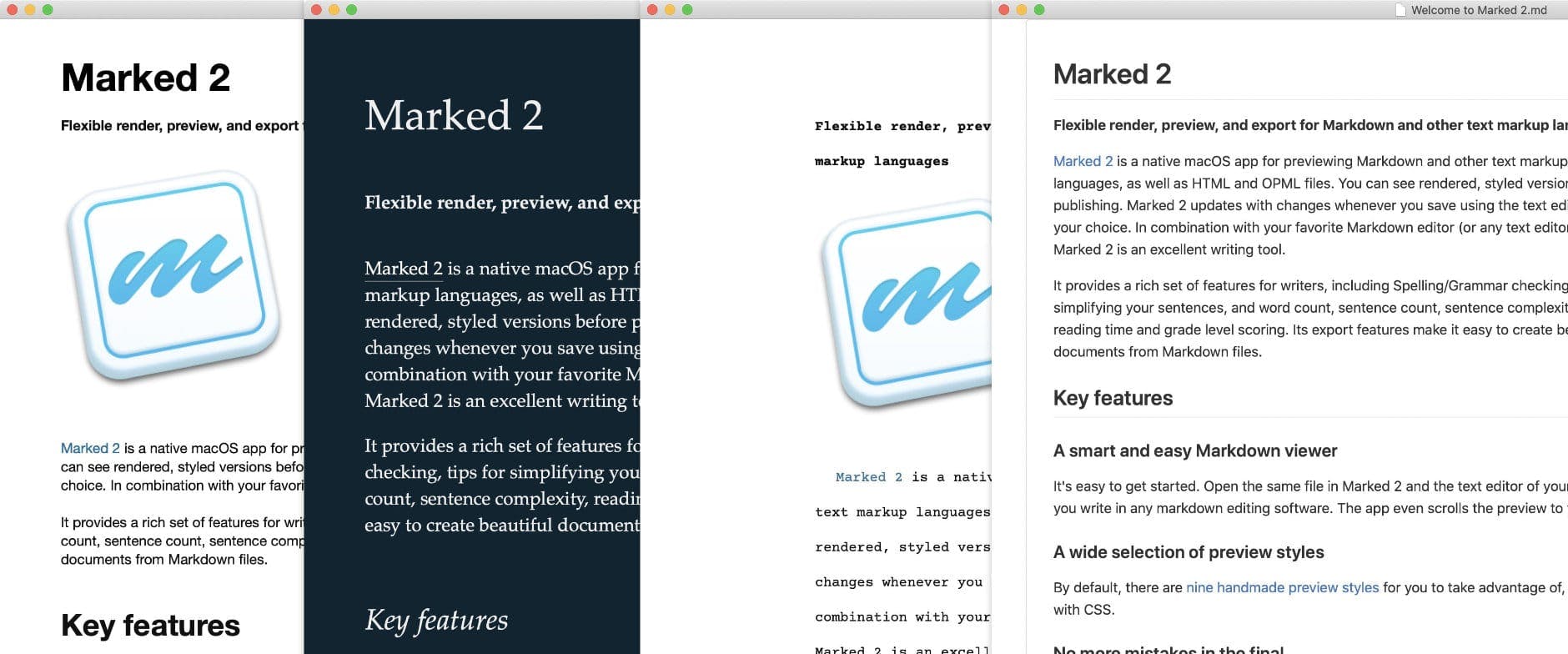
While not a traditional editor, it seamlessly integrates with your favorite text editor, offering a live preview of your markdown as you type. Marked 2 provides a powerful live preview of markdown files, enhancing the editing and formatting experience.
Marked 2 goes beyond basic rendering, providing features like customizable stylesheets, focus modes, and even tools for analyzing your writing's readability and complexity.
Though Marked 2 doesn't replace a full-fledged markdown editor, its focus on enhancing the preview and analysis experience makes it a unique companion for those who want to perfect their markdown documents on their Mac.
Pros of Marked 2 as a Markdown Editor for Mac
Offers a powerful live preview with customizable styles using CSS
Provides focus modes and distraction-free writing features
Supports multi-format export and includes built-in proofreading tools
Integrates well with other apps like Scrivener, Ulysses, and Bear
Offers a seamless workflow for writers using multiple tools, especially with its Scrivener integration
Cons of Marked 2
Not a text editor itself, requiring use alongside another writing app
Steeper learning curve for users unfamiliar with Markdown
Higher price point compared to some all-in-one Markdown editors
May feel unnecessary for users who prefer integrated preview features
Lacks note organization or management features
No built-in sync functionality across devices
Overkill for users who only need basic Markdown preview capabilities
Bear
Pricing: Free plan. Paid plan starting with a $2.99/mo
App Store Rating: 4.7 out of 5
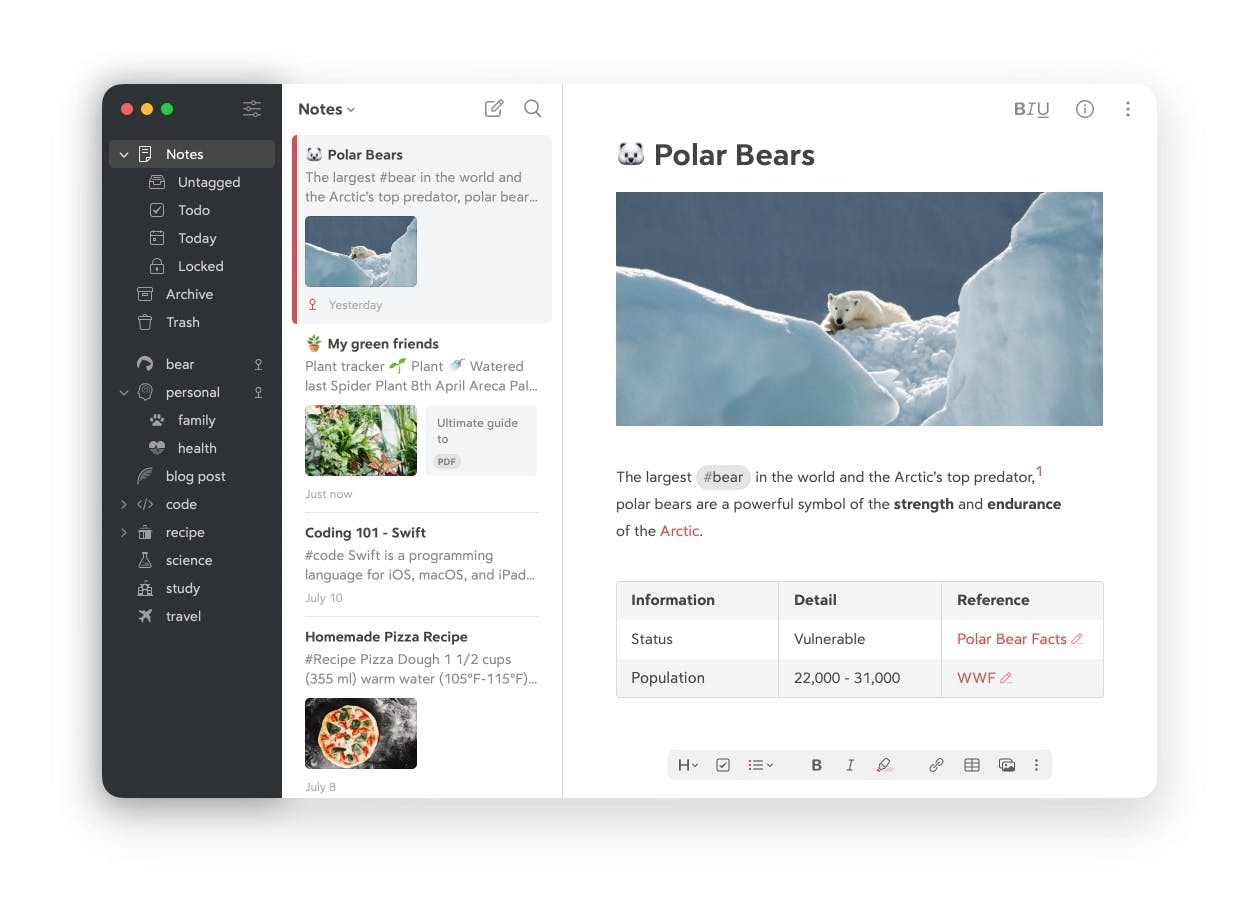
For Mac users who value both aesthetics and functionality in their writing tools, Bear presents an appealing option. Bear supports markdown, making it a user-friendly and lightweight option for note-takers. Its elegant interface combines a clean, minimalist design with powerful markdown editing capabilities.
The app's tagging and linking features make it effortless to organize and connect your notes, while its focus mode helps eliminate distractions and keep you in the flow.
Bear offers a seamless writing experience with live preview and support for various markdown elements.
Pros of Bear as a Markdown Editor for Mac
Boasts a visually appealing and user-friendly interface
Tagging system allows for powerful organization and quick retrieval of notes
Seamlessly syncs your notes across Mac, iPad, and iPhone devices
Focus Mode helps minimize distractions by highlighting the current line or paragraph
Supports exporting notes to various formats, including PDF, HTML, DOCX, and JPG
Cons of Bear
Requires a subscription for sync and advanced features
Uses a proprietary file format, which can complicate migration to other apps
Limited customization options compared to some competitors
Lacks some advanced features found in apps like NotePlan or Ulysses
No built-in publishing options to platforms like WordPress or Medium
MarkText
Pricing: Free. Available as open-source software.
App Store Rating: Not Available
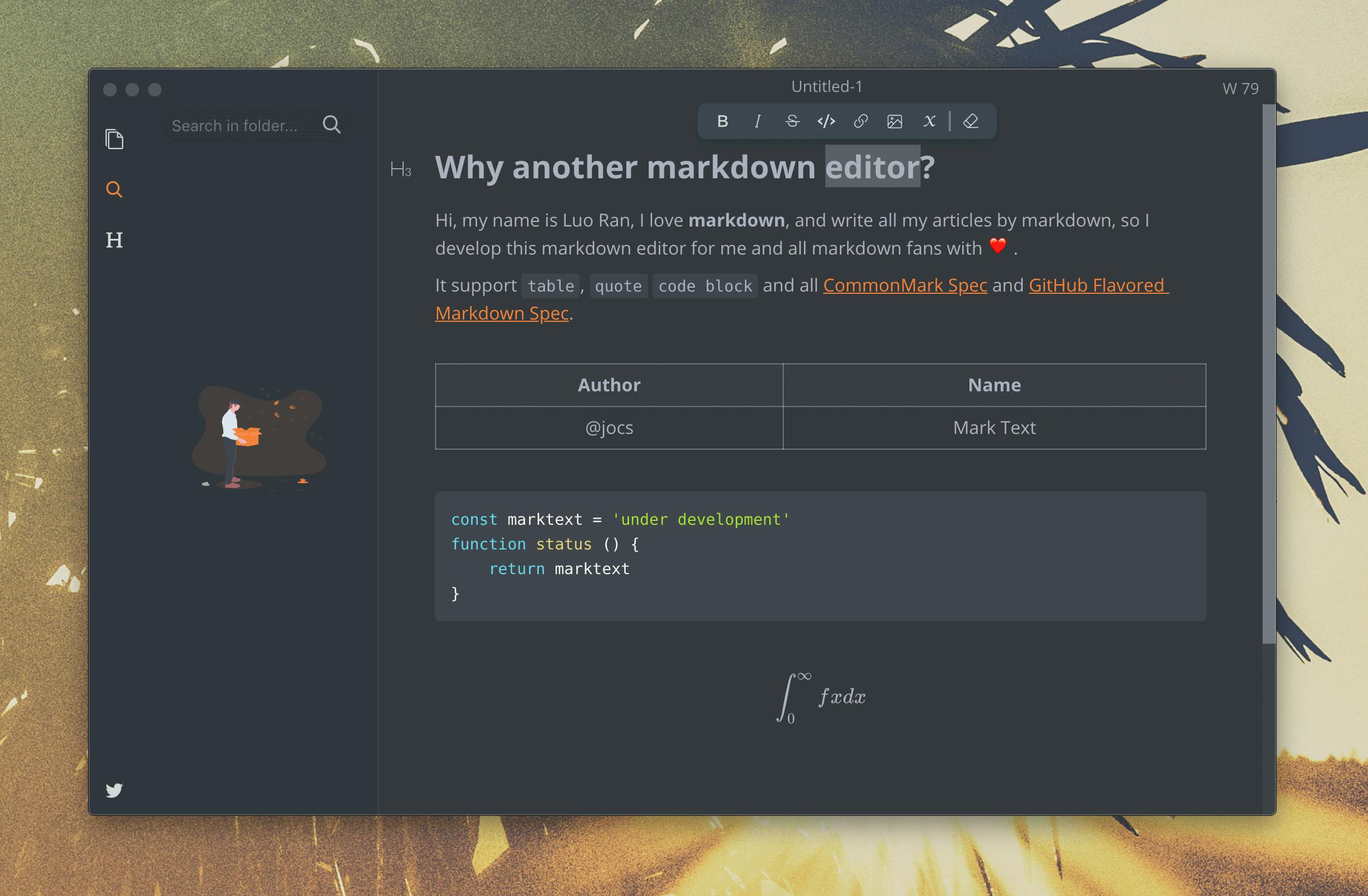
MarkText’s clean and intuitive interface provides a distraction-free writing environment, while its live preview feature allows you to see your formatted text in real-time. MarkText offers features that go beyond regular text editors, providing a streamlined and efficient markdown editing experience.
MarkText supports a wide range of markdown syntax and extensions, and its customizable themes and keyboard shortcuts let you tailor the experience to your preferences.
While MarkText might not boast the extensive feature set of some commercial editors, its focus on simplicity, performance, and active development makes it a valuable choice for those who value a streamlined and efficient markdown editing experience on their Mac.
Pros of Mark Text as a Markdown Editor for Mac
Completely free to use and benefits from community contributions
Offers a live preview of your Markdown as you type
Provides various built-in themes and allows further customization using CSS
Supports mathematical equations rendering and the creation of diagrams directly within the editor
Available for macOS, Windows, and Linux, offering flexibility
Cons of Mark Text
Might have occasional bugs or stability issues compared to more mature editors
Currently has a smaller selection of plugins
Requires external tools or extensions to export your Markdown to formats like PDF or ePub
Its extensive features and customization options might require some initial learning
Obsidian
Pricing: Free plan. Paid plan starting with $50/user/year for commercial use
App Store Rating: 4.5 out of 5
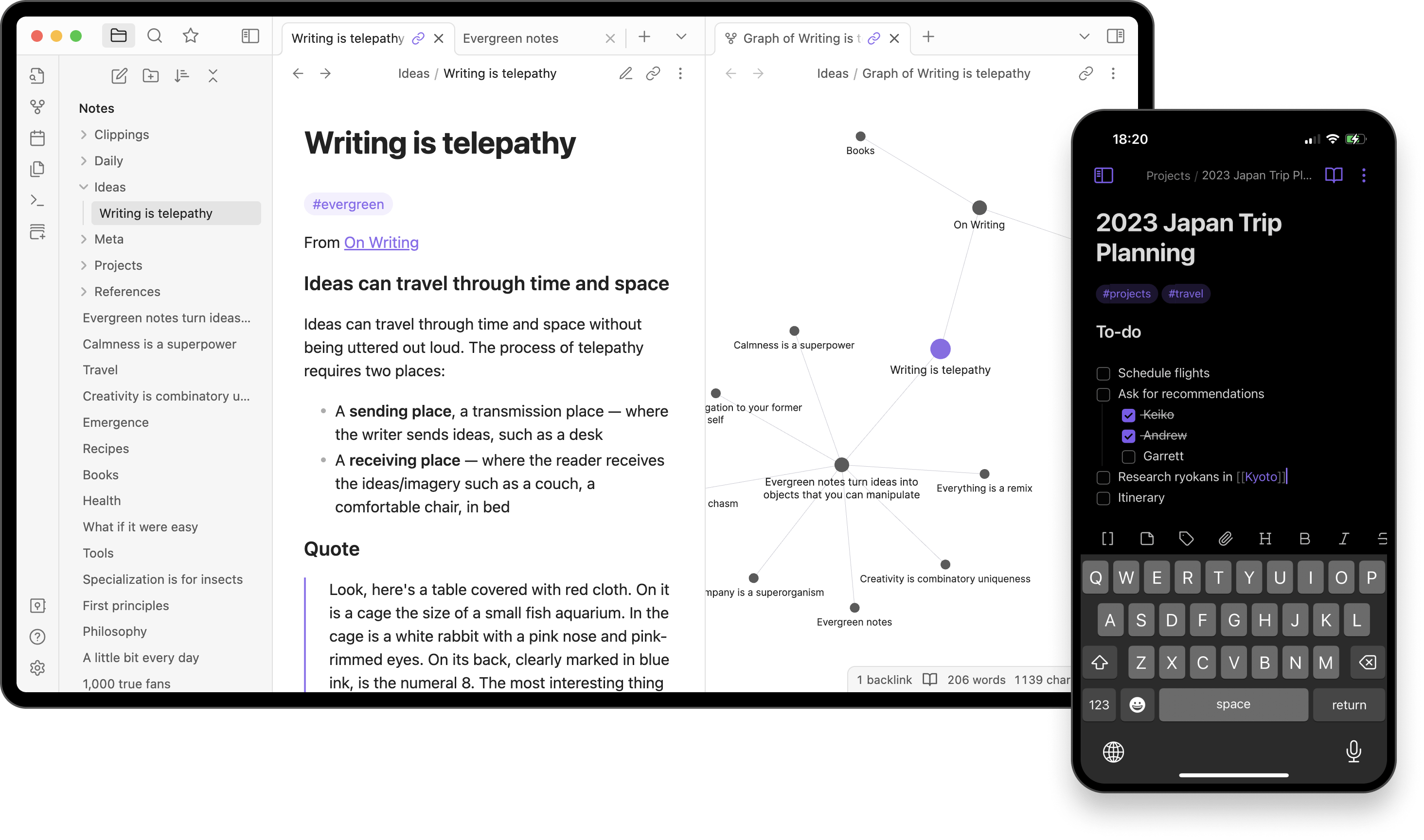
For Mac users who value interconnected notes and knowledge management, Obsidian is a compelling markdown editor.
It excels in creating a network of linked notes, allowing you to visualize and explore connections between your ideas, making it ideal for researchers and those who prefer a non-linear approach to organizing information.
Obsidian's markdown editor offers a clean interface with live preview and support for various extensions. Its vast plugin ecosystem further extends its functionality, enabling features like backlinks and graph views.
While its learning curve might be slightly steeper, Obsidian's potential for knowledge organization and discovery makes it a valuable asset for Mac users seeking a powerful markdown tool.
Pros of Obsidian as a Markdown Editor for Mac
Creates an interconnected network of notes, fostering a "second brain"
Your data is stored locally on your device, giving you complete control and privacy
Boasts a vast library of plugins, allowing you to extend its functionality
Offers a range of built-in themes and the ability to create your own using CSS
Visualizes the connections between your notes, helping you discover patterns
Automatically tracks links to and from your notes
Core features are free to use, with optional paid features like sync and publish
Cons of Obsidian
Steeper learning curve compared to simpler Markdown editors
Can be overwhelming for users who don't need its advanced features
Sync across devices requires a paid subscription or manual setup
Some users find the default theme less aesthetically pleasing than other apps
Performance can slow down with very large vaults (collections of notes)
Not as focused on longform writing as some dedicated writing apps
Byword
Pricing: Paid App. One time purchase of $10.99
App Store Rating: 4.7 out of 5
Byword presents a clean and uncluttered interface that helps you focus solely on your writing. While it also support various markdown syntax and it’s extensions allows you to create beautifully formatted documents.
Byword also boasts seamless integration with popular cloud storage services, enabling you to access and edit your files across multiple devices.
While Byword's feature set might not be as extensive as some other editors, its dedication to simplicity and efficient writing makes it a valuable option for those who prefer a streamlined experience on their Mac.
Pros of Byword as a Markdown Editor for Mac
Provides a clean and uncluttered writing environment, minimizing distractions.
Available for Mac, iOS, and has a web version, allowing seamless access across devices.
Focus Mode further enhances concentration by highlighting the current sentence or paragraph.
Allows you to publish directly to platforms like WordPress, Tumblr, Blogger, and Evernote.
Offers a range of themes to personalize your writing experience.
Cons of Byword
Lacks some advanced features found in other Markdown editors
No built-in file management or organization tools
Limited customization options for themes and appearance
No split-screen editing view
Fewer export options compared to some competitors
Not as actively developed or updated as some other apps
MWeb Pro
Pricing: 14 days free trial. One time purchase for $34.99
App Store Rating: Not Available
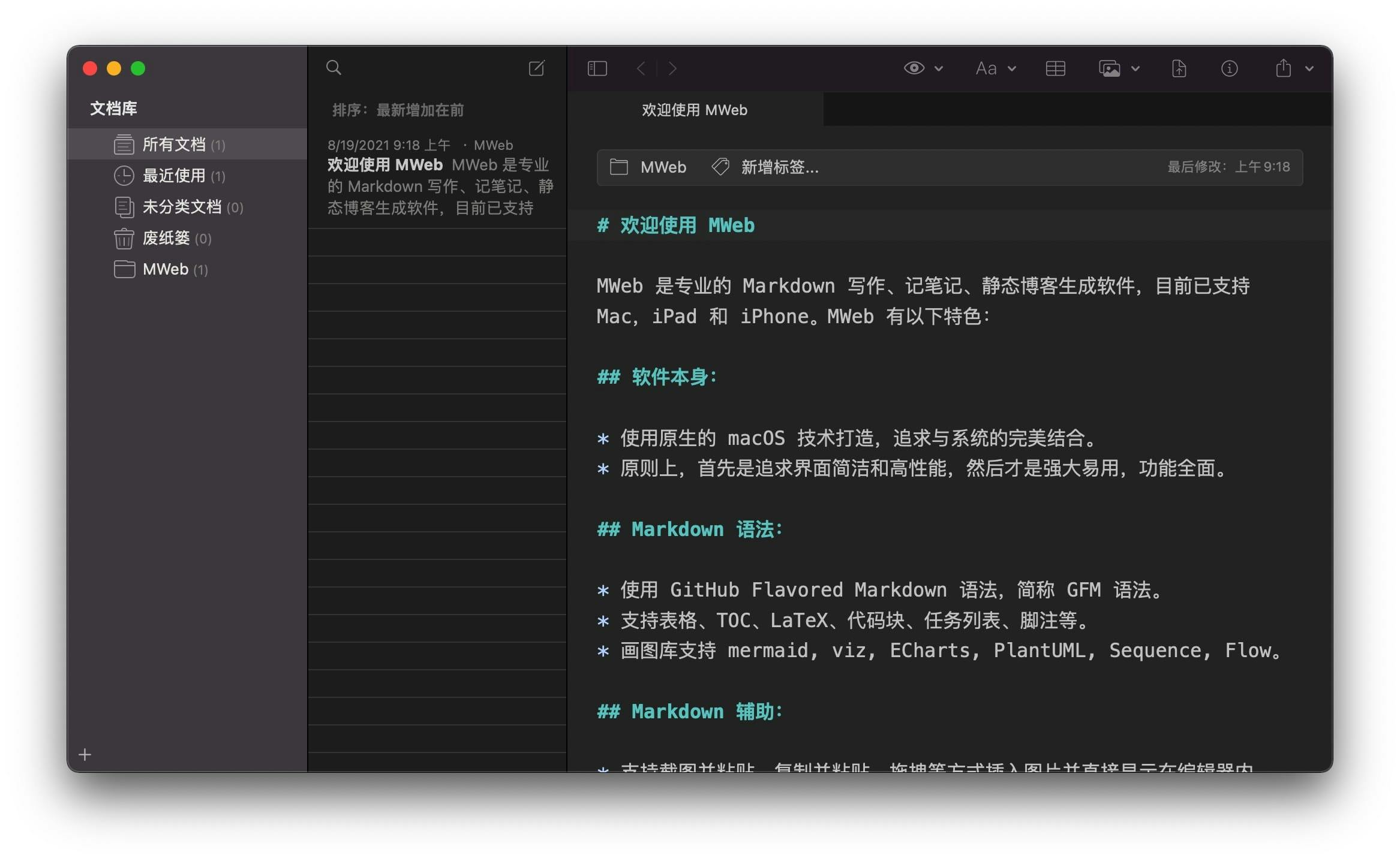
For Mac users seeking a markdown editor tailored for blogging and website creation, MWeb Pro offers a comprehensive solution. Its built-in features for managing categories, tags, and publishing directly to popular platforms streamline the content creation process.
MWeb Pro's live preview allows you to see your formatted text in real-time, and its support for various markdown syntax and extensions ensures flexibility.
While MWeb Pro's interface might not be as minimalist as some other editors, its focus on content organization and publishing workflows makes it a valuable asset for bloggers and web developers on Mac.
Pros of MWeb Pro as a Markdown Editor for Mac
Combines features of a Markdown editor, static site generator, and note-taking app
Offers both library mode for note management and external mode for editing any Markdown file
Supports a wide range of Markdown syntax and extensions
Includes features like spell check, auto-completion, and quick search for efficient writing
Includes a built-in image uploader and manager
Provides multiple export options including HTML, PDF, and EPUB
Offers customizable themes and CSS
Supports integration with various cloud services for syncing
Includes features for publishing to platforms like WordPress and Medium
Cons of MWeb Pro
Interface can feel cluttered compared to more minimalist editors
Learning curve may be steeper due to the variety of features
Less popular than some competitors, potentially leading to a smaller community and fewer resources
May be overkill for users who need only basic Markdown editing
Sync features not as seamless as some cloud-native alternatives
Conclusion
After extensively testing and comparing these 10 top Markdown editors for Mac, I'm confident that there's a perfect match for every type of writer and workflow.
Remember, the "best" Markdown editor is ultimately the one that fits seamlessly into your writing process. I encourage you to take advantage of the free trials offered by many of these applications. Experiment with a few that caught your eye in this list – you might be surprised by which one feels most natural to use.
I hope this guide has helped you navigate the world of Markdown editors for Mac. Whether you're crafting your next novel, organizing research notes, or documenting code, there's a powerful tool waiting to enhance your writing experience.
Happy writing, and may your words flow as smoothly as your new Markdown editor!